

EasyStore Product List CSS Issues

Stephane Hanrez
Hello,
I have some CSS issues which I don't understand, could you please help on those ?
I exported/imported my PageBuilder template from the easystore integration to my website homepage. I see all the page CSS have been imported correctly, but for some reasons, articles on the homepage are not showing the same way as on the webshop page, e.g. :
- item name, category, ... not showing inside the white part.
- corners are not rounded as it should
I do see the right css on the product list add-on, so maybe I miss something.
Also, if I try to activate the scroller :
- I lose the space between columns.
- I would like the header to be on the same line as the scroller indicators, any way to achieve that ?
Login added to hidden section as website is not active yet.
Thanks a lot
14 Answers
Order by
Oldest

Ziaul Kabir
Accepted AnswerHello,
Please accept my sincere apologies for the delayed response.
I have just added the CSS to the Addon Style → Custom CSS section. You can check it here:
Thank you for your patience.
Best regards,
Stephane Hanrez
Accepted AnswerThanks a lot, there are so many possible place to add css that it's not always easy to find it... and for some reason, this code appears on the backend editor, but not on the frontend editor.
Ziaul Kabir
Accepted AnswerWe have added a negative value to adjust the frontend layout, which is why it may not be visible in the frontend editor.
However, you can find the layer options on the left side. You can access this from there.
Please remove the CSS shown in the screenshot below:
Thanks!
Stephane Hanrez
Accepted Answerstrange behaviour, if I edit the article with sppagebuilder and close, it gets me to /component/sppagebuilder/page/3 instead of just / and there the css is correct...

Mehtaz Afsana Borsha
Accepted AnswerHi there,
Thank you for getting in touch with us.
I wanted to check in and see if everything is now working as expected. Please let me know if you need any additional help!
Kind regards,
Stephane Hanrez
Accepted AnswerHello,
I managed to solve some of my formatting issues but still have the issue when enabling the scroller that :
- I lose the space between columns.
- Size of the different boxes are different.
Also is there any way if I enable the scroller to get the title aligned with the controllers of the scroller ?
Thanks
Mehtaz Afsana Borsha
Accepted AnswerCould you please give me that specific page link and also a screenshot of your issue?
Stephane Hanrez
Accepted AnswerHello,
It's on the homepage.
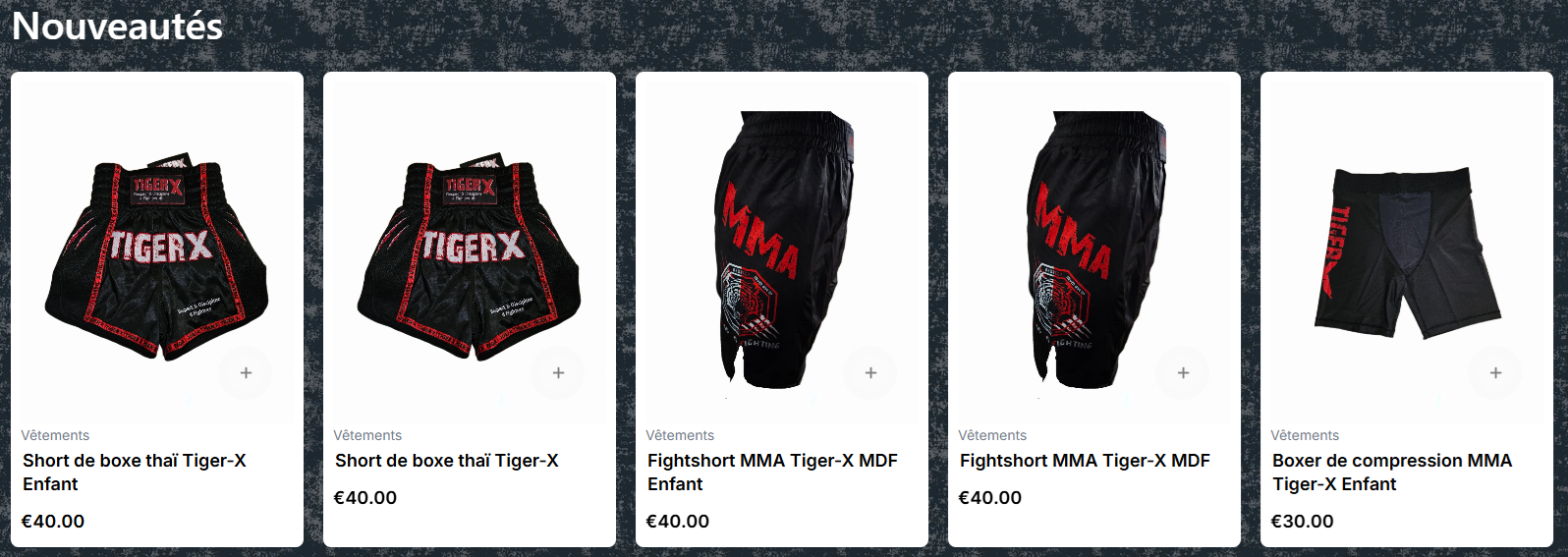
Result if I don't use the scroller :
Result if I use the scroller :
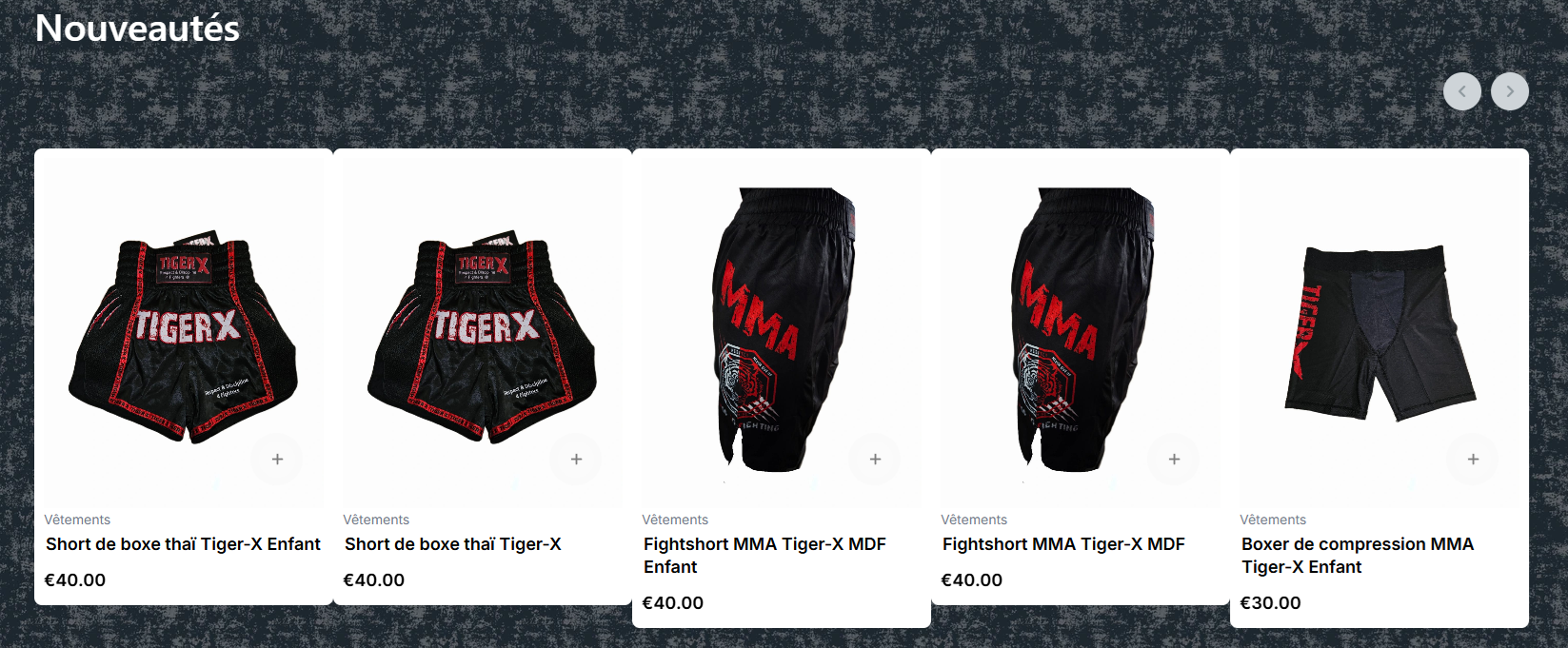
So as you can see, the space between columns has disappeared, and box sizes are not aligned anymore as soon as I try to use the scroller...
Mehtaz Afsana Borsha
Accepted AnswerCould you please take a full site backup, enable the scroller on that position, and grant me access to check it directly? This will help me inspect the layout issue live and provide you with the exact custom CSS to resolve it.
Ziaul Kabir
Accepted AnswerHello Stephane,
I apologize for the delay.
Regarding the column spacing, I can see that there is an issue when the scroller is enabled. I have forwarded this to our team for further review. I currently fixed it using custom css.
Regarding the section heading, I have fixed the alignment using custom CSS. Please check it now.
For the product item height, the product titles have different lengths, which causes the items to have different heights automatically. You can set a minimum height for the product items based on the item with the longest title so that all items remain aligned.
Thank you for your patience.
Kind regards,
Stephane Hanrez
Accepted AnswerThanks, to be honest this is still not looking perfect (blocks of different size, latest product cut in the middle). I will stick to not using the scroller for now, will do another test once it has been fixed in a further version.
Stephane Hanrez
Accepted AnswerCould you please let me know which css you added so that the "Nouveautés" title appears at the same height as the scroller. Because now when I disable the scroller, the title appears behind the product list, so I would like to comment it out for the time being.
Thanks