Hello Support
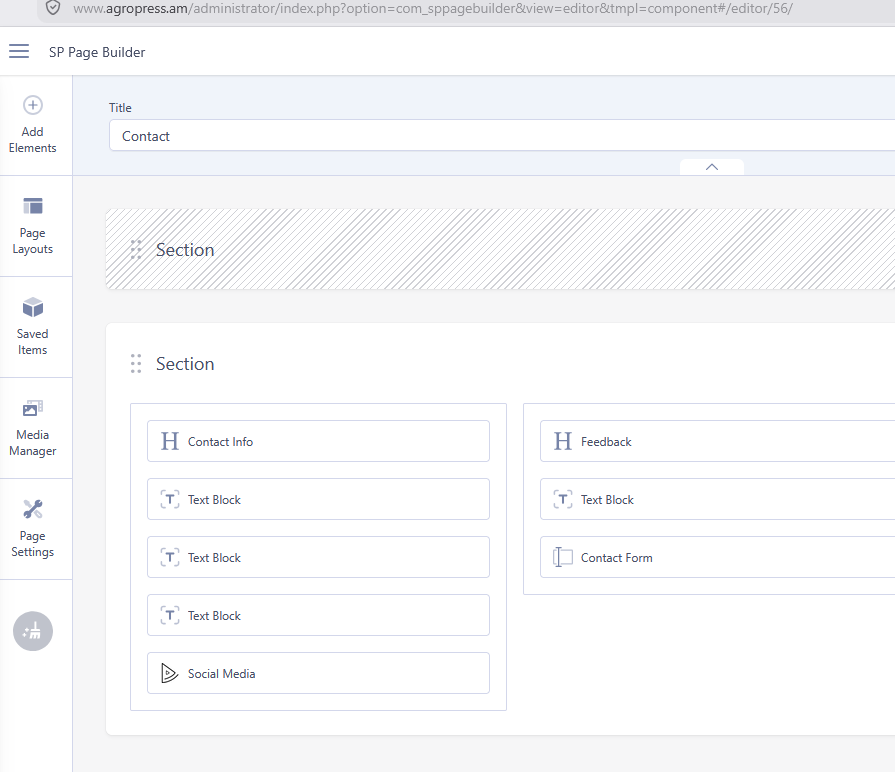
My SP page builder pro dont work in Pages section
Solved
SP Page Builder
SP page builder pro don't work
Accepted answer
Marked as the solution
Paul Frankowski Senior Staff
2 months ago
· edited
Hi,
what is wrong exacly? More details please. Your site - one of pages.
10 more replies

Mehtaz Afsana Borsha Staff
Hi,
Thanks for contacting us. Could you please give me a screencast video of your issue?
-Regards.
roobik Asked this
Thanks ! its resolved
Mehtaz Afsana Borsha Staff
Glad to know that and thanks for accepting the answer.
Paul Frankowski Senior Staff
Remember also to change value for PHP settings that your Joomla and our guide recommends:
- PHP: memory_limit: 256M or 512M
- PHP: post_max_size: 128M or 256M
- PHP: upload_max_filesize: 16M or 32M
Hosting support may help you with those.
roobik Asked this
thanks
one more quiestion
how can i desable this page ( comming soon )
https://agropress.am/?tmpl=comingsoon
Paul Frankowski Senior Staff
the same as you enable it, from Template Options.
But I don't see it, just click domain name : https://www.agropress.am/
you can use 2nd browser to be sure.
roobik Asked this
site offline is not enable in Template options !
Paul Frankowski Senior Staff
Offline =/= Coming soon
totally different things. And in Joomla Admin > Global Configuration you can enable only offline mode.
please take a look in Helix documenation
roobik Asked this
I dont know from where search engines find this page.
I only need to hide this page from search engines.
Regards
Paul Frankowski Senior Staff
You write so briefly that it's hard to figure out what you mean from just one sentence. We're not mind readers.
In Google Search Console > Removals > add that page URL
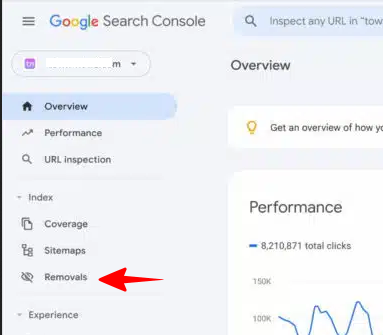
that's all we can suggest.
Mehtaz Afsana Borsha Staff
Thanks for your suggestions Paul.
Log in to reply.