

HI, HOW CAN I CHANGE THE IMAGE
DN
davide di natale
HI, HOW CAN I CHANGE THE IMAGE "CONTACT US Stay with US "HELP ME!
8 Answers
Order by
Oldest

Ariba
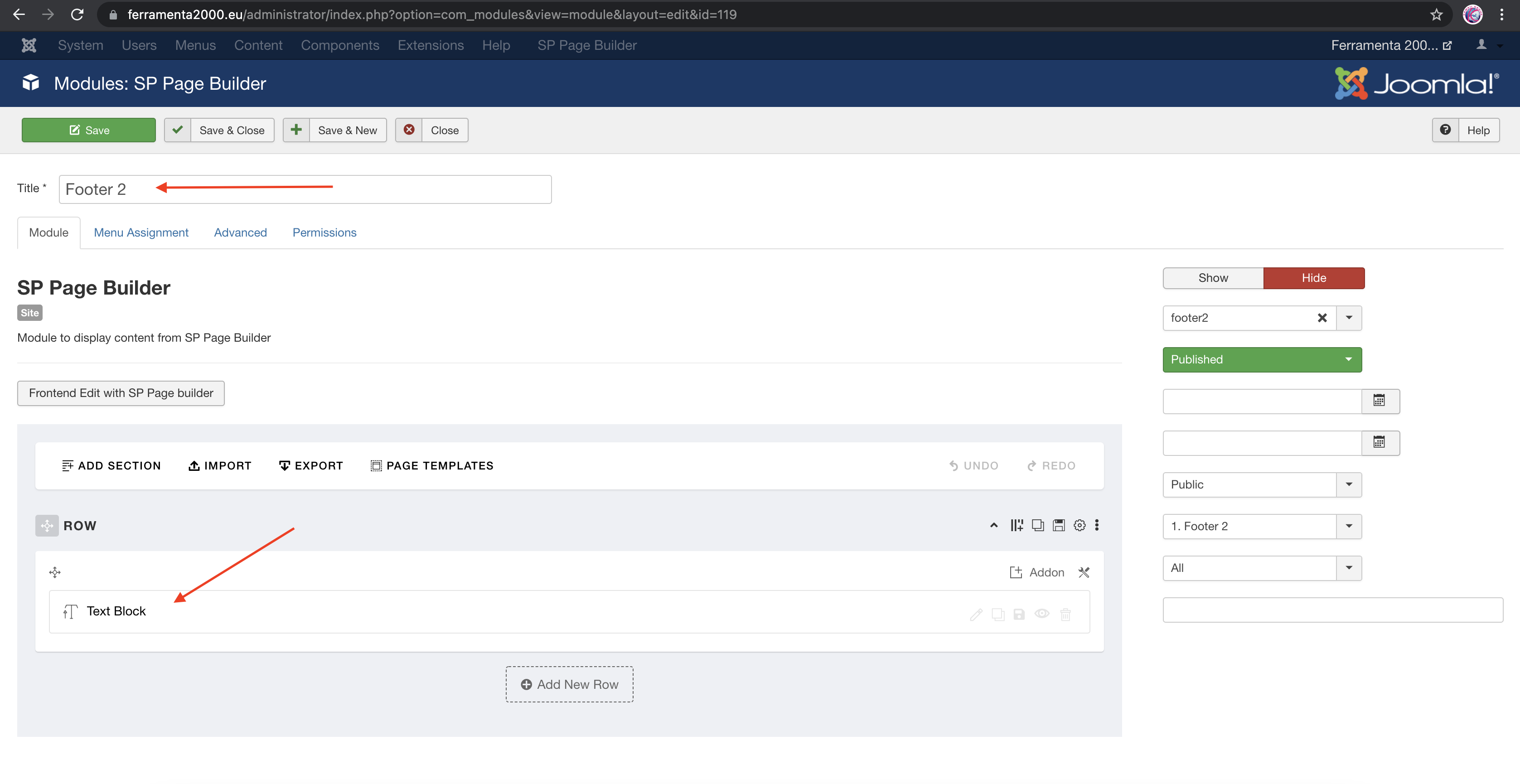
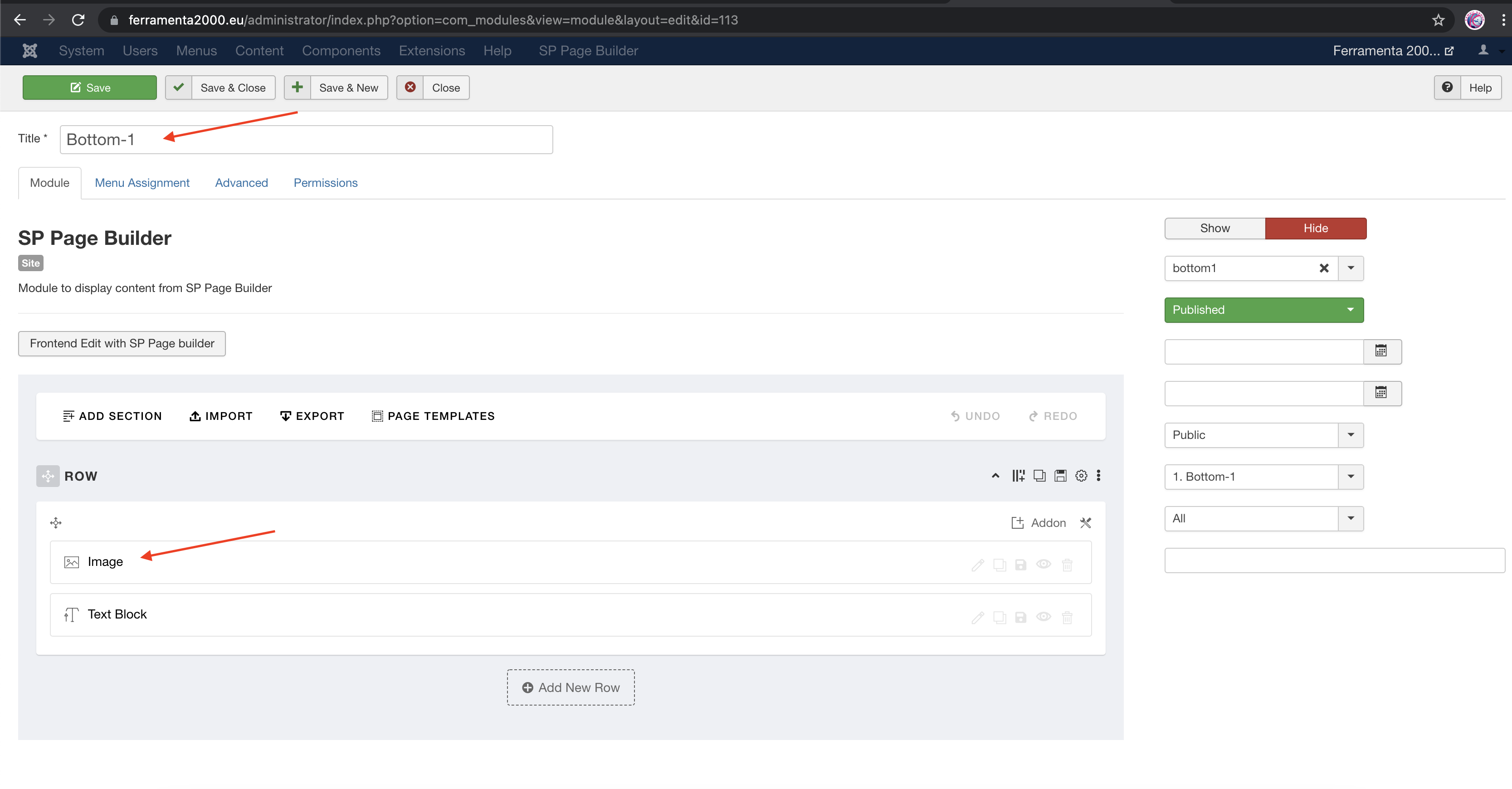
Accepted AnswerPlease go to Extensions -> Modules and find module named "Footer 2" & "Bottom-1"
In "Footer 2" module change the content of the text block addon. In "Bottom-1" module edit the image addon to change logo image.
Ariba
Accepted AnswerThank you for your query.
I am unable to log in to the site. Could you kindly provide a screenshot highlighting which part you want to change?
DN
davide di natale
Accepted Answer
DN
davide di natale
Accepted Answerok can you check me why in the google map the written one comes out?
Ariba
Accepted AnswerHello
Please go to edit menu item "Contatti" and click on tab "Helix Page Title". See the screenshot below -
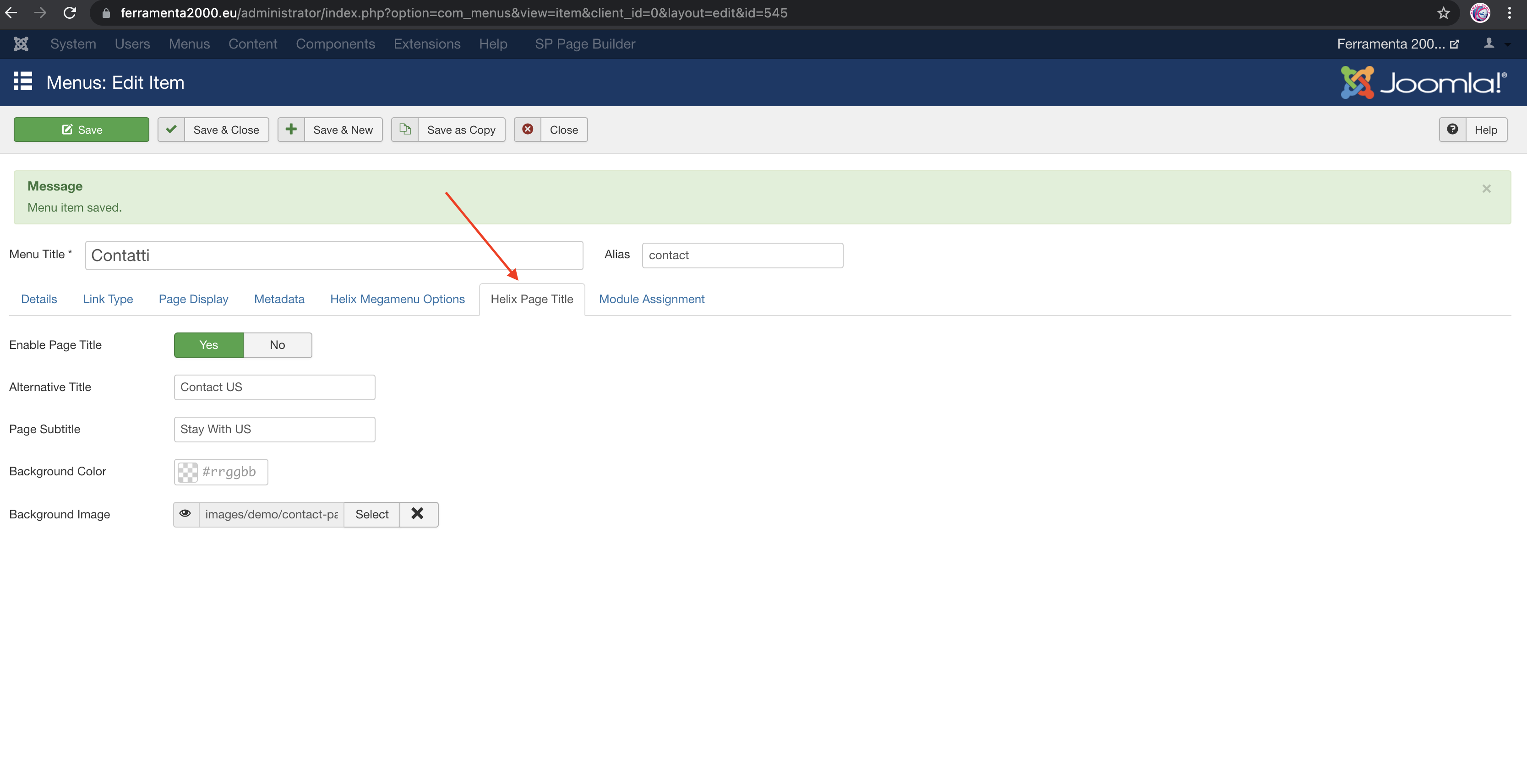
And can you please explain your second question? You can provide screenshot and highlight the issue for better understanding.
DN
davide di natale
Accepted AnswerHOW CAN I CHANGE THE LOGO AND TEXT?