

Center Sidenavigation
MN
Michael Nolden
Hi there (again),
first of all, you are great! Its so helpfull how and how fast you react on every question! I already postet a very positive review.
Here is my next question:
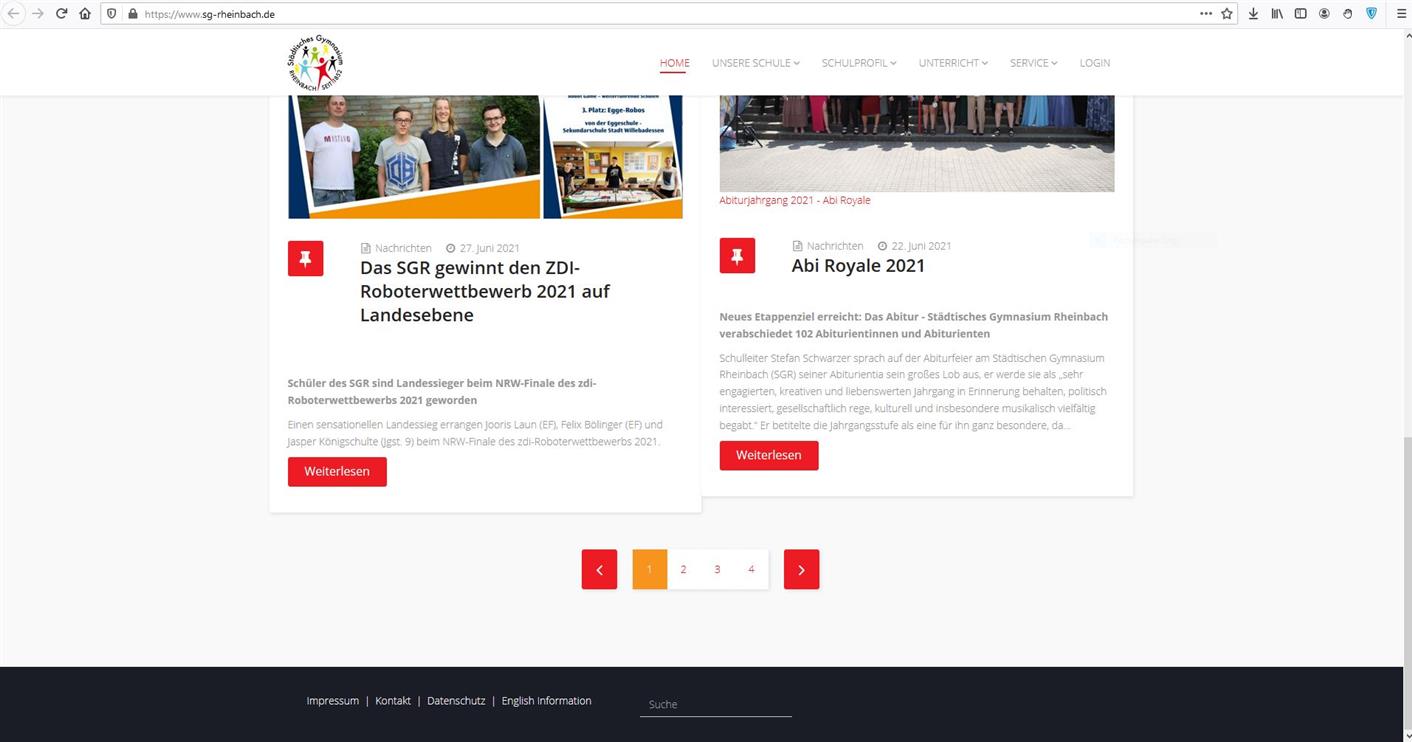
How can I set the sidenavigation-bar (from main-articles (component)) to the center? --> see screenshot
Website
https://www.sg-rheinbach.de/
10 Answers
Order by
Oldest

Ariba
Accepted AnswerI have added the screenshots of the steps below for your kind reference, you can take a look.
-
Go to Extensions -> Templates -> Styles
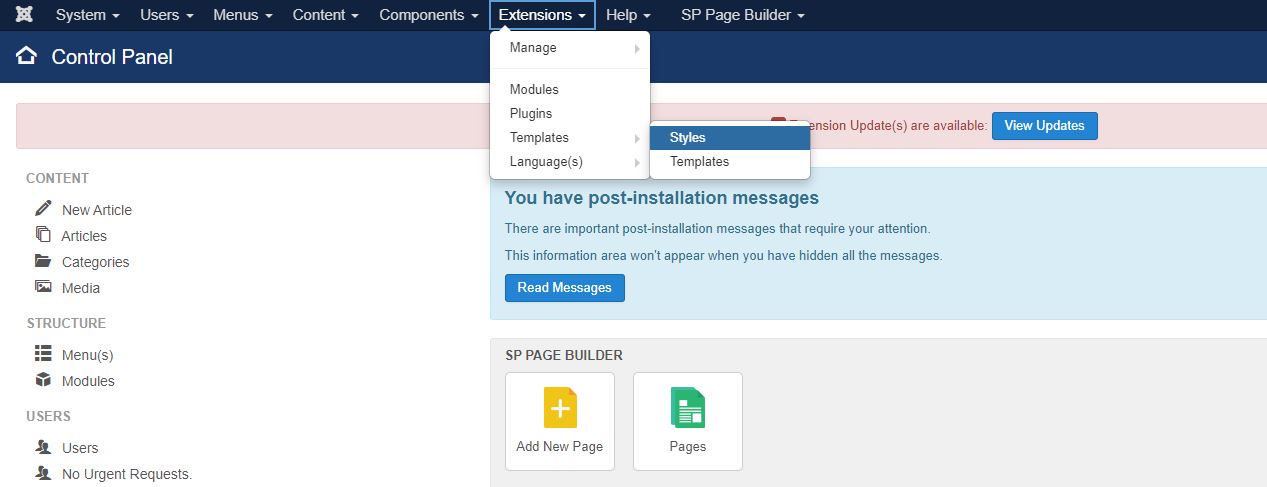
-
Select your template
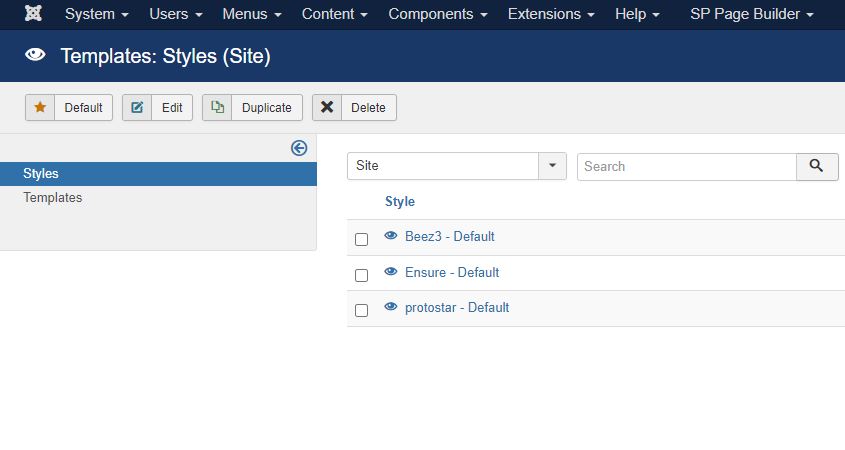
-
Click on Template options
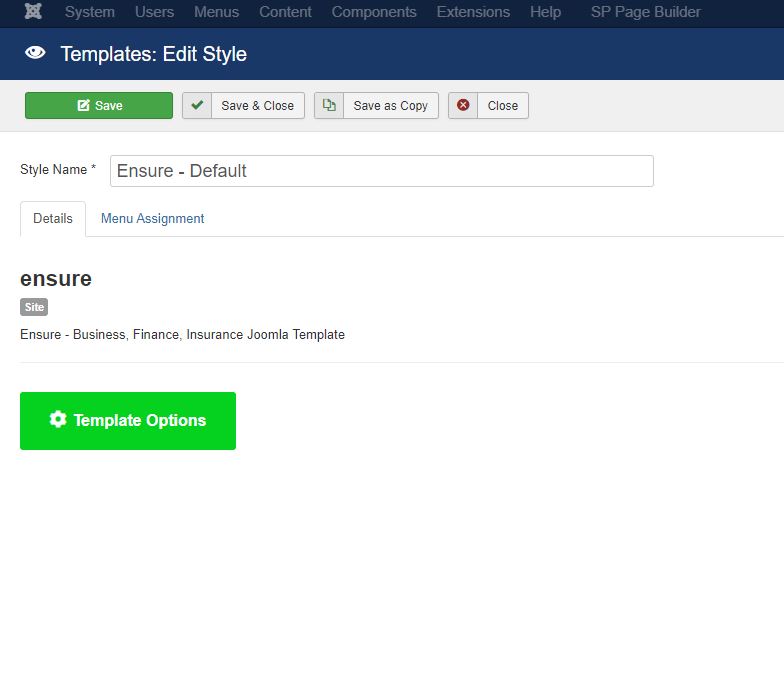
-
If you are using Helix ultimate based template, you will see this page and the Custom Code section to add the css
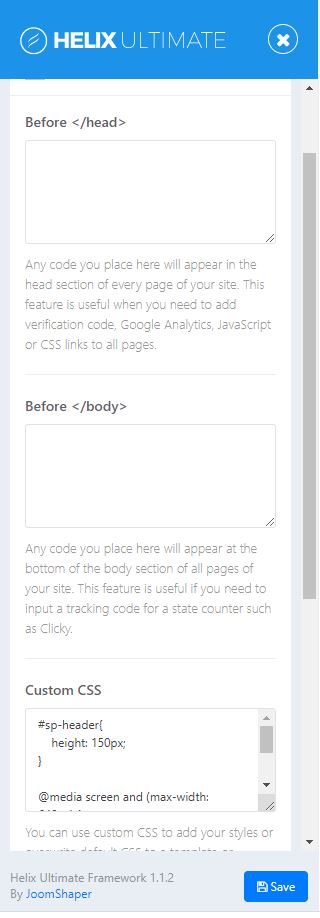
Ariba
Accepted AnswerHello
Thank you for your kind appreciation :)
And thank you for providing the screenshot as well, let me have a look.

Paul Frankowski
Accepted AnswerHi, Danke.
I think also this time we can help you quickly and efficiently.
Use custom CSS:
.pagination {
    display: flex;
    justify-content: center;
}
After:

Ariba
Accepted AnswerPlease use the following code in Custom CSS section.
.pagination {
    float: none;
    margin: 0px auto;
    display: block;
    width: max-content;
}
Please go to Extensions -> Templates -> Styles, then click on Template Options. From there you can go to Custom CSS.
It will look like this:
Paul Frankowski
Accepted AnswerAnd to add small margin between article blocks use also this line:
@media (min-width: 768px) {
.item.col-sm-6 {width: 48.5%; margin: 0 0.5%;}
}
To make Main Menu items more dark (and by the way improve accessibility) use:
.sp-megamenu-parent > li > a {
    color: #333;
    font-size: 15px;
    padding: 0 14px;
    font-weight: 600;
}
Paul Frankowski
Accepted AnswerBTW
If you have few minutes please give us review on JED https://extensions.joomla.org/extension/sp-page-builder/
MN
Michael Nolden
Accepted AnswerWow, so many nice helpfull answers, thanks a lot!
I feel ashame to ask one more question and hope for your understanding cause I am a teacher an not an professional IT-Admin. Where do I post these CSS- lines? Sorry for that silly question!!
Ariba
Accepted AnswerHello
No problem at all :)
Please go to Extensions -> Templates -> Styles, then click on Template Options. From there you can go to Custom CSS and add the code
MN
Michael Nolden
Accepted AnswerI cant believe how easy this works!!! Seems that I am learning CSS with your help! You are so great, thanks sooo much!