

Email Form Builder Didn't Fill The Email Fields

Marco Lungo
On my Indigo Template the email form builder didn't fill the email body with the content of the fields on the template form. I didn't find a solution. This is the issue, displayed on Thunderbird client: https://drive.google.com/file/d/1VXTkXOMeqdZAVGzK5QMsogwqGMEC2FCi/view?usp=sharing
9 Answers
Order by
Oldest

Ofi Khan
Accepted AnswerHello Marco Lungo
You need to use the same Field Name of the elements in the Email Template. I have checked Scrivici module and changed the variable name there. Please check the settings.
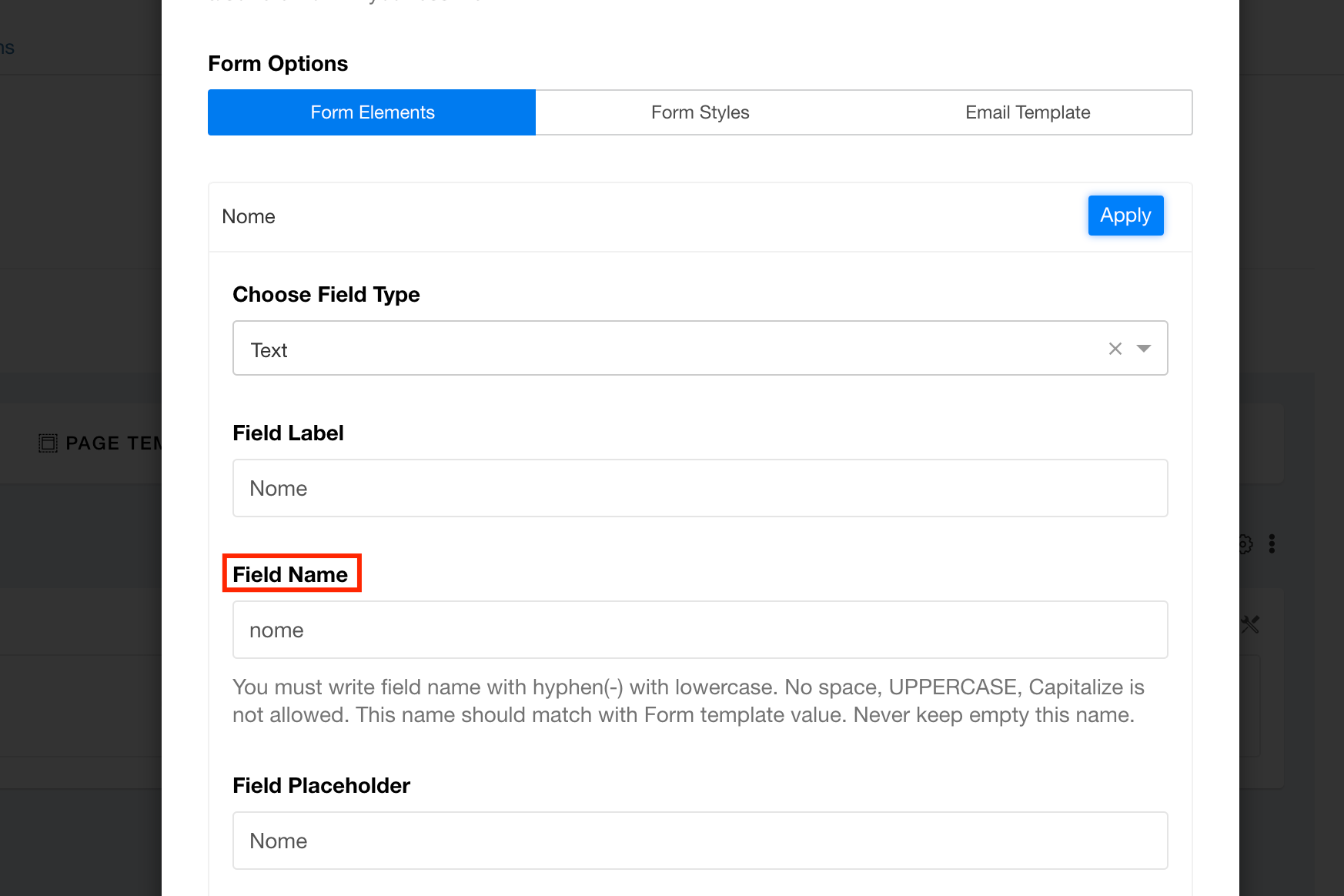
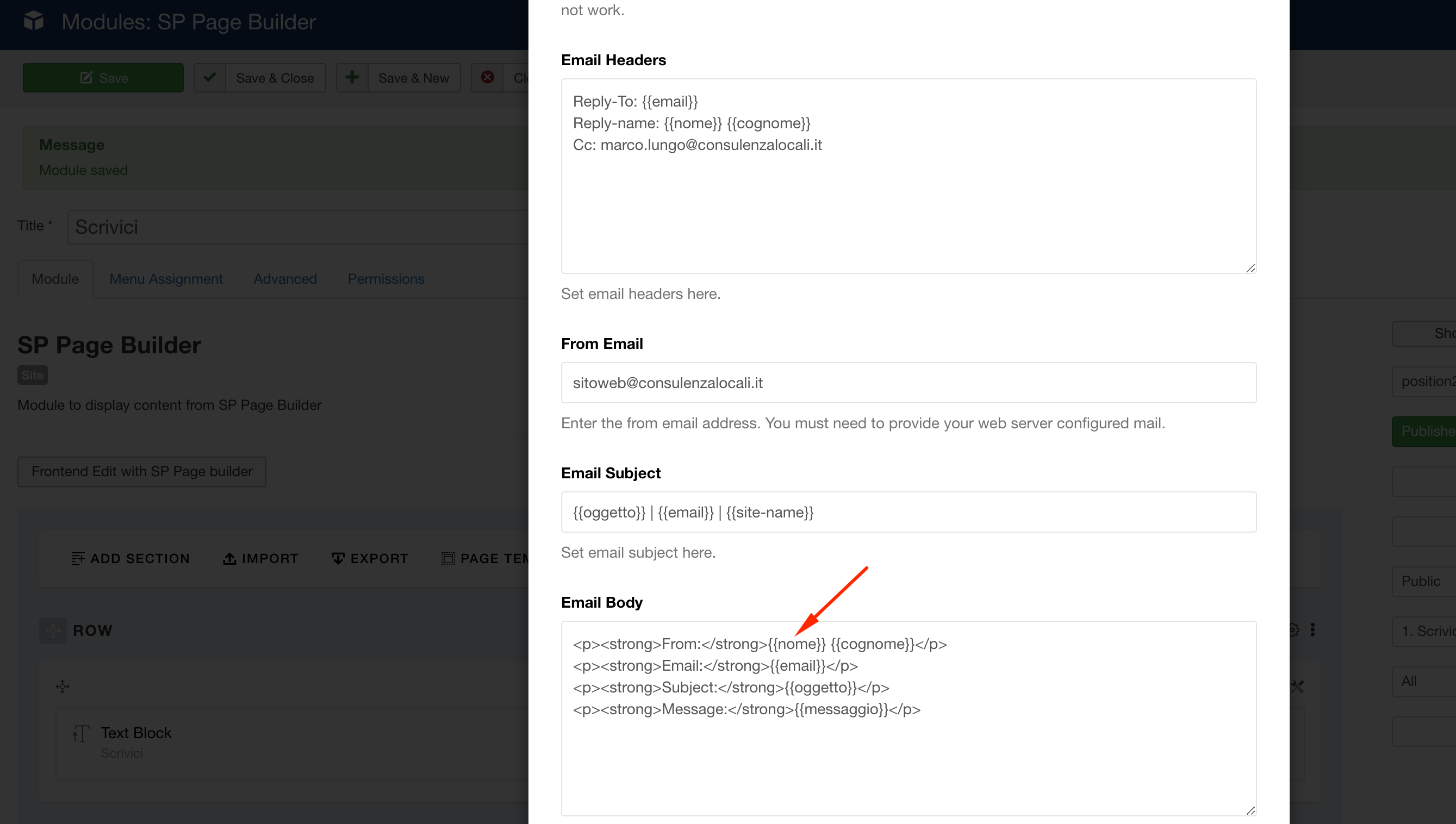
Best regards

Muntasir Sakib
Accepted AnswerHello there,
Please share your administrator access with us in the Hidden Content area so that we can check the issue from our end and get back to you.
Thanks!
Muntasir Sakib
Accepted AnswerHello there,
I have added the addon inside a row for testing purpose and used the same Recipient Email and checked. Guess what! It worked completely fine. See the screenshot here for a better understanding.
Another thing, I need to mention, why did you add a module for just a form builder whether you can simply add the addon inside a row? You can even save the form-builder row for using it multiple times wherever you want to as I can see you are using the form in every pages of your site. See the blog post here to understand how it works.
Check at your end and let us know the update.
Thanks!
Marco Lungo
Accepted AnswerHi Muntasir, no, the issue is not about sending mail but about not filling the variables and the mail arrived as you can see here https://drive.google.com/file/d/1VXTkXOMeqdZAVGzK5QMsogwqGMEC2FCi/view?usp=sharing. That is the issue to resolve. Thank you!
Marco Lungo
Accepted AnswerGreat!!! I didn't find this rule before. Thank you, really! Have a nice day Marco
Ofi Khan
Accepted AnswerYou are welcome. Please accept the answer that helped you. It will be then easier to find the solution for the other users with the same issue. There is a button to accept answer after each comment.
Ofi Khan
Accepted AnswerI have a humble request. It would be very kind of you if you can manage some moment to give us feedback here: