

Menu Color Assistance
NO
Nicole Otto
I made changes to the menu coloring in the template settings but it isn't showing on the front end. https://fitznerauctioneers.com/new/
When you scroll down the page the sticky menu turns white and the active menu link is white and gets lost. I changed the active menu link and it didn't work.
11 Answers
Order by
Oldest

Rashida Rahman
Accepted AnswerHi there!
I have used the following code in your custom CSS:
body.predefined-header2 .sp-megamenu-parent>li.active>a, body.predefined-header2 .sp-megamenu-parent>li>a:hover, body.predefined-header2 .sp-megamenu-parent>li>a:focus {
    color: #000;
}
Please check your site now:)
Best Regards

Muntasir Sakib
Accepted AnswerHello there,
Please give a screenshot of the backend where you have changed the menu color.
Thanks!
NO
Nicole Otto
Accepted AnswerHere are the color settings. https://snipboard.io/l41KQS.jpg

Muntasir Sakib
Accepted AnswerHello there,
Please share your administrator access with us in the Hidden Content area so that we can check the issue from our end.
Thanks!
NO
Nicole Otto
Accepted AnswerI am still waiting on assistance with this. The link that is live is getting lost on the menu.

Ofi Khan
Accepted AnswerHello Nicole Pomeroy
You have used Custom CSS and this is why preset styles are not working. Either use Custom CSS or use from the template preset. Custom CSS will get the priority.
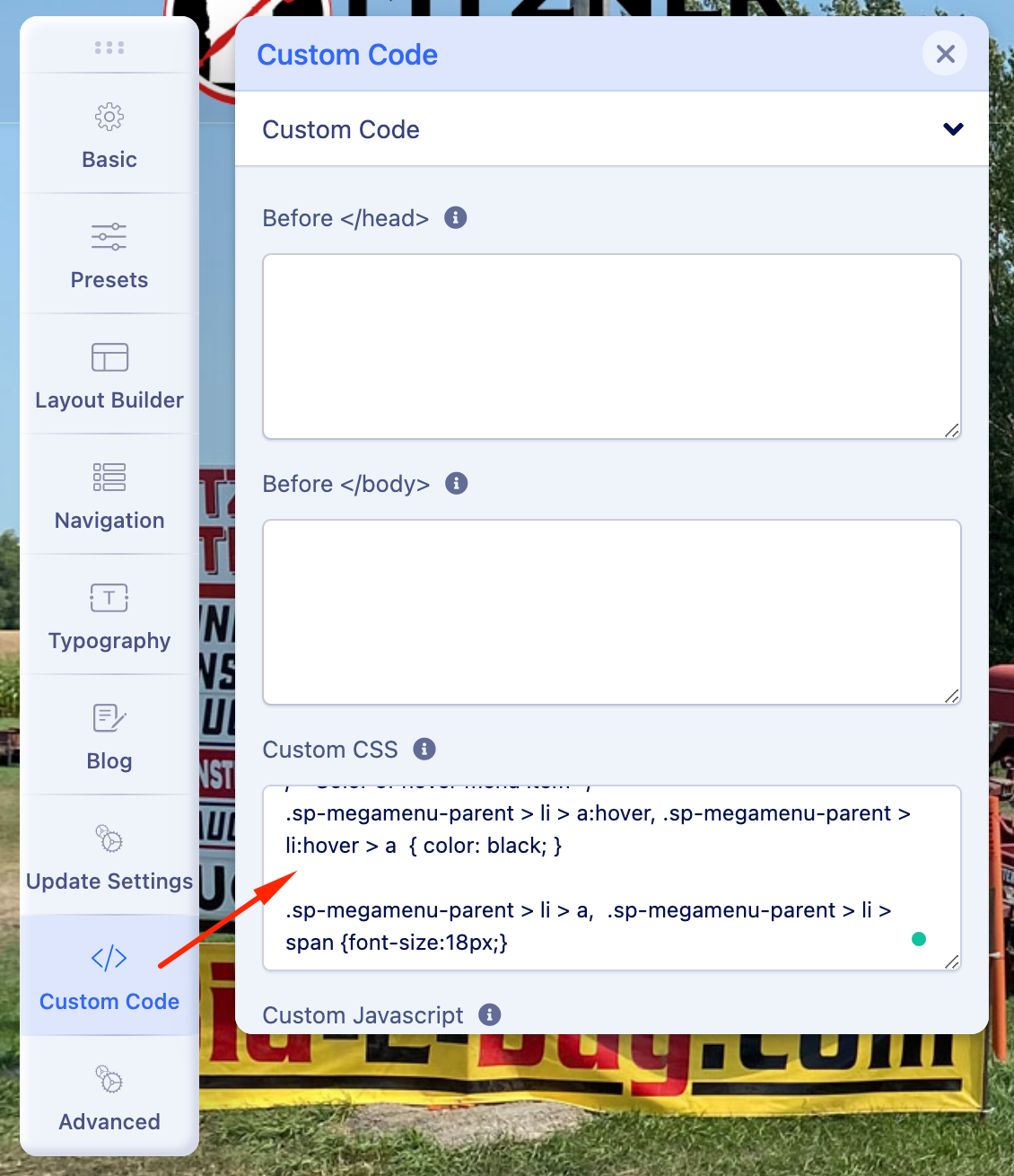
Best regards
NO
Nicole Otto
Accepted AnswerI tried both and NEITHER is working. I NEED this to work. I need the text to be black not white in the menu.
Rashida Rahman
Accepted AnswerYou are always welcome:)
I have just added the following code now as per your scrolled menu modification request:
body.predefined-header2 header#sp-header.header-sticky .logo-image {
    height: 90px;
}
body.predefined-header2 header#sp-header.header-sticky .sp-megamenu-parent>li>a, .sp-megamenu-parent>li>span {
    padding: 0px 8px;
}
If you don't like it you can remove!
Best Regards