

Feature Box - No Content In The Fornt End
WZ
Winfried Zientz
Hi Feature Box does not work complete. I can not see any content in the front end. There is only the symbol and the title from the back end. What is the problem? Please answer very soon. Best regards
19 Answers
Order by
Oldest

Mehtaz Afsana Borsha
Accepted AnswerHi,
Could you please share your super admin access on the hidden content so that I can check
-Regards
Mehtaz Afsana Borsha
Accepted Answer
WZ
Winfried Zientz
Accepted AnswerI am still waiting for your answer! Please give me an advise for solving the described problem. Thank you

Paul Frankowski
Accepted AnswerI done one small thing and....
Und here is my test on Firefox / Windows - as you may see Feature Box addon works OK.
WZ
Winfried Zientz
Accepted AnswerPlease look again. I have duplicated your test component and than I have moved it in the right column of my design. The content is not shown there.
Paul Frankowski
Accepted AnswerPlease try again, I think I know what was wrong, and it was fixed now (I hope).
BTW
Next time please record short video - it would be easier to understand.
WZ
Winfried Zientz
Accepted AnswerSorry it doesnt work. Please try it in my page directly (hidden content).
Paul Frankowski
Accepted Answertry in a different way: Save Row and use it from the saved list. It's more trusted method than Duplicate. Becuase Row gets unique ID then, and it's not a settings clone.
Here: 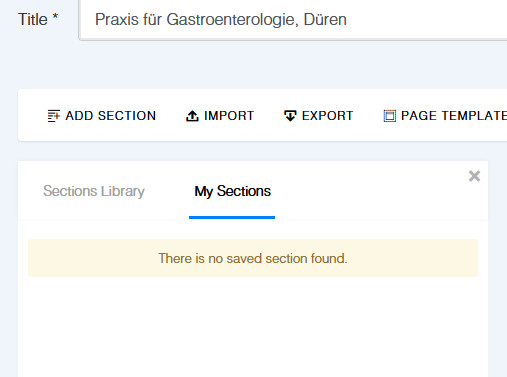
But I see my test row ! and it's displayed. I was able to change image as well. so sorry, but without video I don't know what is wrong. On my ends it's OK. Please listen my above advice.
Paul Frankowski
Accepted AnswerWhen I moved addons from my Test row into yours it worked by admin editor.
Sorry, I feel like stupid, but I cannot find issue.
Maybe just instead of Clone Row just Save and Load it - If you want to duplicate content for other doctors.
WZ
Winfried Zientz
Accepted AnswerI am not understanding your advice. Are you able to edit the function boxes in my right column (see my last screenshot) so that there is the symbol, the title AND the content? In a new separate row it seems to work but not in my column. You also can see that I am working with your DOCTOR template. It would be nice if you can solve this problem.
Paul Frankowski
Accepted AnswerAs I told you before, to share info with our developer I need short video where you show what is wrong.
Try to record something for Monday. By then use different methods to build that page > https://www.youtube.com/watch?v=CNati-k0mTk