Article Addon
P
point
Hi there,
I just copied article addon from one template to another, everyting works fine except when i try to choose k2 category. Its says that k2 isnt install but it is, i am sure becasue before I copied that addon k2 was there and I was able to choose k2 category without any problems.
Please help me.
14 Answers
Order by
Oldest

Pavel
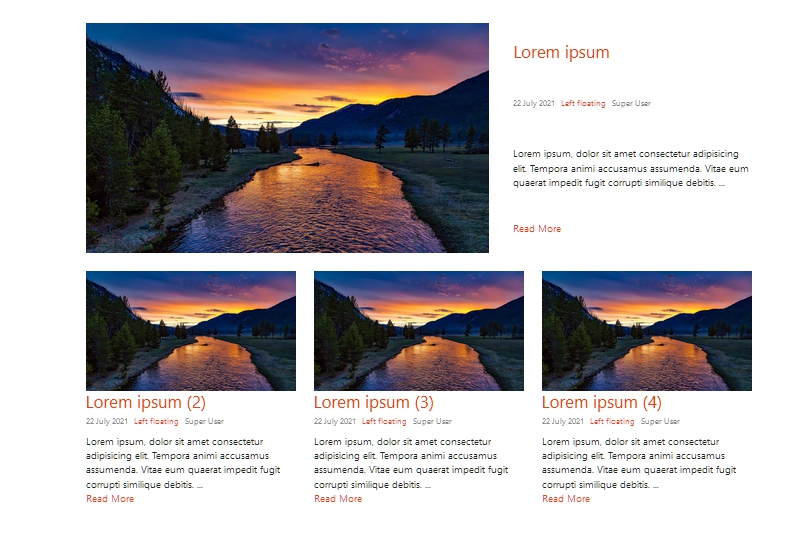
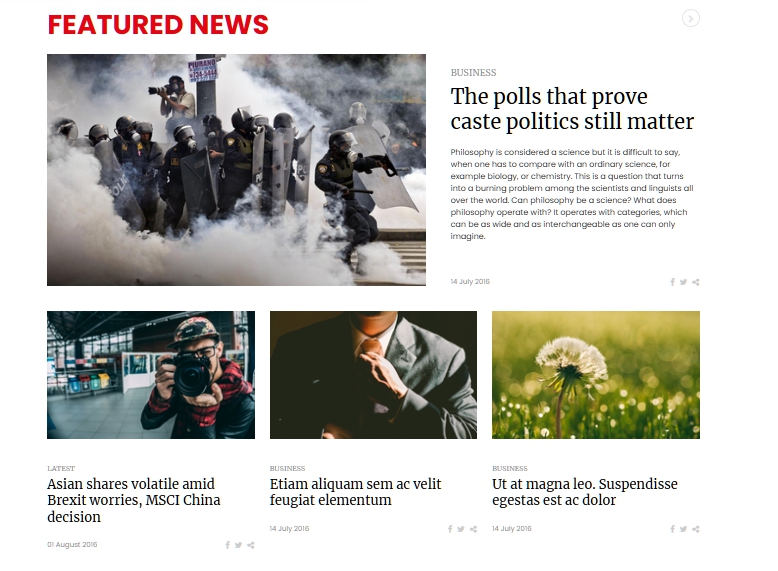
Accepted AnswerI tried to copy addon called "Addon: Articles" from News365 (https://www.joomshaper.com/joomla-templates/news365) to Helix Ultimate. I want that addon just because of layout called "featured" that is build inside that addon.
Hi. If we are talking about appearance, I think it is not difficult to do through CSS using a standard Articles addon or Article Scroller addon.
Do you mean this one?

Ofi Khan
Accepted AnswerHello point
Sorry, we do not provide customization support. Please follow this tutorial and blog post for tips. You might have missed some part while copying.
Best regards
P
point
Accepted AnswerHello Ofi,
I did exactly the same thing as you show me on this tutorial but after that I have 1054 Unknown column 'Array' in 'where clause' error! Please help me.
Thanks
Ofi Khan
Accepted AnswerThough we do not do custom work, but I would like to check your issue. Please write what addon you are copying from which template. Also let me know in which template you will be using it.
P
point
Accepted AnswerI tried to copy addon called "Addon: Articles" from News365 (https://www.joomshaper.com/joomla-templates/news365) to Helix Ultimate. I want that addon just because of layout called "featured" that is build inside that addon.
Thanks.
P
point
Accepted AnswerI tried to copy addon called "Addon: Articles" from News365 (https://www.joomshaper.com/joomla-templates/news365) to Helix Ultimate. I want that addon just because of layout called "featured" that is build inside that addon.
Thanks.
Ofi Khan
Accepted AnswerI have tried it. It looks very complicated. You need to transfer Language Strings, CSS, JS to make the addon work. The addon is very old and this is why it might not work with the latest framework. I would suggest you to think alternatively.
P
point
Accepted AnswerThanks for you answer. Is there any new module with feature layout like that old one?
Best regards
Ofi Khan
Accepted AnswerYou can try Article Scroller addon (News Carousel mode). It will give you similar kind of features.
P
point
Accepted AnswerI already try that addon but the "featured layout" is what I am looking for. Thanks anyway, will try to find some other news joomla module.
Best regards.
P
point
Accepted AnswerCOOL! THANKS! And yes that is the layout that I was looking for. I know that I can do that trough CSS and I already did it because we where waiting about month for the answer. It would be much easier for me just to copy the addon that already have exactly what I need. Thank once again anyway.
Pavel
Accepted AnswerNot sure that it is easier than to write a few lines of CSS code. :)
If someone is required ...
Add the featured-layout class name in Articles addon and use the following code
.featured-layout .sppb-col-sm-4:first-child {
    flex: 0 0 100%;
    max-width: 100%;
}
.featured-layout .sppb-col-sm-4:first-child .sppb-addon-article {
    display: flex;
}
.featured-layout .sppb-col-sm-4:first-child .sppb-article-info-wrap {
    display: flex;
    flex-direction: column;
    justify-content: space-between;
    padding: 30px 0px 30px 40px;
}
Will looks like this