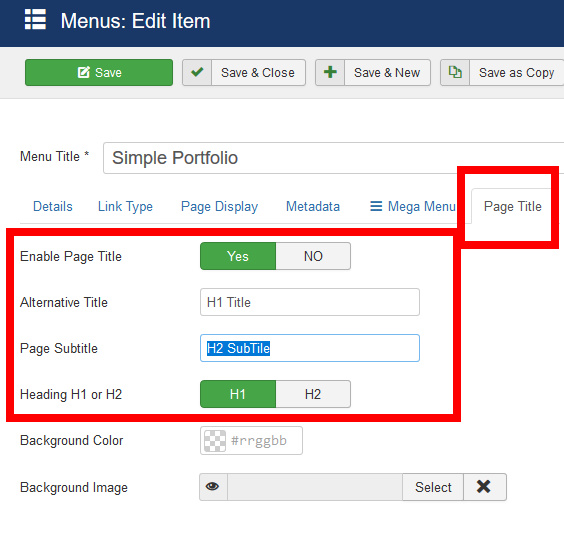
How To Change The Titles On The Pages In The "Еducon" Template
AU
Alexey Ushakov
I need your help. I don't understand how to edit some parts of the template. For example: https://demo.joomshaper.com/2017/educon/index.php/notices How to replace the text "Lorem ipsum dolor sit amet, consectetur adipisicing elit ..."? Or how to change the text "GALLERY Lorem ipsum dolor sit amet, consectetur adipisicing" on the page https://demo.joomshaper.com/2017/educon/index.php/gallery
List: https://demo.joomshaper.com/2017/educon/index.php/courses "OUR COURSES Lorem ipsum dolor sit amet, consectetur ..." https://demo.joomshaper.com/2017/educon/index.php/lms "SEARCH YOUR COURSES Lorem ipsum dolor sit amet, consectetur adipisicing elit, s..." https://demo.joomshaper.com/2017/educon/index.php/events "UPCOMING EVENTS Lorem ipsum dolor sit amet, consectetur adipisicing elit, ..."
1 Answers
Order by
Oldest