

OPUS THEME Transparent Header
M
Michele
Hi everyone, I went to the OPUS template settings to change a menu item and when I clicked on SAVE it changed the background color of the header both on the homepage and in the sections (before it was transparent now it is white) and I don't know anymore how to bring it back transparent
can someone help me?
9 Answers
Order by
Oldest

Mehtaz Afsana Borsha
Accepted AnswerHi
I can solve it via custom css but your site speed is horible. Could you please check?
-Regards

Ofi Khan
Accepted AnswerHello Michele
I could access your site. Please use this CSS to Template Options -> Custom Code -> Custom CSS
body.transparent-header #sp-header{
    background-color: transparent !important;
}
Best regards
M
Michele
Accepted AnswerOfi Khan yes I saw now it is transparent and it is only okay that if I scroll down the site before the header turned blue now it remains transparent. I would like that when I scroll the site turns blue and if you can also tell me what I need to change if I wanted to change the background color
Ofi Khan
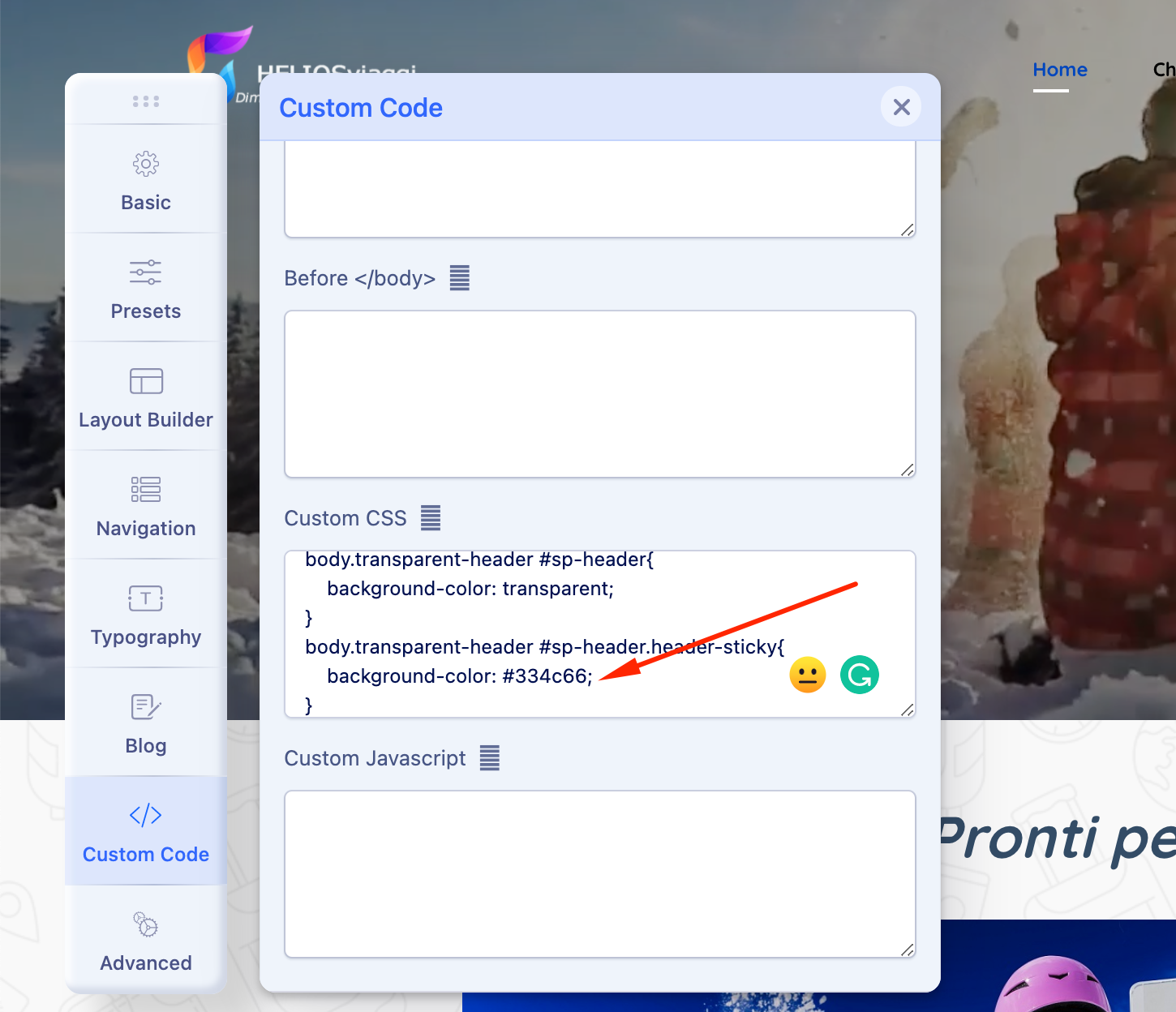
Accepted AnswerPlease go to Template Options -> Custom Code -> Custom CSS and change the value of the background-color mentioned in the screenshot. Currently, it is set to blue which you see after scrolling.
M
Michele
Accepted Answerwow! Ofi Khan you are fantastic! everything works perfectly !! Thank you with all my heart. If I can bother you with one last thing. I created a chord and selected the close all item, but the first chord field is always open. Why?