

How To Link An Element
MW
Manuela Weibel
I am sorry for this very basic question, but I am struggling hard to find any hint both in frontend and backend editor or the documentation: How do I link an element (e.g. a full column, en image element, a title, ...) to another page?
Currently, I want to link the images of each team members to their detail page.
7 Answers
Order by
Oldest

Paul Frankowski
Accepted AnswerHi Manuela. In that case, it may not be so easy, but still possible.
Two methods:
- If HTML is for you a black magic, just put a button addon with link below the Person addon
- If you know basic HTML in that case in "Introtext" field (addon settings) use HTML code with the link, and of course put there link to your page

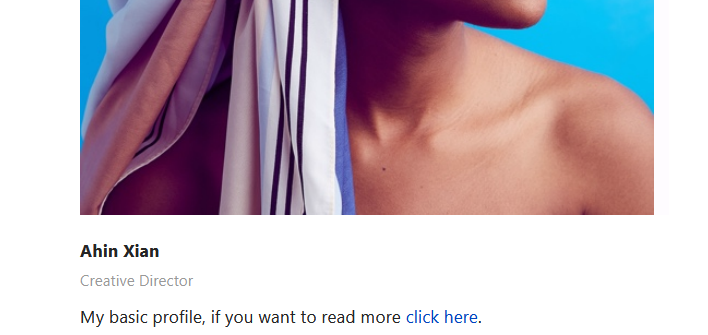
As you see it's not so hard and complicated as you thought it may be. Just think out the box.

Rashida Rahman
Accepted AnswerHi there!
Thanks for youe query.
You can use the team carrousel addon in this case. So you have option in the item edit window to put a link there which will be reachable through the image and the title click. here are screenshots for your ease:
Hope this will serve your purpose.
Best Regards
MW
Manuela Weibel
Accepted AnswerHi Rashida! Thank you for your answer. I am already using one of your addons (which is the "person" addon with various predefined styles, used e.g. in the layout "Digital Agency"). I want to simply link each of these persons to another pagebuilder page. How do I do that? Thank you for your help, Manuela
MW
Manuela Weibel
Accepted AnswerHi Paul,
thank you for your suggestions. What I am trying to do is to basically put an <a>-Tag around the whole box/column. I am familiar with HTML/CSS and know some PHP and JS. It looks like PageBuilder is not build to meet this very specific requirement of mine. But if you can tell me where in the template code I can change this, I want to try. (I assume, this would be similar to creating my own header as described in https://www.joomshaper.com/documentation/helix-framework/helix-ultimate-2/custom-header: "Custom Header based on File", right?)
Kind regards, Manuela
MW
Manuela Weibel
Accepted AnswerOh, and btw, I just tried your HTML option in the introtext, but the html code is not rendered. It appears in the frontend. How come?
Paul Frankowski
Accepted AnswerIn that case you have to override Person addon code - read tip #6 from: https://www.joomshaper.com/documentation/sp-page-builder/sp-page-builder-3/how-to-tips
but code customization is on your hands only.