

Helix Waster Space

Daniel Jubelt
Hi My company made me remove helix ultimate from development because of the wasted space between the menu and articles. When we were informed that this was by design, I lost the battle. I loved Helix Ultimate (except for the space) but the company did not share that feeling. I have redone everything in Helix 3 and now I am having the same problem - except on the home page. There is no consistancy on any of the pages. I still have 187 pages to do and the problem is only getting worse. No other template except Helix has this problem. Why? I have tried recommended fixes and nothing seems to work. Please look at https://new.uniteduga.com This site was supposed to be moved to uniteduga.com on Sunday.
Website
HTTPS://www.uniteduga.com
7 Answers
Order by
Oldest

Paul Frankowski
Accepted AnswerHi, I hope you know that Helix3 is older template. So it doesn't have all features of new Helix Ultimate. All small design isssues could be fixed, but somehow ....
- Can you make a screenshot with RED arrrow(s) what is wrong?
- All custom CSS styles please add into custom.css - it's better.
- In all Helix templates custom CSS can be added here, but only there >
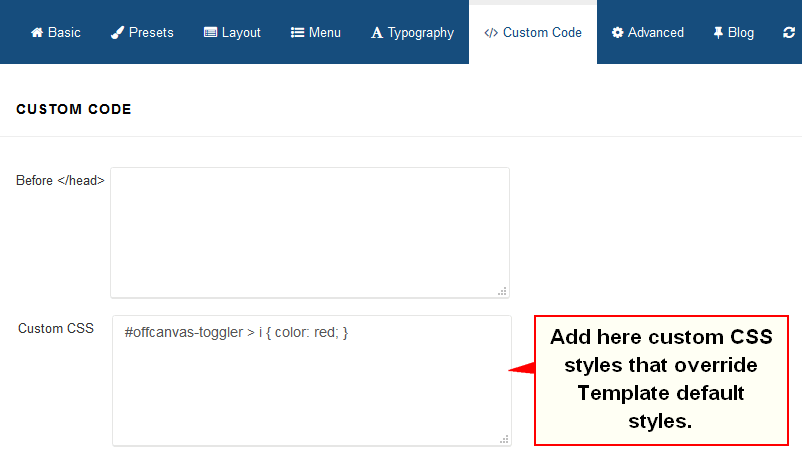
and don't add it in other fields please, read template documenation (!)

Rashida Rahman
Accepted AnswerHi there!
You are using wordpress theme now! You have changed platform totally! Here is a screenshot:
This product is not from us.
Best Regards
Daniel Jubelt
Accepted AnswerI AM NOT! THAT IS THE SITE WE ARE REPLACING! IT HAS NOTHING TO DO WITH THE PROBLEM!
This won't accept an image anf I'm getting tired of fighting with Helix. The problem is all over Google. The menu is replacable. I like Helix Ultimate but the wasted space is very bad. I went to Helix 3 but now have the same problem. It's obvious! I didn't want Helix 3, I wanted Ultimate but it didn't work and changes to CUSTOM.CSS didn't work.
new.uniteduga.com. Only the home page works. When we were told by one of your support staff that it was intentioal, the company wanted no part of it.
Look at Home page - It's right. Look at any other page they are all wrong (or not wanted and if we have to se CSS to fix this situation, my boss said he will abandon my work and hire another person.
He wants a dual header, a body and a footer. SP Page Builder can do everything else. Why is this so hard?
Daniel Jubelt
Accepted AnswerI AM NOT! THAT IS THE SITE WE ARE REPLACING! IT HAS NOTHING TO DO WITH THE PROBLEM! This won't accept an image anf I'm getting tired of fighting with Helix. The problem is all over Google. The menu is replacable. I like Helix Ultimate but the wasted space is very bad. I went to Helix 3 but now have the same problem. It's obvious! I didn't want Helix 3, I wanted Ultimate but it didn't work and changes to CUSTOM.CSS didn't work.
new.uniteduga.com. Only the home page works. When we were told by one of your support staff that it was intentioal, the company wanted no part of it. Look at Home page - It's right. Look at any other page they are all wrong (or not wanted and if we have to se CSS to fix this situation, my boss said he will abandon my work and hire another person.
He wants a dual header, a body and a footer. SP Page Builder can do everything else. Why is this so hard?
Paul Frankowski
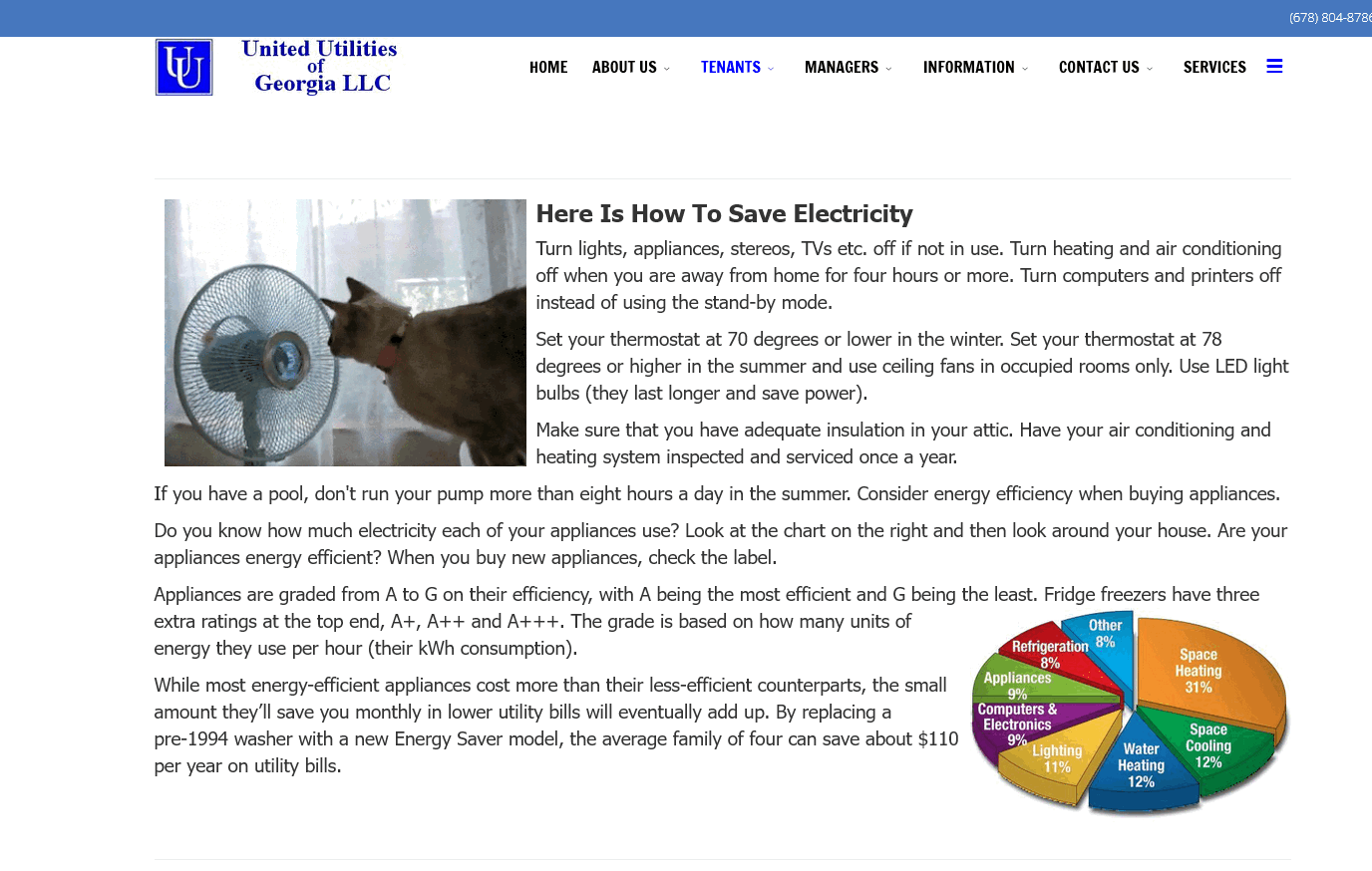
Accepted AnswerI asked you to show me what is wrong, and you paste this same answer 2x without any details.
Example subpage

Pavel
Accepted AnswerHi Daniel. The problem is not with Helix, but with your mistakes in the code. Check your css.
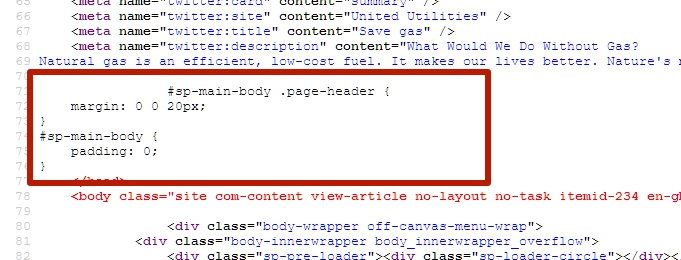
This code should work and solve all your problems. But it is not clear where you insert it, as it does not contain tags <style></style>.
--
--
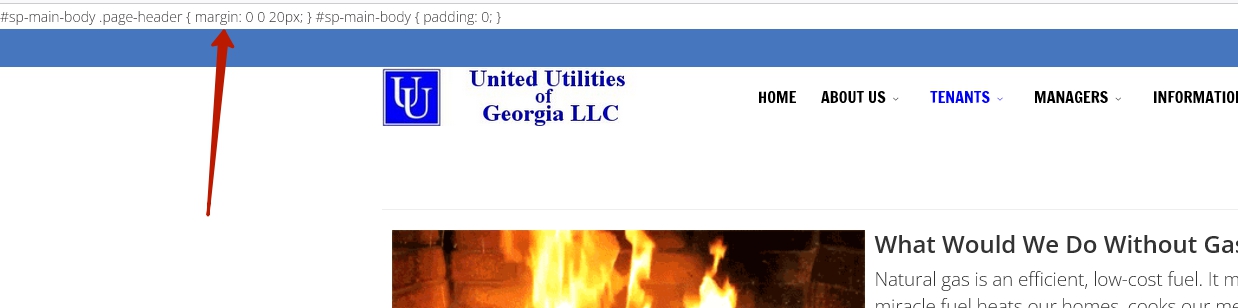
It causes such a problem
--
Replacing the template to Helix 3 was a hasty and not the right solution. It was enough for you to explore the problem through the browser code inspector and solve it in one minute.