I am using the default Helix Ultimate template and unable to change the header color. I want to change it from white to another color but nothing happens.
https://iooflodgedirectory.org/Helix-SPPB/header-support.png
Awaiting an answer
Helix Framework
Changing Helix Ultimate Header Color
15 replies

Paul Frankowski Senior Staff
Hi,
I will check, thanks for access.
Paul Frankowski Senior Staff
Opss....
Username and password do not match or you do not have an account yet.
I cannot login to admin area. Double check.


Ugur Uygur
I've never looked into it as I'm using custom CSS. I just checked, the background color feature is not working.
Jeffrey Kiefer Asked this
I have corrected the login issue and not it is working corretly.
You can not access the backend. Thanks!
Paul Frankowski Senior Staff
4 years ago
· edited
Thanks. Fixed.
You have dark-red header right now.
I only disabled -: Advanced - SCSS - Compile SCSS to CSS: No
Jeffrey Kiefer Asked this
I am still not clear on how to change the header bg color. I changed the dark red to black, saved it and nothing changed. I cleared my browser cache and still no change. This seems to be an issue.
I should be able to change the header bg color and have it display right away like the other features.
Maybe I am missing something.
Paul Frankowski Senior Staff
4 years ago
· edited
You can always use custom CSS line. It works without any moods, haha.
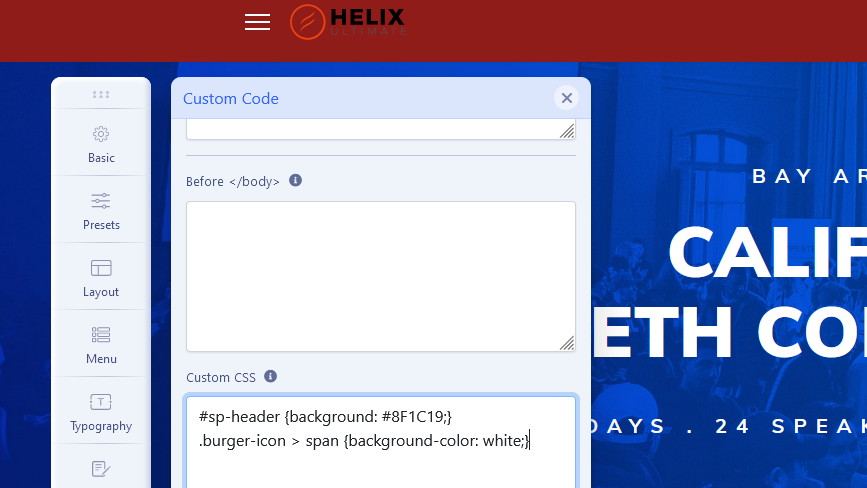
Example section where you can define colors. I added it. You can change colors there.
#000 = black
Jeffrey Kiefer Asked this
Thank you for this work around. Will this bug be fixed soon? I am a developer and create many websites and it concerns me that this feature doesn't work. It makes me wonder what else dosen't work. I was so excited to use SP Page builder, now not so much. Very disappointed.
Paul Frankowski Senior Staff
I think there no software without any bug. Even "loved by everyone" Apple make mistakes ;]
I also wait for next Helix update. No relation with SPPB.
Jeffrey Kiefer Asked this
Now I can't change the topbar background color. Is this a template bug or is SP bage builder really this buggy?
I am new to SP Page builder and hoping that there are settings I am not aware of.
If I have to custom code css then why but SP Page Builder?
Paul Frankowski Senior Staff
Helix Ultimate =/= SP Page Builder
Template =/= Component
Paul Frankowski Senior Staff
you can add this
#sp-top-bar {background: red; }
sorry, but I cannot change your template php code to correct anything, I hope you understand why.
Paul Frankowski Senior Staff
4 years ago
· edited
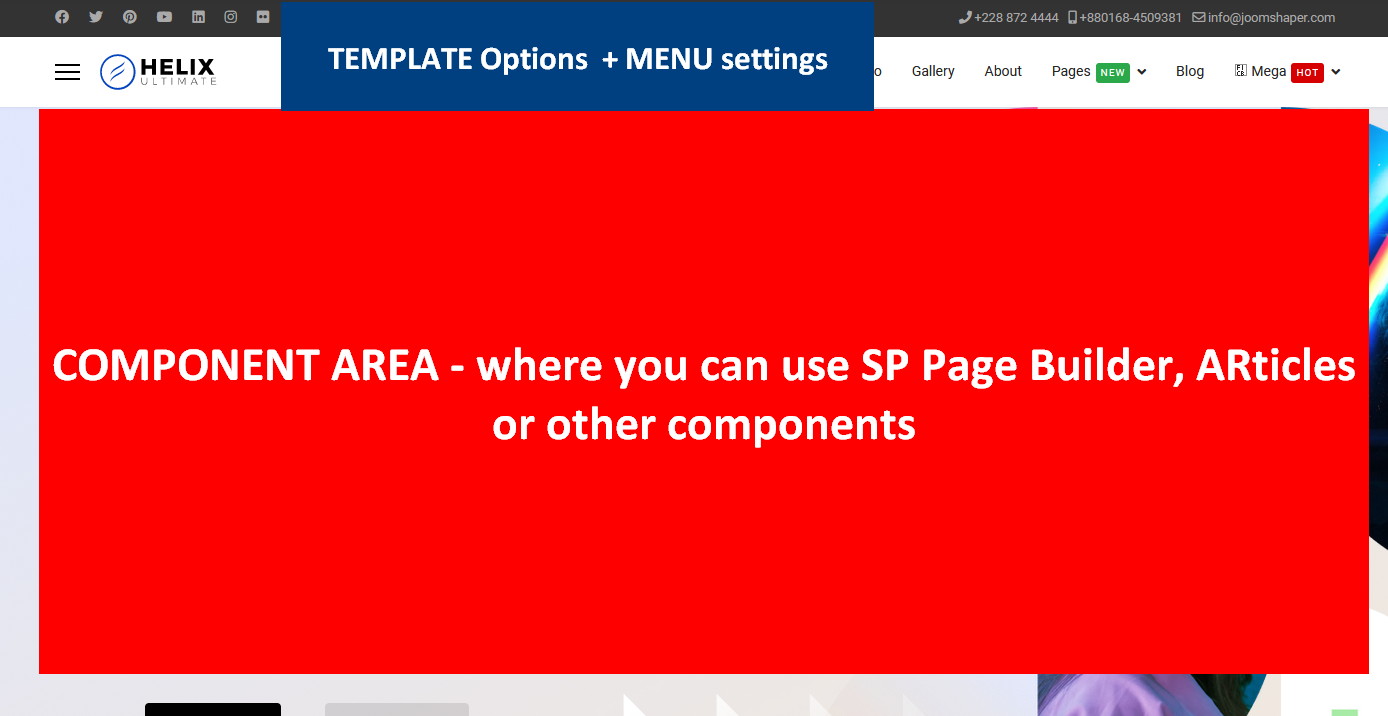
SP Page Builder in big shortcut was created to build pages, I mean whole area where the component view is.
Whole rest is managed by template in some ways.
Before Joomla you used Wordpress, right?
Jeffrey Kiefer Asked this
4 years ago
· edited
I do understand what page builder does.
I was asking about Helix Ultimate not page builder. I am sorry if I wasn't clear.
In Helix there is the option to change these background colors and it is not working for me,
No I hate WordPress. Been using Joomla since it forked from Mombo in the moddle 00's.
Now my regestration key isn't working and I have the developers package.
Why does it matter if I used wordpress. Helix has a field for background colors.
This field doesn't work.
My server uses mod secure and I have contacted them to see if there are mod secure setting preventing this. There is no way my liscense key should not be working.
Jeffrey Kiefer Asked this
Thank you please close this question.
Log in to reply.