

Video does Not Work

Anna
Hello! Please help me fix it - the video does not work on the site. But it works in the edit panel. What can be wrong? I can't insert a screenshot into the message. I gave a link to the site. Thanks!
Website
https://stenolom.ru
19 Answers
Order by
Oldest

Paul Frankowski
Accepted AnswerOn this website problem shouldn't repeat, so you don't have to be worry. Yes, you can update SP PB.
I used small fix. I have to talk with our developer to implement this.

Rashida Rahman
Accepted AnswerHi there!
Are you talking about the video at your bottom? Here is a screenshot: https://prnt.sc/21kvt5j
If yes, it is working fine at my end. Kindly, clear your browser cache(Hard reload) and check again.
Best Regards
Paul Frankowski
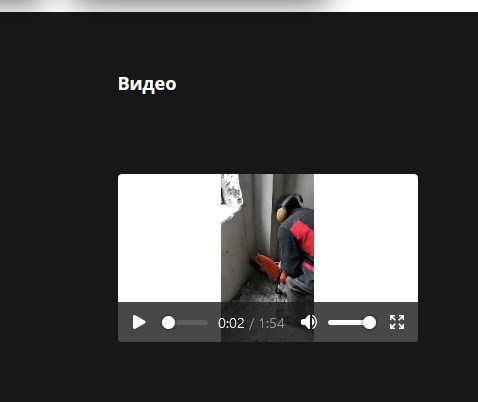
Accepted AnswerThis one? Working fine. But Camera operator should lose his job. This film brings nothing, except maybe noise, ;]
Anna
Accepted AnswerThank you so much for your answers! No, this video just works and I can see it perfectly, but all the others in the video menu item do not work, all 14 pieces. What can be wrong? Special thanks for the rating)
Anna
Accepted Answerhttps://d.radikal.ru/d15/2112/26/86403413ac67.png these videos only work in the editing panel

Anna
Accepted AnswerPlease help me fix this. I've been trying to fix it all day - they don't work when publishing videos!
Anna
Accepted Answer[https://b.radikal.ru/b30/2112/6c/c63992c3b7db.png] It works great in the editing part, but doesn't work when publishing. Perhaps payment is required for quick support, then please direct me in the right direction. ((If I am correct I'm sewing, in the wrong place, but it might be, please tell me where I can solve this issue. Although in the chat, they say, contact here.


Pavel
Accepted AnswerОтключите сжатие в настройках шаблона. Любое сжатие и кэширование в период разработки должно быть отключено. И только по окончании разработки это надо тонко настраивать, добавляя в исключения то, что не должно кэшироваться и сжиматься, например видео.
Вообще размещать видео на своем хостинге - это плохая идея. Простой хостинг не предназначен для быстрой передачи видеопотока. Для этого нужно подключать CDN. Лучше воспользуйтесь YouTube и при этом отложенной загрузкой https://codepen.io/tutsplus/pen/RRVRro, так большое количество встроенных видео со сторонних сервисов тоже замедлят сайт.
Или размещайте видео через popup аддон. Так же можете переработать аддон Галерея для показа видео вместо изображений во сплывающем окне. Для этого ознакомьтесь с документацией magnific popup и переопределите аддон (а лучше создайте новый с другим именем на базе галереи), заменив в нем медиа тип
Anna
Accepted AnswerHello! Thanks for the answer! I would like to receive help from the support team! I use it in a way that is convenient for me and I do not want to process anything for me other tasks, and it worked for a long time and I really hope that the video display can be fixed! After all, this is exactly what the video is built into in SP Page Builder Pro! I'm asking support for help fixing what worked.
Anna
Accepted AnswerI'm already specifically nervous and don't understand why they teach me here, how to be and which operator how to pay, instead of either fixing the problems or saying - no, this page in SP Page Builder Pro is not for displaying a video!
Pavel
Accepted AnswerКак Вам будет угодно. Я обозначил причины и пути решения. Видео закэшированно поэтому не загружается - слишком большой объем для кэша. Вы можете увидеть это в консоли браузера. Чудес не существует. Нельзя заставить работать что-то только желанием, не обращая внимания на технический аспект.
Я думаю поддержка даст вам такие же советы
Anna
Accepted AnswerFirstly, everything worked fine until recently, and secondly, a single video does not work now either. Not displayed in any way!
Paul Frankowski
Accepted AnswerTo be honest on the home page I don't see any video galley, somehow that row is not displayed at all.
Maybe create a new ROW - name it somehow, and copy there a videos.
Anna
Accepted AnswerHello! Thanks for the answer!Which home page exactly are you talking about? There is a video menu item on the site, if you click on it, you can see that none of the videos work. I gave a link to the site and attached links to screenshots, where it is clear that the videos work inside SP Page Builder Pro, but when it is published, it does not go. I deleted, reinstalled, and did everything in the last few days. And it doesn't matter how many videos I want to publish, at least 1 at least 10 - it doesn't show anything ((You couldn't go in and check what's the matter there. I wouldn't want to complicate and invent anything else to show the video. Your tool worked fine earlier and I was completely satisfied((
Paul Frankowski
Accepted AnswerYou forgot to tell me to click "Видео" - I don't speak Russian to know it where to search, I was looking on home page.
Anyway, can you share access to admin area as SUper User, I will check one thing.
Anna
Accepted AnswerI am very grateful to you! Many thanks! I need to know what was the reason not to repeat this?