

Background Image is Not Displayed Everywhere.
AT
Alex Thale
Hello forum. I've been looking for a solution for a long time, but haven't found anything helpful. I have set a background image to the body. The problem is, the image doesn't show up on every page. The background image is displayed on the start page and for blog articles. But on category blog pages such as News, the picture is not displayed. I use Joomla 4 with the Decora design and Helix. I hope someone here is able to help me.
9 Answers
Order by
Oldest

Pavel
Accepted AnswerHi. Read Helix documentation about custom css code adding. The best place is custom.css file.

Rashida Rahman
Accepted AnswerHi there!
Would you please give me your URL to check? From where did you set the background image, actually?
However, did you check if all of your pages are within same template style? I mean if you have multiple template style and some menus are assigned to different template styles then this can be happen.
Best Regards
AT
Alex Thale
Accepted AnswerHello. The URL of the site is - www.musik-info.at
Pavel
Accepted AnswerHi. Your background image has a colossal size and weight and therefore not loaded on heavier pages. Start with optimize it - change the size until 1920px widths and compress https://www.iloveimg.com/compress-image
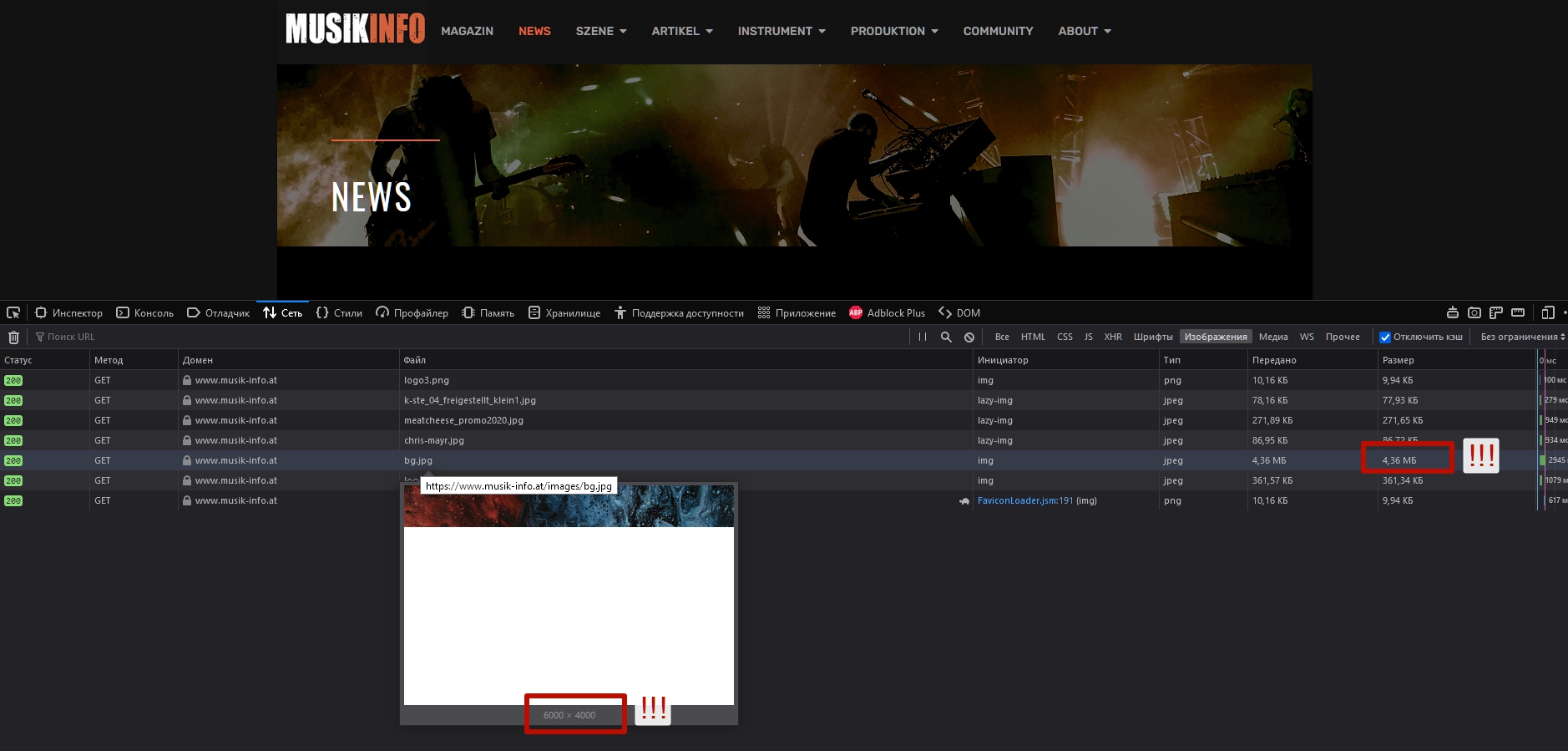
Always take care of image optimization before adding on the site.
AT
Alex Thale
Accepted AnswerHello. Thanks for the quick answer and help. I have now scaled down and adjusted the picture. Sadly it still does not work.
Pavel
Accepted AnswerI found it. It's not clear why it was done in template core css code. Use the following сode for fix
.view-category .body-wrapper {
    background-color: transparent;
}
However, you are not in vain changed the size of the image. It was very big.
AT
Alex Thale
Accepted AnswerHello. Thank you for your quick help. I just don't quite understand where to put the code.