

Override Red Wine Color Header Images Giver

People of Gaia
Hi there,
I want to change de red wine color over the Giver header pictures.
I found how to change the Home page, but I need to change the rest of the pages: About, Volunteer, Blog, Login, etc... and the next possible new pages.
Where is this code and how I can to change.
Thank you Jordi.
Website
https://peopleofgaia.org.uk
12 Answers
Order by
Oldest

Ariba
Accepted AnswerPlease check the screenshot below. I have highlighted from where the color is coming. You need to edit the following css rule and insert it into custom css section.
.sp-page-title::before {
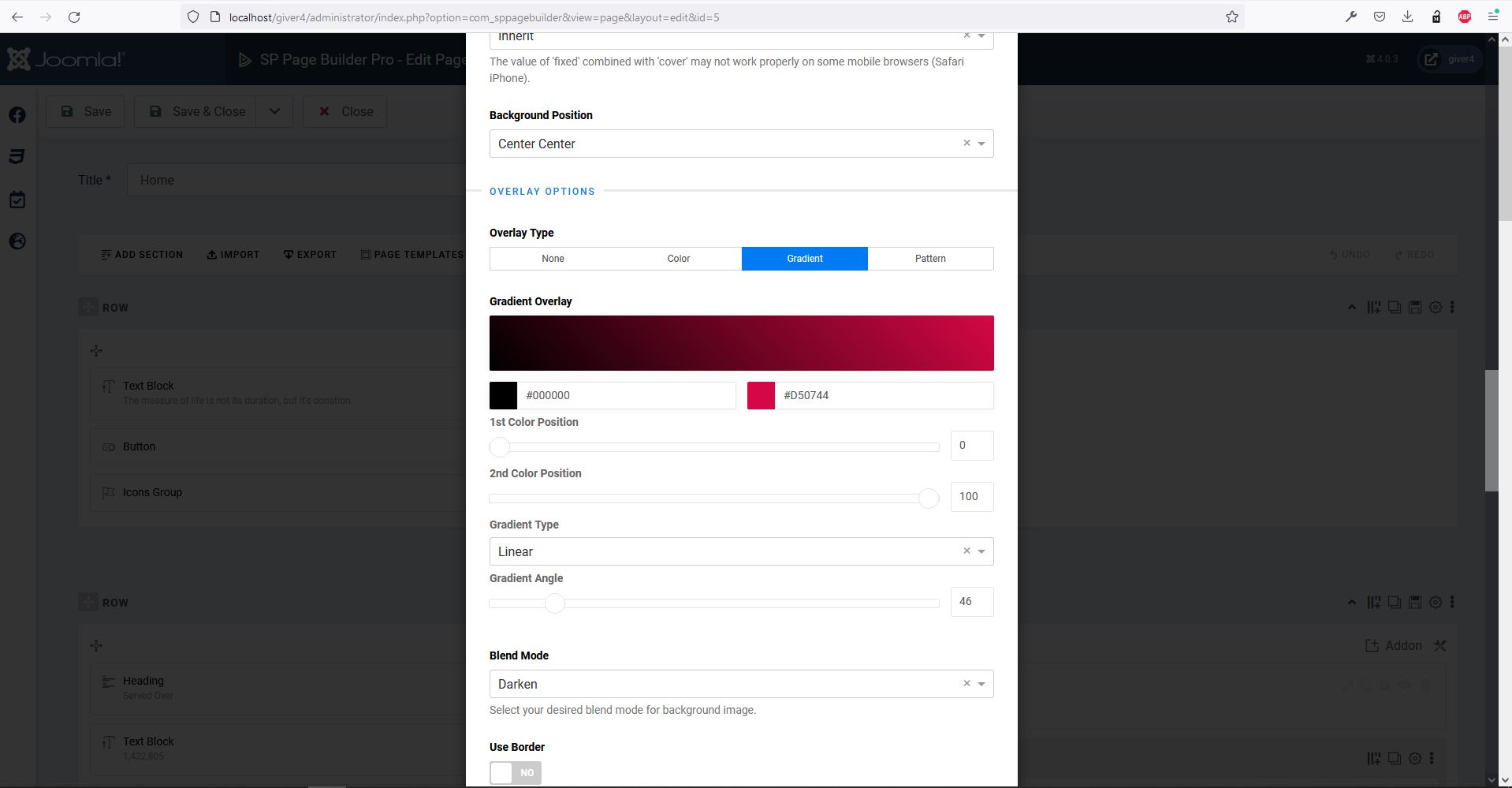
    background: linear-gradient(46deg, #000000 0%, #d50744 100%) transparent;
}
Ariba
Accepted AnswerHello
Thank you for your query.
Kindly check the screenshot below. You need to open the menu item and from "page title" tab remove or change the background image.
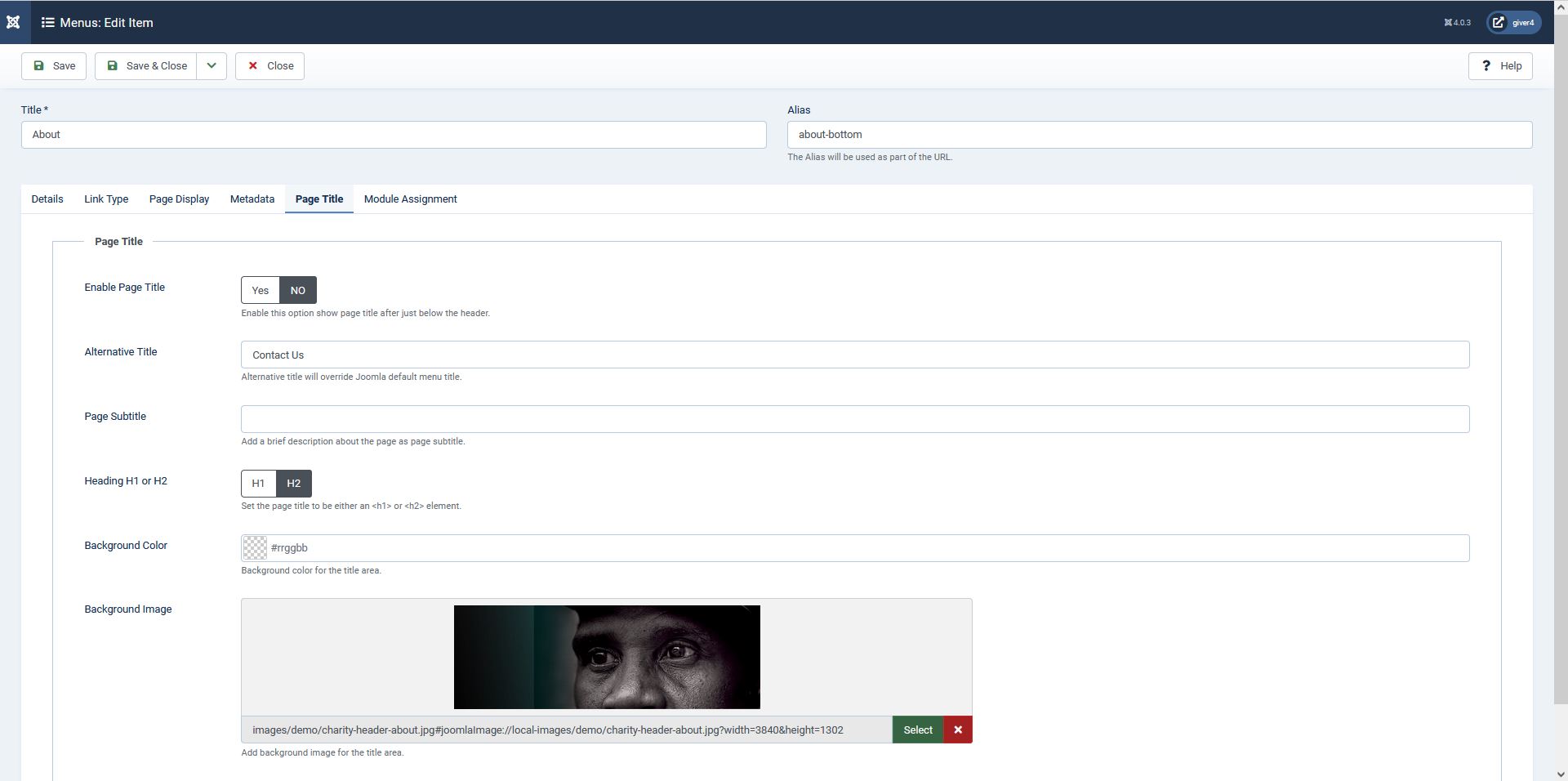
Hope this helps you.
People of Gaia
Accepted AnswerSorry, maybe I do not texted correctelly, I changed the image but is the color wine that I need modify as in my home page or sangha page.
Please check it https://peopleofgaia.org.uk/
Thank you.
Ariba
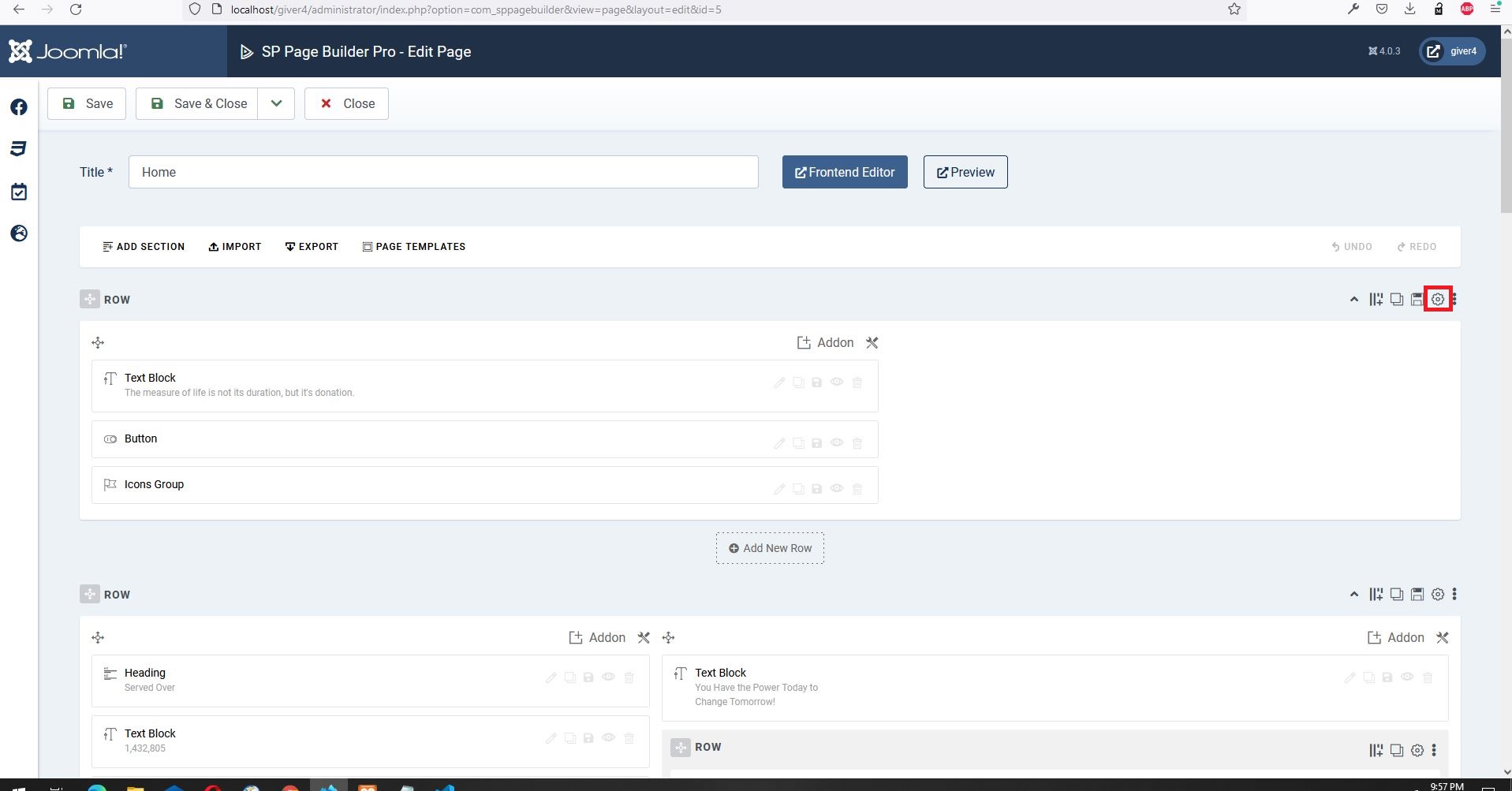
Accepted AnswerKindly check the screenshots below. Open the page in SP Page Builder backend, then select the first row option (screenshot 1) and go to Style tab to change the overlay (screenshot 2).
People of Gaia
Accepted AnswerPlease Kindly read me again:
I need to change this color in this pages: About, Volunteer, Blog, Contact, Login.
Thank you :)
People of Gaia
Accepted AnswerHi Ariba, Thank you so much, this is a correct answer for my first question.
I will modify the css.
Namaste,
Jordi.
Ariba
Accepted AnswerYou are most welcome :)
I am glad I could help you. Please do let me know if there is any other query, I am happy to help. If there is no other query, kindly accept the most useful response in order to resolve and close the post.
Have a great day and stay safe.
People of Gaia
Accepted AnswerHi Ariba, I am very happy with your service, and how finilly you found the correct answer, but I can not give good reviews to Trustpilot for the Joomshaper products, sorry.
Ariba
Accepted AnswerI understand. There is no pressure. Thank you for your kind response. Please accept the most useful response to resolve and close this post.
Have a great day!
CM
Chris M
Accepted AnswerHi, same issue, red wine tint needs to go. Which file do i edit? I tried putting it (your override code) into custom area (system -> template styles -> giver-default -> template options -> custom code -> custom CSS) it did not adjust.
Should this go into one of the template files area?
Ariba
Accepted AnswerHello Chris
Please make a new post about your issue, we will help you there.
Thank you