Saving Helix Ultimate Settings Breaks Up Design - Forum | JoomShaper
Staff replied Helix Framework

Saving Helix Ultimate Settings Breaks Up Design

Asked by kweb 4 years ago Last activity 4 years ago

Hi there,
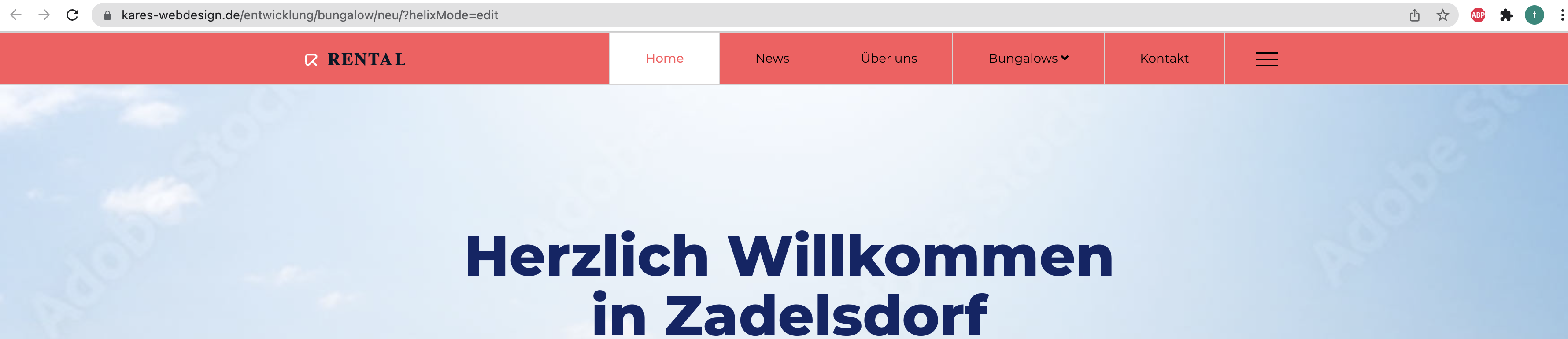
I have recently installed the quickstart package of SP Rental Template. At the point I included a custom css file to Helix Ultimate Settings the whole site got messed up with other colors and other styles, see here:

https://www.kares-webdesign.de/entwicklung/bungalow/neu/index.php

When I remove the custom css code the problem still appearing - I have no chance to switch back. I just added

<link rel="stylesheet" href="/..." type="text/css" media="screen, projection" />

to the custom code section - like I always do. And saved...
Suddenly header is in "red" color, links are other colors and so on. What is going on here, how can I switch back to the old styles?

kweb

3 replies

Toufiq Senior Staff

Hi there,

Thanks for contacting us. Sorry for the inconvenience. If you want to write custom css code, then put your css code inside the custom.css file of css folder.

-Thanks

kweb Asked this

Hi,
the problem is not occuring because of my custom code, it occuring because I saved changes in HU. Why did alle the styles change?! For example:

#sp-header {
  background-color: #ff565c;
}

I never set that - it happend when I clicked on "save" at template settings.

kweb

Toufiq Senior Staff

I have checked header background color and it works fine.

Screenshot at Feb 28 17-38-18.png

Log in to reply.