Background Color - Forum | JoomShaper
Staff replied Templates

Background Color

Asked by Jeff Honeyager 5 years ago Last activity 5 years ago

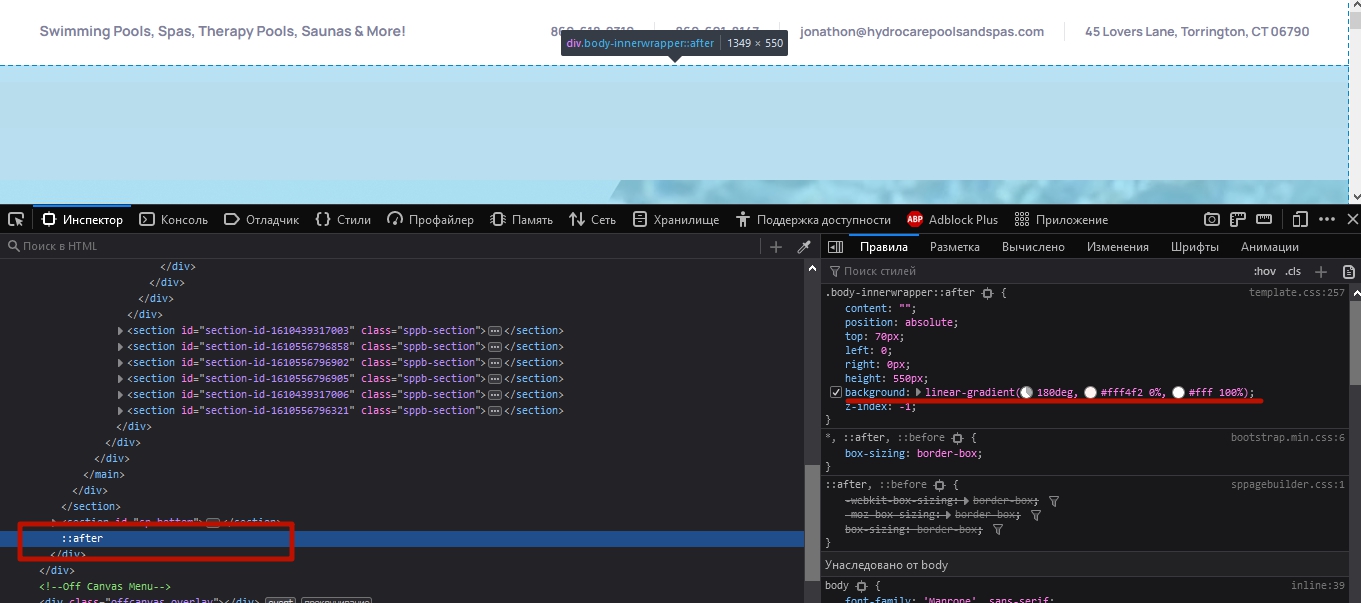
I've been looking a tons of "inspect" element and .css files and I cannot find where to change the background color for: the menu/heading or the page.

From: #FFF6F4
to: #E3F9FE

Take a look at:
Quoteserver.org

Home page - the page background is light blue and the menu header is orange.

What CSS do I need to change? It would seem to be the "template.css" but I cannot find it there.

Thanks.

2 replies

Pavel

Hi. Never edit template files. All your code should be placed in a custom.css file. Read Helix documentation about it.
And the code that you need is very easy to find via browser code inspector. Change it right in the inspector, copy and place in custom.css

Ofi Khan Staff

Hello Jeff Honeyager

Never edit template.css file. If you edit the core files, it will be overridden with the template update. Whatever styling you need, inspect the element and add your css to a custom.css file. By checking your site, it looks like you have found your solution.

Best regards

Log in to reply.