I only get a "This page isn’t working" error and cannot edit pages.
I have cleard the cache and all is up to date.
I only get a "This page isn’t working" error and cannot edit pages.
I have cleard the cache and all is up to date.
Thanks. Please close the fourm post. Thanks
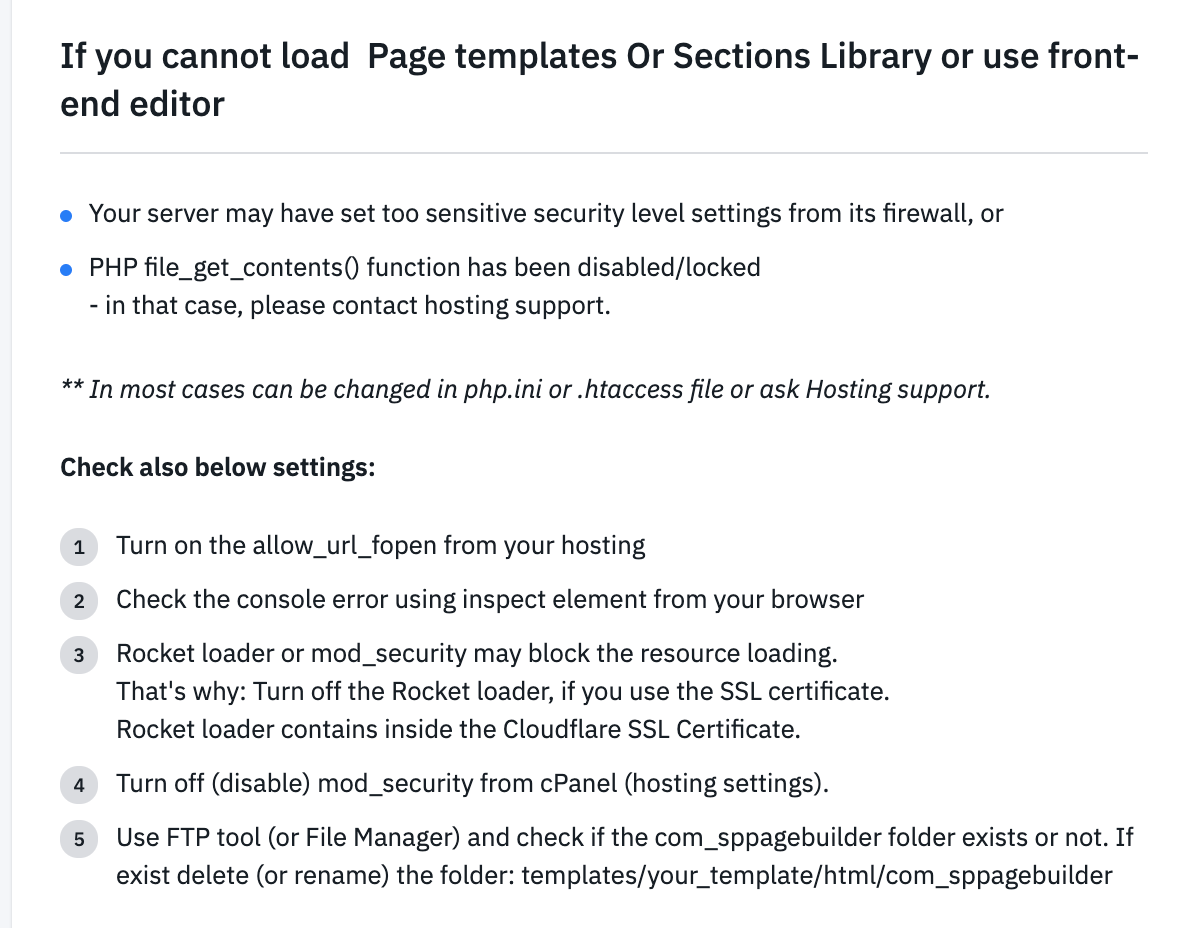
Hello
Can you kindly check this out and see if the solution works.
Also, kindly provide me a screenshot of the problem, it will be helpful.
Nothing has changed with the host since the site was completed a few weeks ago.
I notice that if I log into the front end first, the page opens when I click Frontend Editor. If I dont log into the front end first, it doesnt ask me to log in. I get the error
This page isn’t working
robdale-svcs.ca redirected you too many times.
Try clearing your cookies.
ERR_TOO_MANY_REDIRECTS
any other ideas as to why this isn't working?
Can you try following the instructions below?
1 . Enable the Error Reporting https://prnt.sc/wbqvjk
2. Disable the SEF https://prnt.sc/wbqvuw
3. Disable the JCE editor https://prnt.sc/wbqwai
4. Then try to check the front end editing.
Note: Before applying this process, please keep a backup of your site.
Also, which version of PHP are you using?
1 . Enable the Error Reporting - Done
2. Disable the SEF - Done
3. Disable the JCE editor - Done
4. Then try to check the front end editing. - Done - Same result
PHP = 7.4 - which is what it was when I developed the site.
Only 1 error reporting message
Warning: "continue" targeting switch is equivalent to "break". Did you mean to use "continue 2"? in /home/seladbor/public_html/plugins/system/helixultimate/core/classes/Minifier.php on line 226
I added FTP UN & PW if you want to take a look
Thanks
I am sorry, kindly bear with me. Can you check one more time if all these steps are ensured or not? If it still does not work, i will check from my end.
You can also try an easy fix: In Admin Tools navigate to Configure WAF, in the Cloaking section disable (set to NO) the one titled "Block tmpl=foo system template switch
I have folowed all steps but there is no change.
I uninstalled JCE and AdminTools
GZip was enabled already
Running PHP 7.4. Same results on 7.1 and 7.2.
7.3 breaks the site
Login on front-end as administrator - I can do this anyway. It's when I click on Frontend Editor in the backend that I get the error
I do see the following in the cPanel error log. This has been going on for several weeks

any further thoughts before I scrap the site and start over?
Sorry for inconvenience. Please check now and let us know.
I have turn off css & js compression from template manager and now it works. This is the initial solution. We will fix it next update of Helix.
-Thanks
It isn't working for me.
I still get the error when I click on Frontend Editor in the backend
Please clean your Joomla cache and let me know. Thanks
colearing cache didn't help
sh404SEF extension occurred the problem. Now it has been disabled and it works fine. Thanks
thanks, I will write the developer
I have the same problem - no hint help
A lot of bugs in your not so cheap Software!
Hello Heiko
Our apologies for your inconvenience. Could you please share your issue in a new post so that we can help on the matter? That would be appreciated.
I try to edit the startpage in the front-end editor.
But the site do not open - endless loading sign.
Ive deaktiveted all extentions with no success.
ive copied the start page - no success.
All other pages i can edit in the front-end editor.
i do NOTHING in the last time on this site.
Ariba commented in the discussion Cannot open frontend page from page builder. Message
Hello Heiko Our apologies for your inconvenience. Could you please share your issue in a new post so that we can help on the matter? That would be appreciated.
You may visit the discussion here. https://www.joomshaper.com/forum/question/3575#qa-answer-66929
And now?
Front end editing works fine.
No!
I wait since 3 Minutes. I see only the SP Logo by trying to edit the start site with the front end editor.
After writing this text with my bad english... i see only the animated SP logo and no content to edit.
Please watch the video.
Please watch the video.
Link? Name? Hint?
rambo? ghostbusters?
The support is very bad... really
Hello Heiko
Apologies for your inconvenience. The video link has been provided by our Senior Agent in the Hidden content.

