Hello,
I ask about when "Enable customers to zoom in by hovering over product thumbnails."
Where can i modify the % of zoom In into image?
Regards,
Isabel
Hello,
I ask about when "Enable customers to zoom in by hovering over product thumbnails."
Where can i modify the % of zoom In into image?
Regards,
Isabel
Oh, Zoom inside product page.
I have ask our developer tomorrow. It's more complicated. I am not sure if you can change that with Custom CSS only.
Ok, im waiting for any help.
Regards.
Any news Paul?
Thanks for support
Hi Paul ,
Please any news about this?
regards
Hola,
Only by custom CSS, as I remember you cannot change that from settings.
Hi,
Can you explain how, please, with a example?
Best Regards
Hi,
My idea is no more zoom my images of 100% of image size, in my case can be 1200px X 1200px
and/or 3000px X 3000px
If zoom in is more bigger, then zoom visualize more pixelized image.
You can see the website in my first post, check any product.
I need more small, I view too many zoom.
Think in 1200X1200 maximum zoom.
sorry, I also wait for respond.
By now just disable that zoom from settings.
you need to update the value you need to change media/com_easystore/js/product.site.js
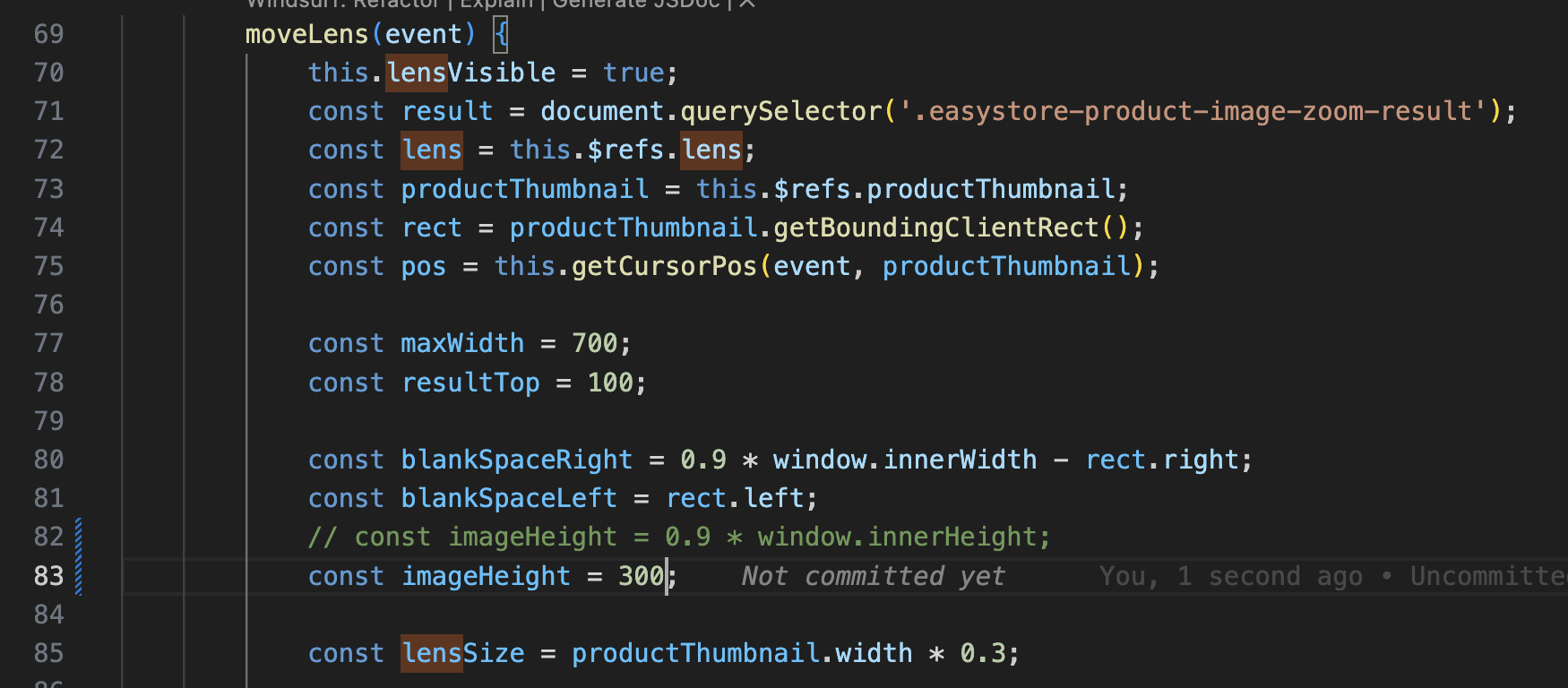
sorry, but by now you have to do that "alone"
