Mega Menu Indent Submenu Items - Forum | JoomShaper
Solved Helix Framework

Mega Menu Indent Submenu Items

Asked by Chris Nichols 5 years ago Last activity 5 years ago

I'd like to make the dropdown menu on a site I'm volunteering my time on be a little bit more visually appealing.

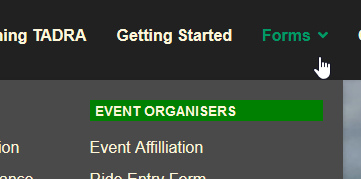
Is it possible to indent the sub-menu items so they hang under the column titles, and can the colour of the column titles be changed?

Here is the site: www.tadra.asn.au the main menu item in question is Forms

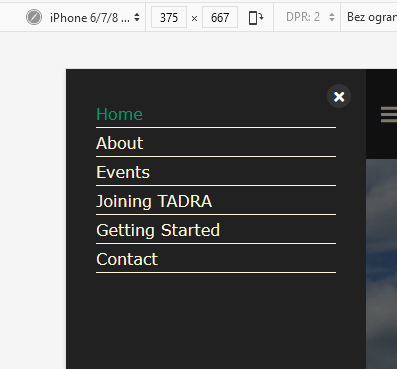
I'd also like to hide the Forms menu in the offcanvas menu.

I've added Custom Class called nomobile on the Joomla Menus: Edit Item screen, and added the following to my custom.css file:

li.nomobile .offcanvas-menu .offcanvas-inner .sp-module .sp-has-child.nomobile > a::after {display: none !important;}

if you click on "Forms" in the main menu, you'll see what I am referring to. None of the menu items are active yet, they will eventually just be links to PDF files.

Accepted answer

Marked as the solution
Paul Frankowski Senior Staff

about 1)
If I understand you well (I have hope) using this kind of simple CSS syntax:

.item-197.menu_item.item-header > a 
{background: green; padding-left:5px;}

you can achieve this:
foto_6163_2021.jpg

Tip: 197 - is menu item ID that you can see in Menu Manager in ID column. As you see you can define unique style for each menu item even without using class name.

6 more replies

Paul Frankowski Senior Staff

Hi,

  1. Yes, it should be possible using custom CSS. Can you make a mock-up to be more specific about your goal.
  2. Class Names used in MegaMenu are not used in Mobile (Offcancas) menu that's why you have to use a little bit different custom CSS, here is example:

.offcanvas-menu .item-191.menu-deeper {display: none !important;}

foto_6162_2021.jpg

Chris Nichols Asked this

Thankyou very much Paul. You've answered both of my questions.

There are more important things to fix on the site, but this one has been really bugging me.

Paul Frankowski Senior Staff

You're welcome.

An old proverb says, "It's not the desert that will hold you back,
but a grain of sand in your shoe."

Chris Nichols Asked this

Hi Paul,
This will be my last question on this I hope.
How do I get Firefox to render my CSS properly. It's behaving as expected on Chrome and Edge, but Firefox is ignoring my CSS for the Forms menu.

Chris Nichols Asked this

Never mind, rookie error, cleared the browser cache and now the pages are rendering correctly. My custom.css file was cached by Firefox.

Paul Frankowski Senior Staff

Yes, nowadays all browsers cache files - that's why always clear cache or check view in Private Mode.

Log in to reply.