Offcanvas menu, it is not visible, even though the module has been activated and associated with the offcanvas position
Joomla 5.3, Shaper Salon template.
Offcanvas menu, it is not visible, even though the module has been activated and associated with the offcanvas position
Joomla 5.3, Shaper Salon template.
OK, mobile and desktop version is OK now.
After all I published GTranslate module on Menu position.
I made changes in those files:
Copy & paste to 2nd site, if is using the same template. Of course remember to export template .json and import too.
Problem fixed.
Hello,
Thanks for reaching out to us. Could you please share temporary administrator access to your Joomla backend? You can provide the credentials securely in the hidden content section. Also, please take a full backup of your site before we make any changes.
Once I have access, I’ll investigate further and see what’s causing the issue. Let me know once you’ve shared the details!
Best regards,
Could you please fix this? The site is now live and needs the menu icon in the mobile version. Thanks.
Ciao,
Probably you made small mistake in Custom Header (Layout). Please rename "menu1" to "menu"
Share access to admin area, we will check deeper to fix it.
I don't understand, menu1 is the name of the given module position in the layout, there is no way to choose another item that refers to the main menu
In that case please do what I asked (2), share access.
please look below, thanks
Could you please fix this? The site is now live and needs the menu icon in the mobile version. Thanks.
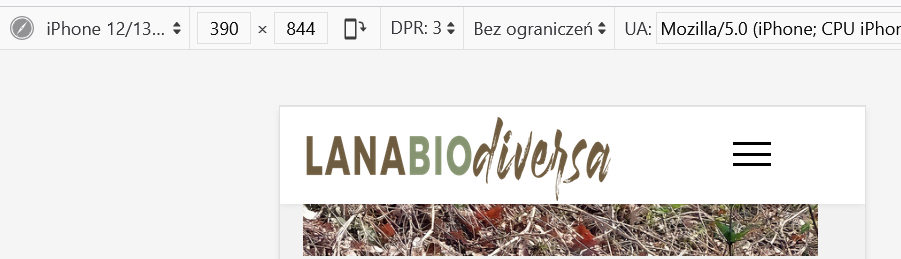
Fixed. Sorry for delay.
Paul there's a problem:
the mobile menu icon also appears in front of the "HOME" menu item on the desktop version, and the logo appears stretched with its proportions altered.
In the desktop version the GTranslate icons in the top2 position have also disappeared.
I noticed that a template I had saved for possible recovery was also deleted. Why?
Give me a moment, please.
Uno momento :)
OK now?

sorry but now the menu doesn't appear anymore
Have you edited template in last minutes ???!! Desktop & Mobile Menu [=] gone again !!!
everything was OK, and .... now is not anymore!
I just reduced the height of the logo from 50 to 45 px, without touching anything else.
Even if you set it back to 50, you can't see the menu anymore.
I will set again, but please DON'T touch anything.... for next 20min !!
ok, I'll wait until you tell me, thanks
please mark topic as solved, thanks

