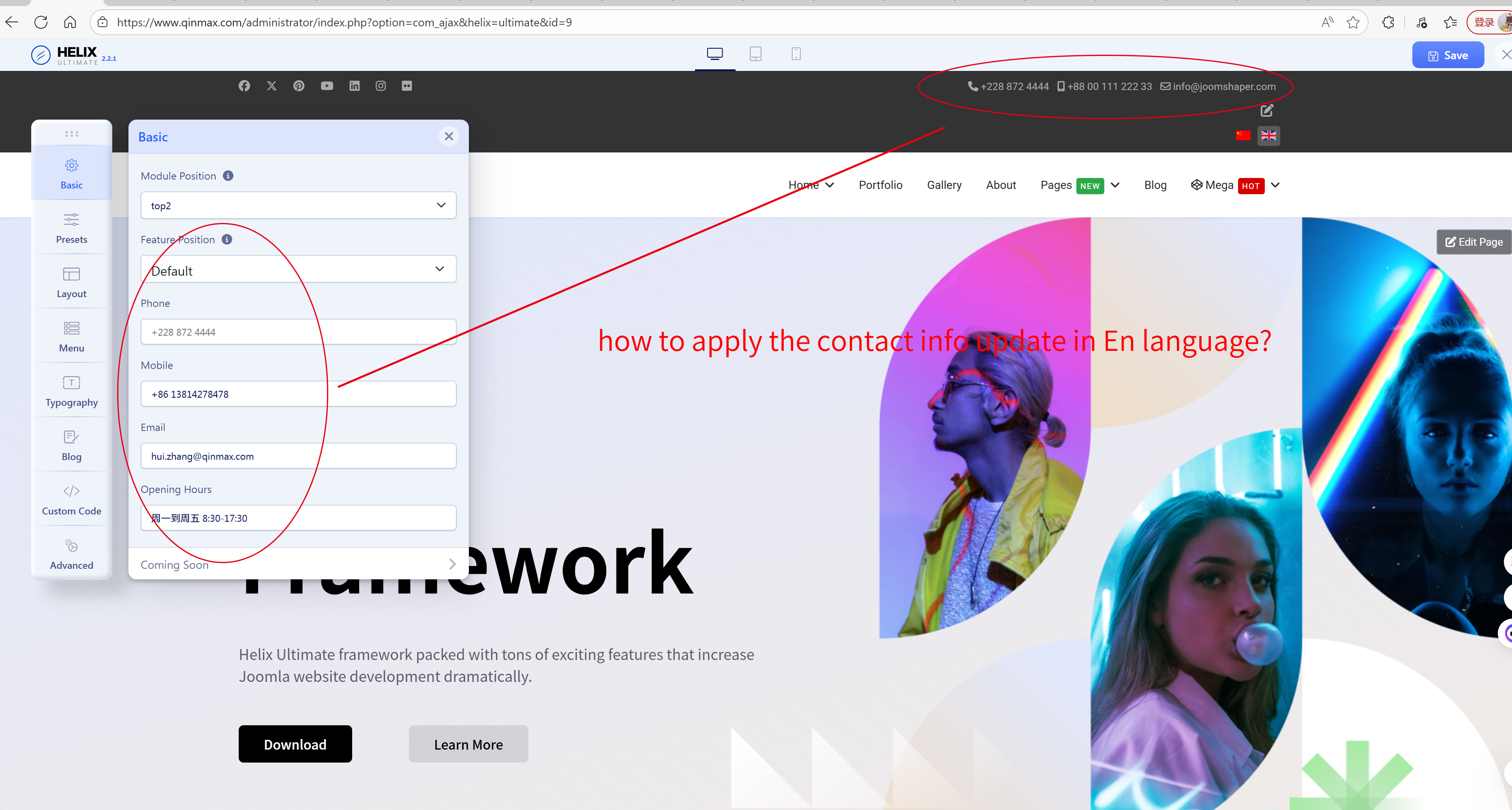
I edit the contact info on the page, but, it seems that the result only applied on the zh-cn language, how to change it on En-Gb language?
Every time I opened the basic option page, there is only the zh-cn content in contact info rows.
Staff replied
Helix Framework
how to edit different contact info in different language page of the header info.
5 replies

Mehtaz Afsana Borsha Staff
Hi
Thanks for contacting us and sorry for your issue. Could you please give me your super admin access? So that I can check? Please keep a full site backup before making any changes.
-Regards.
hui Asked this
@Mehtaz Afsana Borsha.
Is there any update?
hui Asked this
@Mehtaz Afsana Borsha.
Thanks for your quick reply. I have attached the account in the hidden content.
pls plese to check it and then if you could fix it, kindly tell me the reason and the solution accordingly.
Thanks a lot.
Mehtaz Afsana Borsha Staff
Hi
You forgot to give me the site link.
hui Asked this
@Mehtaz Afsana Borsha,
Sorry, actually it's already on the screenshot I added before.
https://www.qinmax.com
Mehtaz Afsana Borsha Staff
Hi
When you multilengual your site then you have to duplicate template style and set the language. On that new template style you can set different header information. Please keep a full site backup and follow these steps properly from thi blog
https://www.joomshaper.com/images/2021/11/22/13.jpg
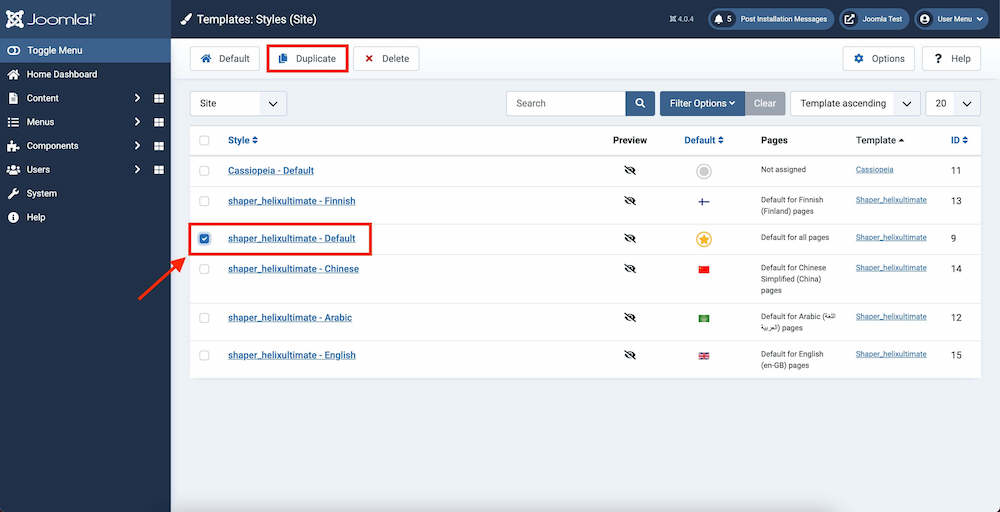
https://www.joomshaper.com/blog/how-to-create-a-multilingual-site-in-joomla-4-using-helix-ultimate
And make it again.
Mehtaz Afsana Borsha Staff
Hi
If you have no further questions, you can then close this post by accepting the answer.
Log in to reply.