Helix Ultimate gone crazy URGENT - Forum | JoomShaper
Staff replied Helix Framework

Helix Ultimate gone crazy URGENT

Asked by Matt Hunt 5 months ago Last activity 5 months ago

Suddenly the Helix Ultimate has gone nuts. To the best of our knowledge, no one was in the admin of the site when suddenly the template just seems to have stopped functioning, especially the header/menu. I've downloaded and reinstalled Helix 2.2.4 , SP Page builder, downgraded the php to 8.2 and 8.1, then brought it back to 8.3. All with no effect.

Please help as soon as possible

16 replies

Atick Eashrak Shuvo Staff

Apologies for the inconvenience.

Could you please allow me to take a full backup of your site (files and database) so I can investigate the issue locally and identify the root cause?

Matt Hunt Asked this

Hi,
Please do what you need to do.
Thanks

Atick Eashrak Shuvo Staff

Please share your server access.

Matt Hunt Asked this

Hi,
ftp credentials
Thanks!

Paul Frankowski Senior Staff
5 months ago · edited

Hi Matt.

Sorry, but "Username and password do not match or you do not have an account yet." Check details!


On all my sites, I can use PHP 8.2, 8.3, and 8.4 without "crazyness" , so it must be single case.

Paul Frankowski Senior Staff
5 months ago · edited

I think I know why.

  1. This file „/templates/shaper_helixultimate/css/template.css” was locked by .htaccess file rule Header always set X-Content-Type-Options "nosniff" - please remove it and save changes.

2026-04-17_065914.png

  1. Please also check if nobody deleted content of template.css file. If that file is empty, please reinstall template or upload file using FTP tool. Also check file permissions, it should be 644.

Then it should be OK.

Matt Hunt Asked this

Hi Paul
I've comment out that line in the htaccess and verified that the template.css is still there and permissons are 644. I've also reset the password.

Thanks
Paul Frankowski Senior Staff

info_17_01.png

looks that Joomla cannot load that file?!


Ok, I will check if I can login now.

Paul Frankowski Senior Staff
5 months ago · edited

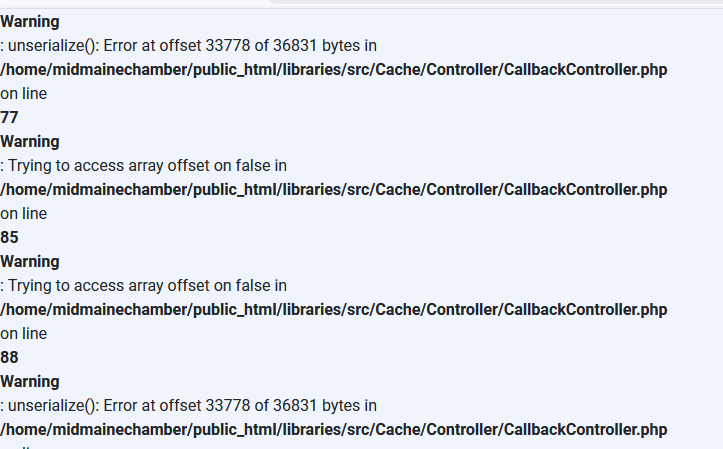
It looks that there is something with your Joomla itself.

I only logged and went to Templates

info_17_02.png

info_17_03.png


I cannot help more until you will not fix that.

Matt Hunt Asked this

Hi,
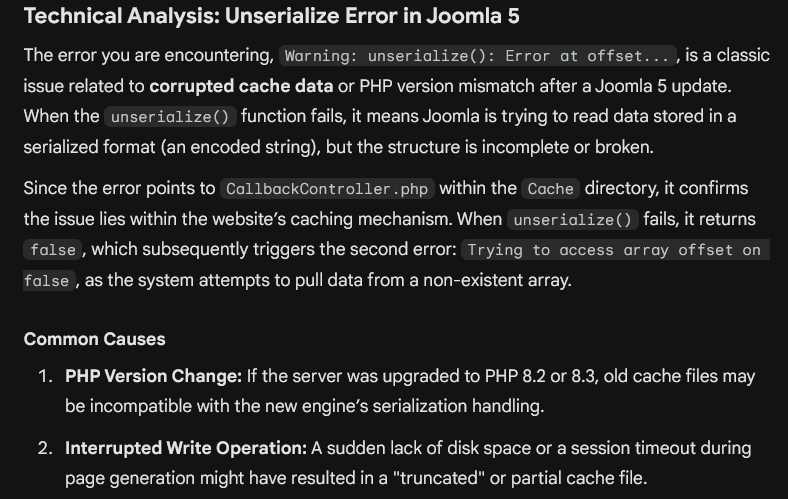
Im nolonger getting that error. Just deleted the cache and gave it some more disk space

Paul Frankowski Senior Staff
5 months ago · edited

Thanks, indeed helped with Joomla.

And about problem, you forgot to delete/comment that line in .htaccess file, or save changes - hahaha ;)

Menu looks Ok now, you own me soda

Matt Hunt Asked this

hahaha, i owe you more than a soda!
Thanks,
Now using your crystal ball, how could that have gotten changed in the middle of the day? I was driving at the time and no one else that has access would touch the htaccess file?

Paul Frankowski Senior Staff

Anyway, solved. And You got to the destination safely.


Mark topic as solved, and you see next time, I hope not soon with "urgent", hahah

Have a wonderful day.

Log in to reply.