I want to put the menu to float at the top of the page like the header does (logo & social icons). I'm using Helix3 and the corporex template.
I've tried adding custom CSS found in the forums, but nothing seems to work.
I want to put the menu to float at the top of the page like the header does (logo & social icons). I'm using Helix3 and the corporex template.
I've tried adding custom CSS found in the forums, but nothing seems to work.
Hello
Thank you for your query. Please allow me some time, i am looking into it.
Hello
Please go to Extensions -> Templates -> Styles.
Select your default Corporex template, then click on Template options button.
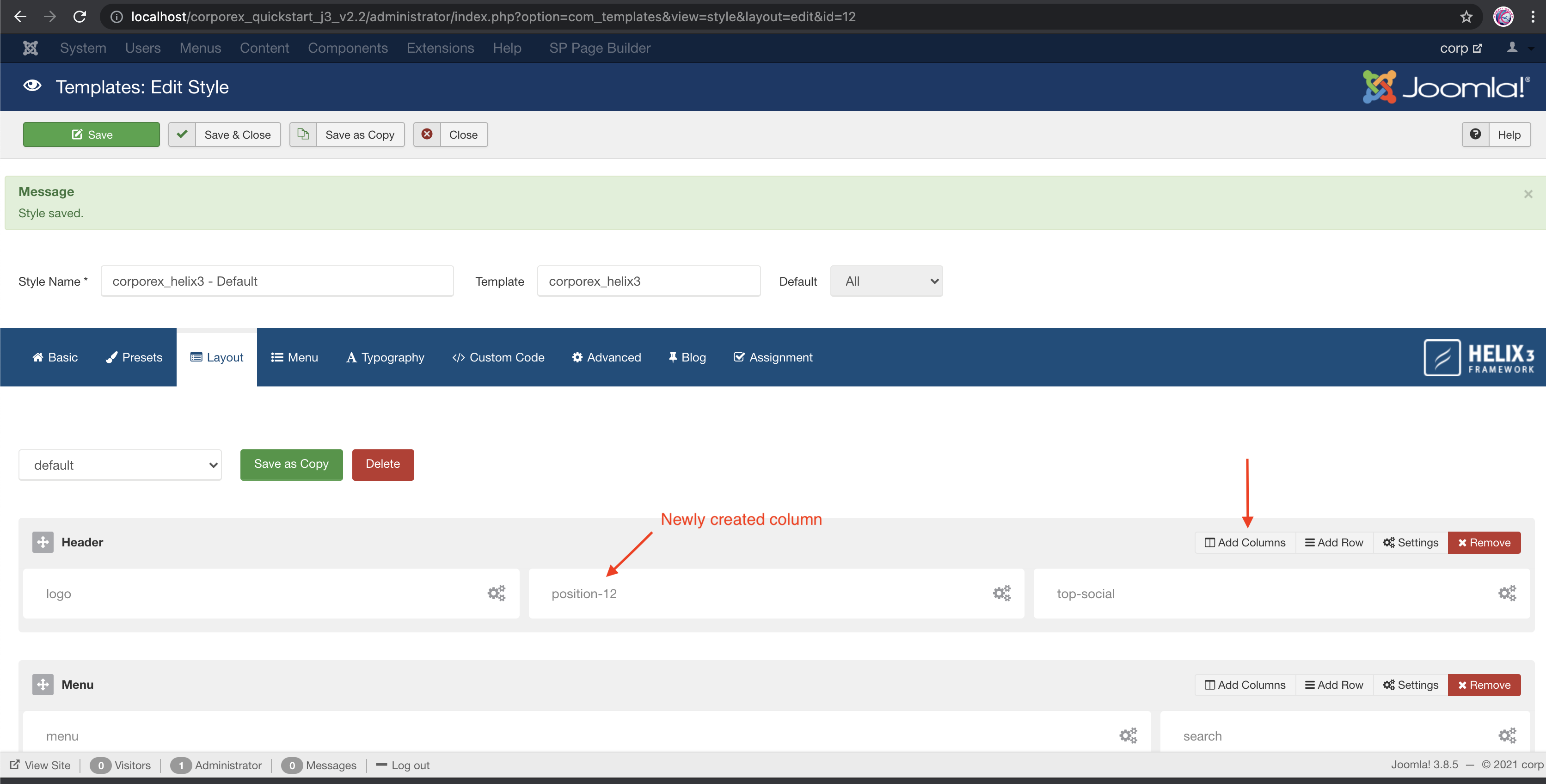
Go to Layout tab and create a new column in the header section as shown in the screenshot below:
After creating a new column, go to Column settings and add a module there.
You have to create a menu type module and assign the menu you want to show.
That change only puts the menu to the right of the logo. I want to keep the menu below the logo as it is on the template.
Other issues like this seem to be solved by adding custom CSS.
https://archive.joomshaper.com/forums/floating-menu-1
https://archive.joomshaper.com/forums/how-can-i-make-header-and-menu-both-sticky
I tried them and even tried to adjust them to my templates CSS but they didn't work. Is there one that will work for my template?
Thank you for sharing the links. However, in this case only Custom CSS will not work, Custom JavaScript will be required as well.
What JavaScript is needed? Do I need to give you login info?
So this is not something you will help with?
Hello
Our Senior Agent will look into the issue, please allow us some time. Thank you for your patience.
Hi there,
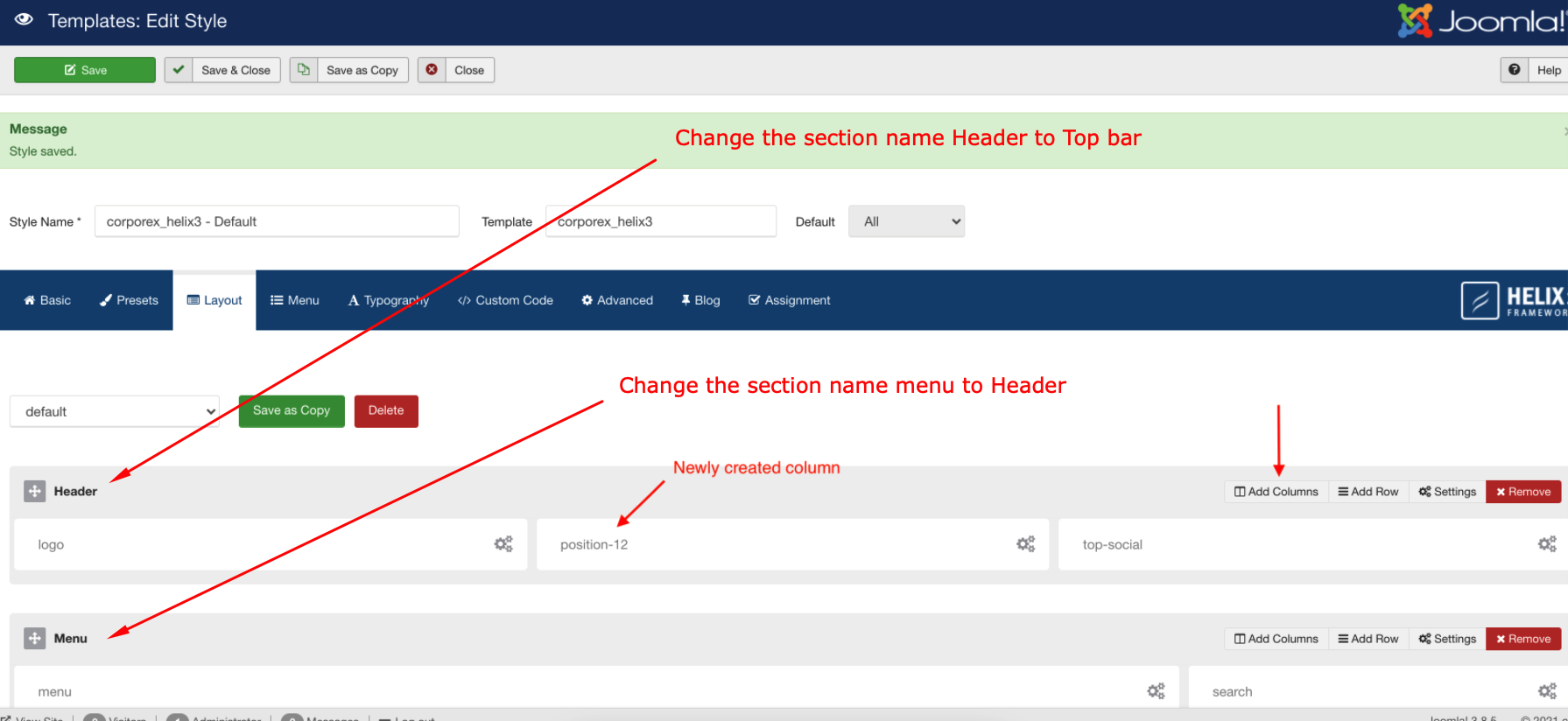
Please check the screenshot.
-Thanks
That definately gets the menu to stick to the top, but the logo is showing twice now.
I added the new column in the middle, but there was no modular section on this template titled "position-12" so I created a module and made it "position-12". That didn't seem to make a difference.


Please provide me the Joomla administrator access via hidden content area. Thanks
Ok.
Just removed the retina logo. Cause, the retina logo size is not the right size.
Normal logo size
352X72px
Retina logo
704X144px
-Thanks
THANK YOU!
Will I still be able to add a retina logo at that size, or should I just leave it out?
Ah. I see that even with the correct size logo for retina that I cannot use it with this fix.
I'm ok with that. Will not having a retina logo effect anything? What is it used for?
Hi there, The Retina logo size should be 704X144px. Thanks
I DID make a retina logo sized 704x144px. When I set it up in the retina section, It still showed both logos on the home page.
I assume I can just not have a retina logo. Will that effect anything?
No problem will be if you don't use the retina logo. Thanks


