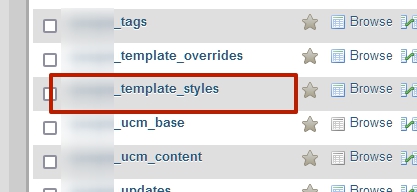
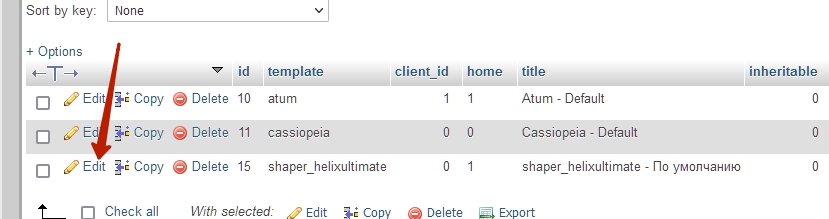
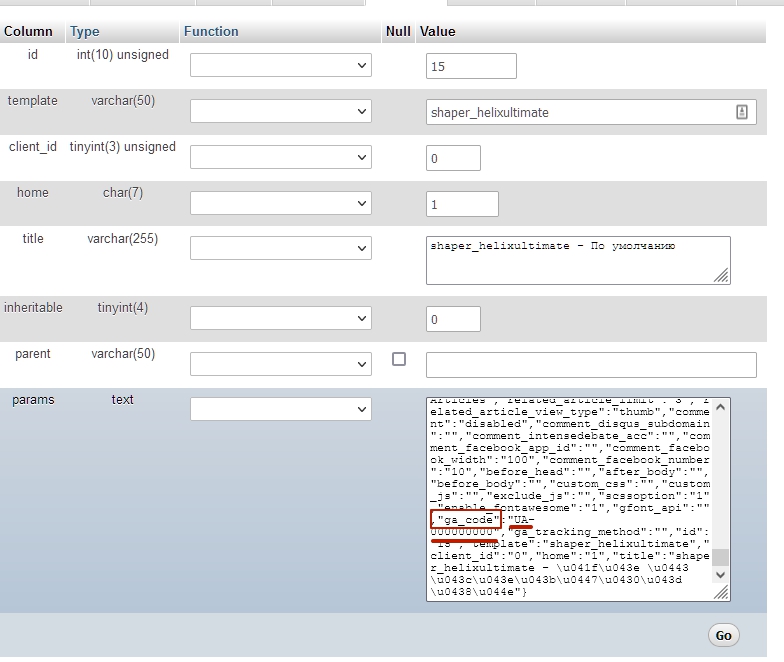
Hi, I got a problem with the Helix Template. I am using the matomo for analytics. Unfortunately I insertet the matomo code in the area of googel analytics through the Template Option Button.
Now the button "Template Options" is not working anymore as expected.
I cleared the Cache in Joomla and Browser. I am using the Helix Framework 2.0.4. There is a strange letter string in the upper left since I have insertet the code in the wrong area.
It displays '); How can I remove the wrong matoma JS-code now? any help much appreciated
BR Wolfgang
see research.gotscharek-company.com
I am using:
Firefox 91.0.2
Joomla 3.10.1
PHP 7.4.19
mysql 5.7.34-nmm1-log
SP Page builder Pro 3.7.14
Helix template 2.0.4