New problem with Helix Ultimate 2.x - Forum | JoomShaper
Staff replied Helix Framework

New problem with Helix Ultimate 2.x

Asked by GGGolf 4 years ago Last activity 4 years ago

With Helix Ultimate 2.x vs 1.x there is now a class (justify-content-end) that is added to our menus that are shown as headers and it's off setting the menus to the right so much that they won't show completely (part shows off screen even on super wide screens).

The problem is in plugins/system/helixultimate/layouts/frontend/modules.php with the following line:

$columnClass .= $isHeader && $options->name === 'menu' ? ' justify-content-end' : '';

This justify-content-end class is the problematic one. In 1.x the classes assigned were simply sp-column but now it's : sp-column d-flex align-items-center justify-content-end. All classes are OK except justify-content-end.

I have no clue on how to prevent that behaviour so for now I directly commented that line out but it's not ideal (updates will override my fix).

Oh also. Helix Ultimate 2.x with PageBuilder 3.7.9 it's now impossible to modify the Styles (Extensions -> Templates -> Styles), when the big green button "Template Options" is clicked nothing happens.

Before you ask, no I won't provide credentials to access the websites we host.

6 replies

Rashida Rahman Staff

Hi there!

Sorry for your issue.

You can use custom CSS instead, it will not overrided with updates later.

Would you please give me your site URL atleast to see if I can suggest you custom CSS to achieve this.

Best Regards

Pavel
4 years ago · edited

This justify-content-end class is the problematic one. In 1.x the classes assigned were simply sp-column but now it's : sp-column d-flex align-items-center justify-content-end. All classes are OK except justify-content-end.

Hi.

This class creates the default menu alignment (to the right). And this is not a problem, but an improvement compared to Helix 1.

In Helix 1, it was the same appearance, but for this was used outdated methods that demanded more code to override.

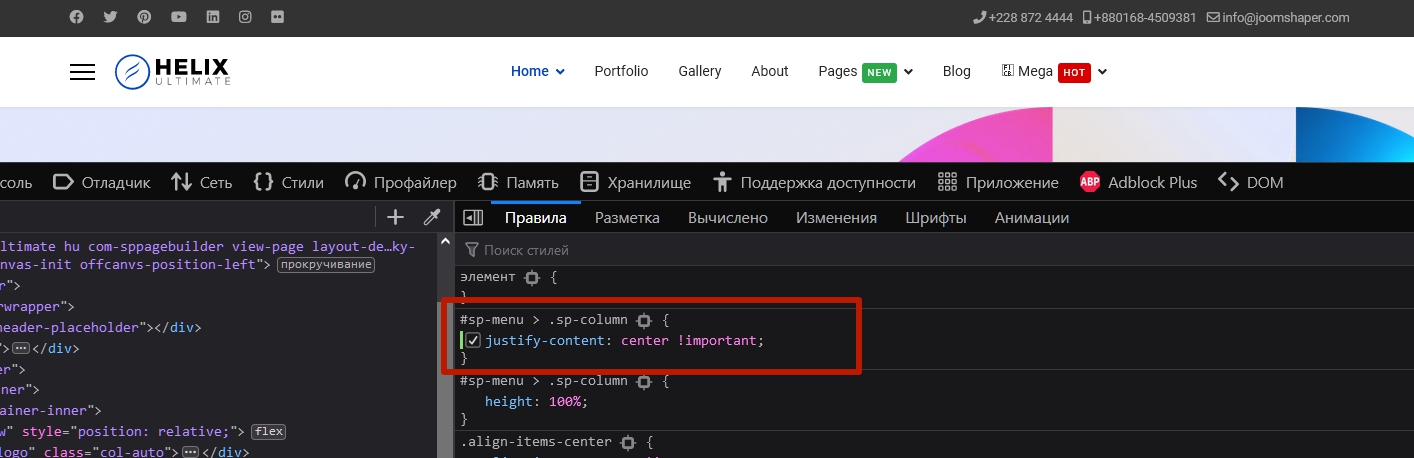
In Helix 2, you just need to use one property in your own CSS to align the menu as you want.

flex-start

center

I have no clue on how to prevent that behaviour so for now I directly commented that line out but it's not ideal (updates will override my fix).

Return it back. In 99% of cases, only the use of CSS is sufficiently used to change the Helix layout.

Paul Frankowski Senior Staff
4 years ago · edited

Thanks Pavel,
indeed so far I use similar trick (value) as you did.

#sp-menu > .sp-column, #sp-menu .sp-megamenu-wrapper {justify-content: center !important;}

I added tip into Helix 2.0 documenation in "How to do" tips section.

Pavel
4 years ago · edited

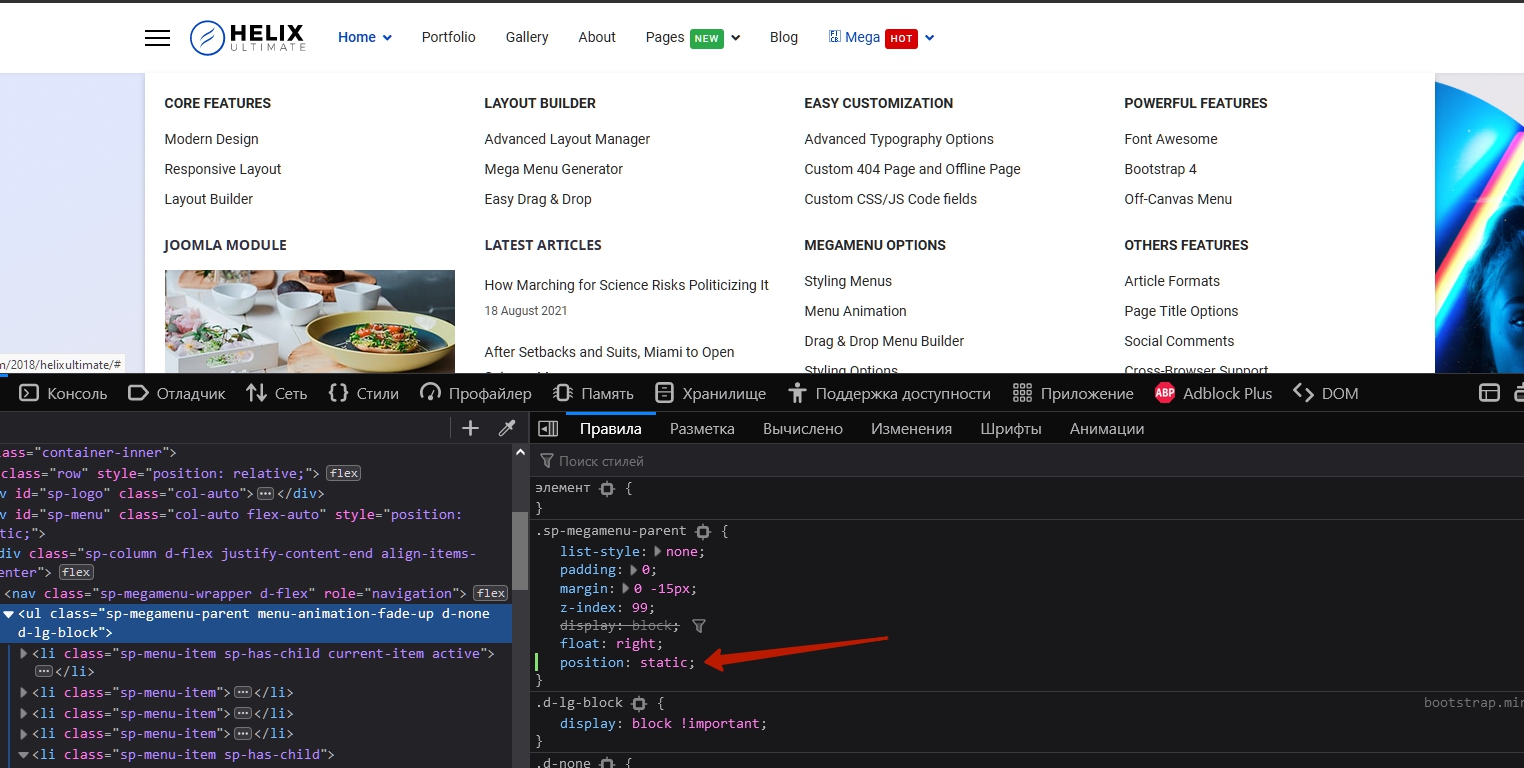
Hi Paul. Being in writing my post, I remembered the problem with mega menu full width alignment.

I think it should be fixed by dev team. But you can add a CSS solution for this to the documentation.

It is now relative. Change to static solves the problem. (not sure is it suitable for Safary)

Paul Frankowski Senior Staff

sure, thanks, I will.

Paul Frankowski Senior Staff

added to "Troubleshooting & FAQ" of Helix 2.0, thx

Log in to reply.