Update Problems: SPPB - flip boxes, testimonials. Also Helix update issue - - Forum | JoomShaper
Staff replied Extensions

Update Problems: SPPB - flip boxes, testimonials. Also Helix update issue -

Asked by Carrie M Wrigley 4 years ago Last activity 4 years ago

Hey JoomShaper, ever since I updated to the new SPPB (3.8.1), my flipboxes and testimonial plugins no longer work, especially on desktop. I tried to reinstall my original SPPB version (3.7.12) but just got an error message. The flipboxes just show the front, and no longer flip; the testimonials just show the 1st testimonial, and no longer proceed to the others, even if you click on the navigation buttons.

Also - when I updated my Helix ultimate template, I lost the ability to use the off-canvas menu - which is a huge problem on mobile, since that is the only way to access the site on mobile devices. In this case, I was able to roll it back to my original version of Helix (1.1.14) which restored that functionality. However, I am nervous about my site being vulnerable with an old template.

The sites affected are both running the most current Joomla 3 (3.10.3), and can be found here:

https://morninglightcoaching.org

https://www.morninglightcounseling.com

Best way to proceed on these 2 update issues?

21 replies

Toufiq Senior Staff

Hi there,

Thanks for contacting us. Sorry for the inconvenience. Will you please provide me the Joomla administrator access to check the issue? I will check & get back to you soon. 

Note: Console has error. Without check can't give you any direction.

-Thanks

Carrie M Wrigley Asked this
4 years ago · edited

OK, I'm supplied you with administrator access, to enter both websites.

Both have the same problems - with some elements on mobile, some on desktop, some on both:

  1. SPPB update - Flipboxes and testimonials not working
  2. Helix update (currently rolled back to prior helix version): Off canvas menu not working when Helix update is applied.

PS - Please clarify - Not sure what you mean by:
"Note: Console has error. Without check can't give you any direction."

If more info is needed, other than the login info provided here, please let me know ASAP.

Thanks for your help!

Toufiq Senior Staff

Please check now and let me know. Thanks

Carrie M Wrigley Asked this

ISSUE 1: FLIPBOXES/TESTIMONIALS, SPPB:

OK - these plugins are working again now - thanks. (Had to clear my cache to get the corrections to display, but that finally worked.)

ISSUE 2: HELIX UPDATE:

Looks like my sites are still both on Helix 1.1.4, not the new update, 2.0.5. I mentioned that the other issue on both sites is that when I updated the template, my off canvas menu didn't work anymore on either site - making them entirely unaccessible on mobile. So I had to re-upload the old 1.1.4 template to get the sites accessible again - but worry about the safety of using an outdated template.

So I was hoping you could offer a fix on this problem as well, while you have the admin credentials to both sites. Is it possible to update the template without getting this off-canvas menu problem? Or, since my sites are all Joomla 3, is this new template update just designed for Joomla 4, and I should just not update the template?

PS - in an earlier forum thread, I saw that the updated template now requires you to set a preference for the display of the off canvas menu, whereas the old one didn't. I tried this, while the new template was installed - but could never get it to work. Never saw a place to save my preference on the off canvas style - so it didn't "stick," and the menu remained non-operational, till I rolled back to the prior template. Advice on how to proceed on this Helix update issue?

ISSUE 3: FORUM NOTIFICATION

I thought I'd be receiving an email notifiying me when there was a response from JoomShaper on my request - but no email ever came. I finally just checked back in the Forum directly here, and saw this response about a week later. Should I be getting notification emails when forum issues are addressed, or additional comments are added to my forum post? I know I've gotten such emails in the past, which is why I expected an email this time - but that did not occur.

Thanks again for fixing Issue #1. Hoping for help with 2 and 3 as well.

Toufiq Senior Staff

Just tell me your issue and give me site access.

Carrie M Wrigley Asked this
4 years ago · edited

Already included in the thread earlier - but here it is again, with admin access again:

ISSUE 2: HELIX UPDATE:

Looks like my sites are still both on Helix 1.1.4, not the new update, 2.0.5. I mentioned that the other issue on both sites is that when I updated the template, my off canvas menu didn't work anymore on either site - making them entirely unaccessible on mobile. So I had to re-upload the old 1.1.4 template to get the sites accessible again - but worry about the safety of using an outdated template.

So I was hoping you could offer a fix on this problem as well, while you have the admin credentials to both sites. Is it possible to update the template without getting this off-canvas menu problem? Or, since my sites are all Joomla 3, is this new template update just designed for Joomla 4, and I should just not update the template?

PS - in an earlier forum thread, I saw that the updated template now requires you to set a preference for the display of the off canvas menu, whereas the old one didn't. I tried this, while the new template was installed - but could never get it to work. Never saw a place to save my preference on the off canvas style - so it didn't "stick," and the menu remained non-operational, till I rolled back to the prior template. Advice on how to proceed on this Helix update issue?

Carrie M Wrigley Asked this

It was already included earlier in the thread - but here it is again, along with admin access again:

ISSUE 2: HELIX UPDATE:

Looks like my sites are still both on Helix 1.1.4, not the new update, 2.0.5. I mentioned that the other issue on both sites is that when I updated the template, my off canvas menu didn't work anymore on either site - making them entirely unaccessible on mobile. So I had to re-upload the old 1.1.4 template to get the sites accessible again - but worry about the safety of using an outdated template.

So I was hoping you could offer a fix on this problem as well, while you have the admin credentials to both sites. Is it possible to update the template without getting this off-canvas menu problem? Or, since my sites are all Joomla 3, is this new template update just designed for Joomla 4, and I should just not update the template?

PS - in an earlier forum thread, I saw that the updated template now requires you to set a preference for the display of the off canvas menu, whereas the old one didn't. I tried this, while the new template was installed - but could never get it to work. Never saw a place to save my preference on the off canvas style - so it didn't "stick," and the menu remained non-operational, till I rolled back to the prior template. Advice on how to proceed on this Helix update issue?

Pavel
4 years ago · edited

my off canvas menu didn't work anymore

Hi. The solution is very simple. Since new features have been added for Offcanvas Menu, you need to go to the template settings and simply select one of the Offcanvas Menu layouts. After that, globally clean the Joomla and your browser cache.

After upgrading, none of the layouts are selected, since these options did not exist in the previous version, so it does not work

Carrie M Wrigley Asked this

OK, I tried this again on MorningLightCoaching.org (same "fix" I tried after upgrading last time. Still not working. I tried all 3 of the layouts - setting and saving them in the template options - making sure "All" was selected for levels. You can see a screenshot here to see my settings for the Off Canvas menu:

https://www.dropbox.com/s/bkykmmzd6xvq62p/Screen%20Shot%202021-12-03%20at%208.00.48%20AM.png?dl=0

(or - log back in to Admin with the credentials provided to see my settings.)

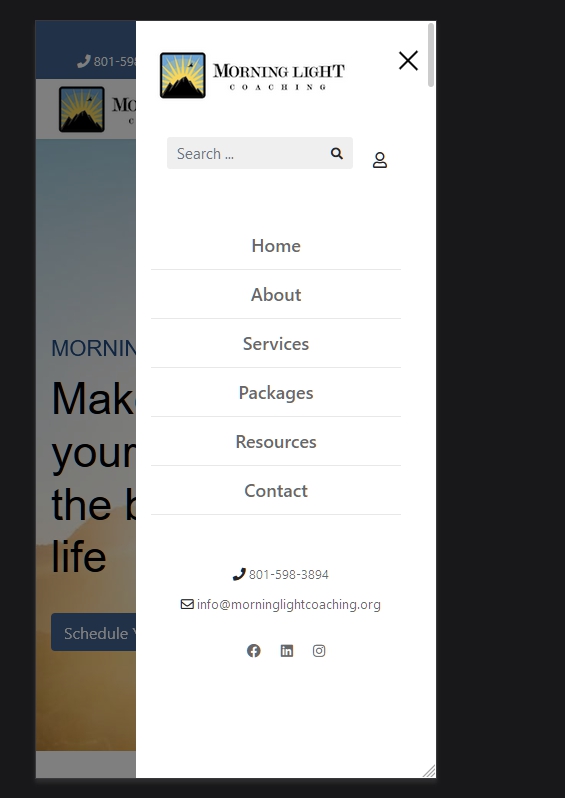
On Desktop, after saving any of the 3 layouts, when you contract the view onscreen, you see the display shift to the "waffle" menu icon when the display is small enough, showing the off-canvas menu. But none of the drop-downs work - though I have "all" levels selected.

On mobile, you don't even see the waffle icon - just blank space - making the site completely inaccessible and unusable.

I left MorningLightCounseling.com on the old template (1.1.14) while updating MorningLightCoaching.org to 2.0.5, so you can compare and contrast. Maybe there's some sub-setting I'm missing here. But as for now, every time I try this "fix" it makes the site unusable.

Please check it out ASAP and advise me accordingly - I can't keep this functioning site unusable for very long.

Hope you can figure out what's going on here.

Pavel
4 years ago · edited

or - log back in to Admin with the credentials provided to see my settings.

I'm not Joomshaper team member.

And it works fine. Did you pay enough attention to the global cache cleaning?

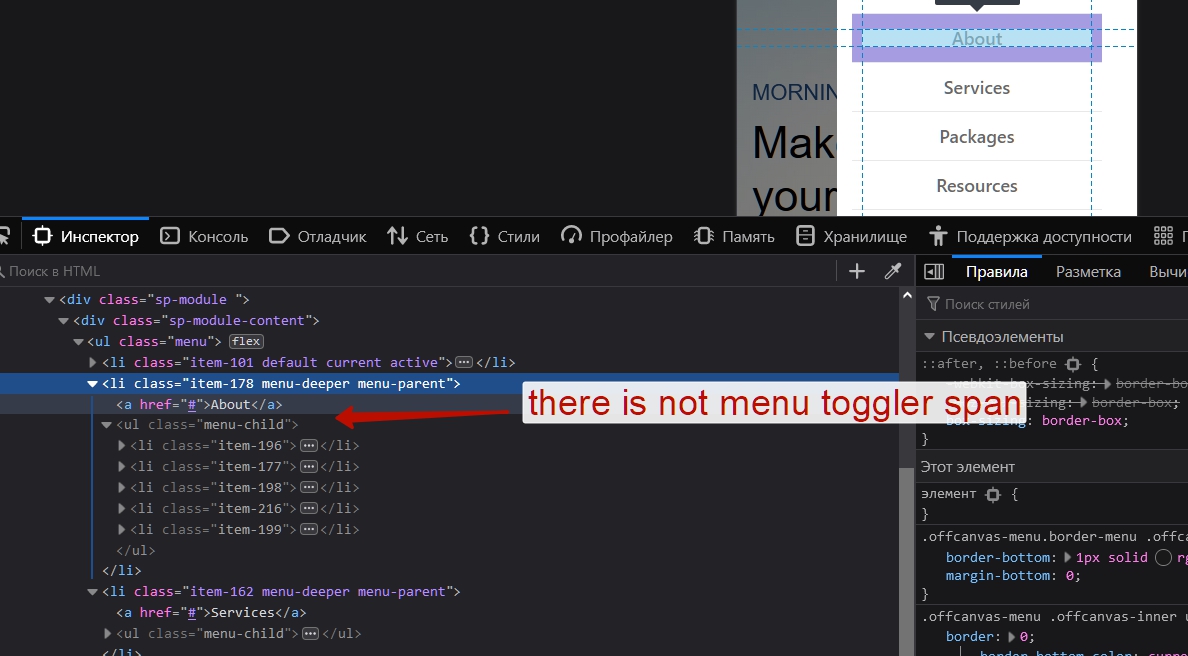
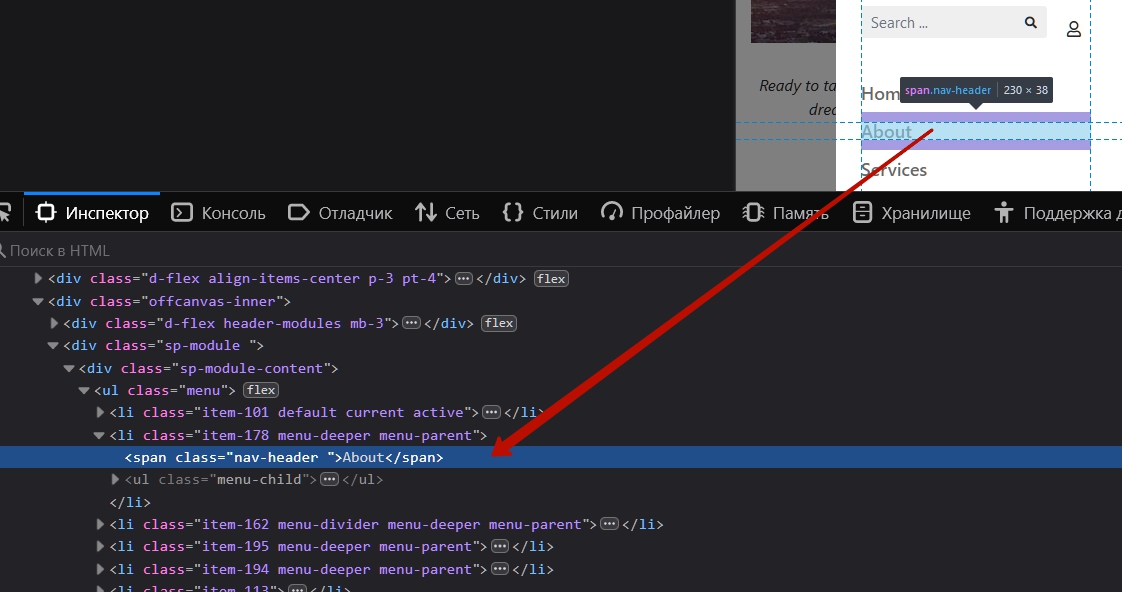
To work the levels, you need to choose another type for parent menu items. Now you have a link type.
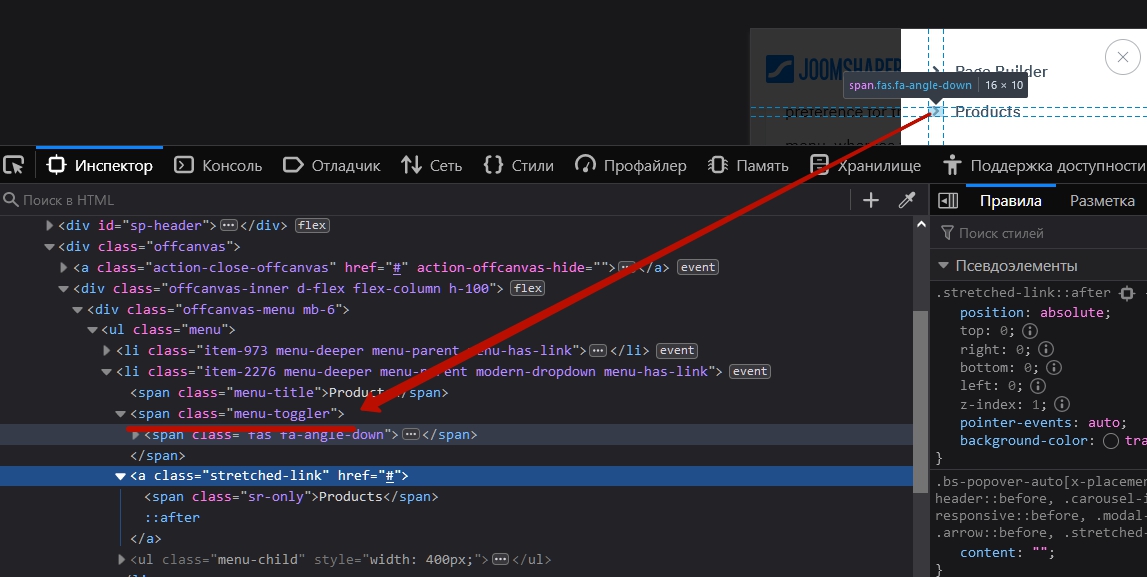
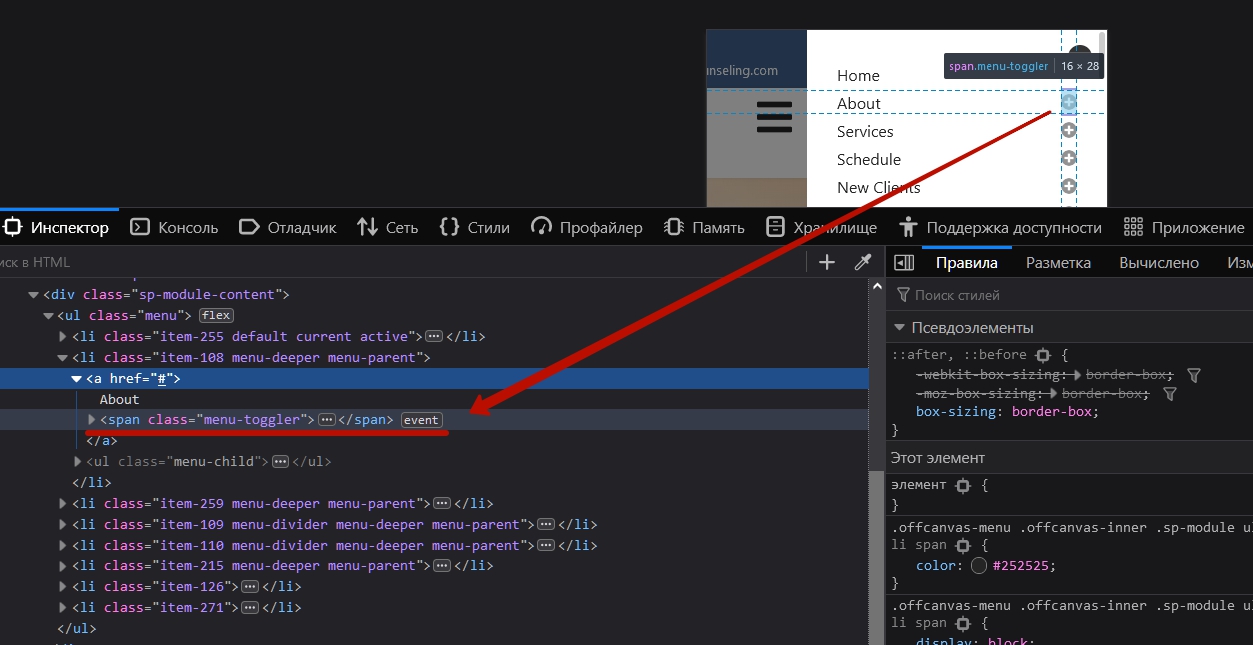
Link type menu item has not menu toggler <span></span> that need for open sub levels

Try Title type menu item instead Link type

It should be so in code

Log in to reply.