

Problem With Frontend Editor - Sppagebuilder 3.8.2

KirillKozin
Hello. Frontend Editor stopped working after update sppagebuilder v3.8.2. How can i solve this?
joomla 4.05; template: Gazette;
17 Answers
Order by
Oldest

Rashida Rahman
Accepted AnswerHi there!
Sorry for your issue.
The link you have given is not accessible. Woulld you please check and give us a working link to check? Is there any error appears?
Best Regards
KirillKozin
Accepted AnswerYou can copy paste the link to the address bar of the browser. It will work . The link contains a screenshot of the errors when opening frontend editor.

Rashida Rahman
Accepted AnswerThanks for the hint.
Are you using cloudeflare or anything similar, please?
KirillKozin
Accepted Answer

Pavel
Accepted AnswerHi. The first thing that need to do is to disable any compression and caching during the site editing. And only after that you can try to determine the reasons. Compression and caching should be configured only after the end of development.
Pavel
Accepted AnswerAlso, I see that the extention is installed on your site, which was not properly designed, as it adds the scripts of Bootstrap components to all pages.
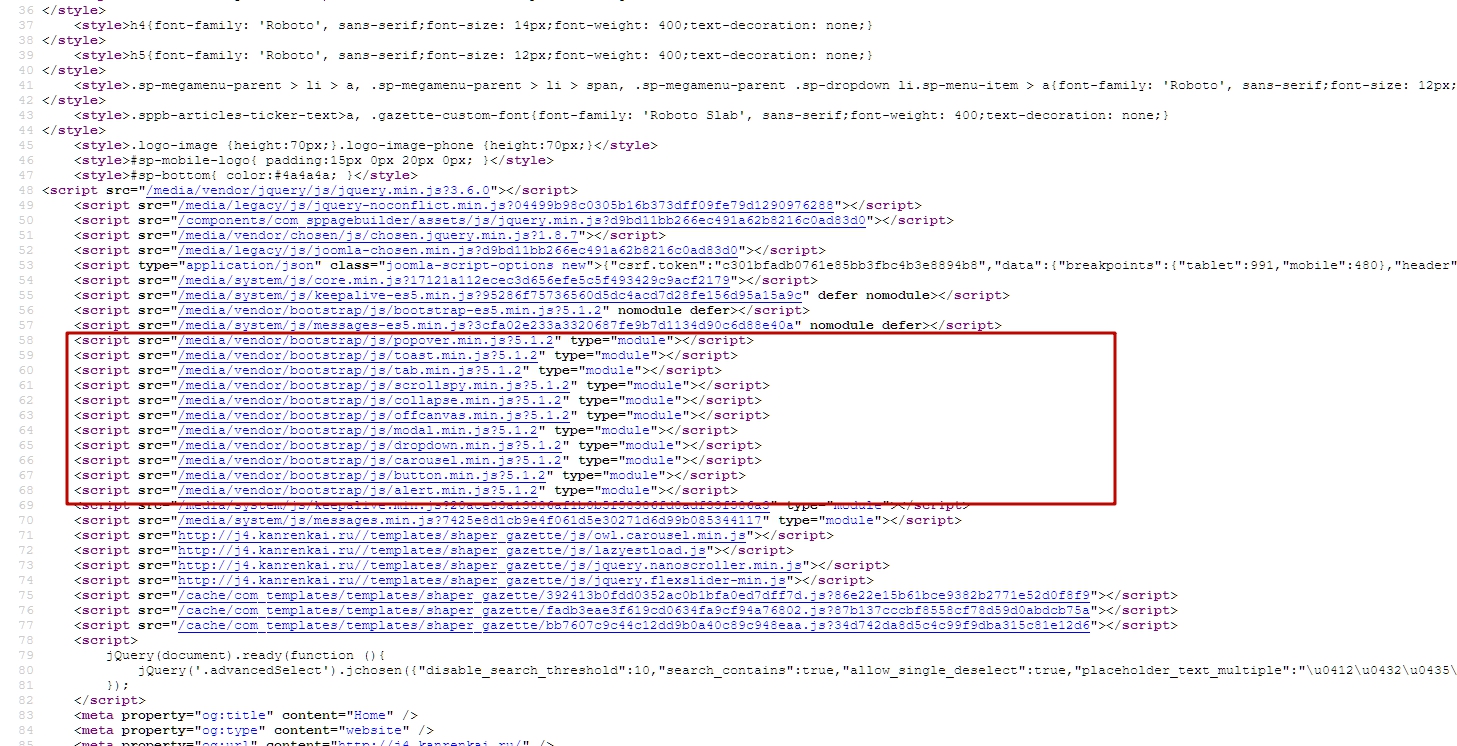
I do not know whether it is a reason, but in any case it is not correct and can cause conflicts. This module is not needed, because in Helix Ultimate based templates all bootstrap bundle on board. And it is enough just use HTML code from bootstrap examples to get it work. Loading additional scripts is not required and it lowers the page speed on your site.
KirillKozin
Accepted AnswerThanks a lot, Pavel. Indeed, the gzip was turned off, but compression was turned on in the template settings. The issue is resolved!
AM
Anthony m
Accepted Answerhi, I had the same problem as you after the update, in fact I had also opened a post on the forum. While loading it took minutes to open the page. after a few attempts it started to work properly on its own. strange behavior
TV
Tim v.d.w
Accepted Answeri have the same problem + After Update Frontent Editor and interactions doesn´t work anymore
TV
Tim v.d.w
Accepted Answerhas anyone a solution? can i deinstall the pagebuilder and reinstall the version 3.8.1 ? May be some one from the stuff can put the 3.8.1 version to download
KirillKozin
Accepted Answer"Copmpress javascript files" must be turn of at the time of development. Check it in the template settings
TV
Tim v.d.w
Accepted Answerokay the mistake was due to the user, i.e. me, i still had the jch optimizer on
Pavel
Accepted Answerthanks, but that's already switched off for me
Then it may be a conflict with third-party extensions. Turn OFF each other and check