Multi Language

easybreather
Hi/Servus/Ca va/Salve
So I have just (re)started with website development after a while away. I used to use Wordpress and was interested in Joomlas' much more inherent approach and was pleased with the relatively simple way to create multilanguage content. Then I wanted to experiement with Helix and SP Page Builder. I made the mistake of thinking it would be as easy as "clicking the associations" button to access the related language content... but no. that would be way to obvious. Does your "Support" or "Documentation" provide any insight? Not that I can find. So please. How do I get multi-language content in SP Page Builder Pro? Do i have to go via the Multilingual associations every time? Can I not just "copy" initial content to the language - before I provide the translated material?!? Why does this stuff have to be so complicated?!? Yours in frustration :( easybreather
8 Answers
Order by
Oldest

Toufiq
Accepted Answer Toufiq
Accepted AnswerHi there,
Thanks for contacting us. Sorry for the inconvenience. Please follow the blog post and video instructions.
If you use Helix framework, Please read the blog post for make multilingual website using Helix
For page Builder
https://drive.google.com/file/d/1_QjDORLGjKkfP_c9I-51Zz-oHnsXaXg7/view
-Thanks
easybreather
Accepted AnswerHi Toufiq, Hmmm thank you for your initial answer. There would appear to be two versions of this doc, perhaps you might like to check your site? https://www.joomshaper.com/blog/step-by-step-tutorial-for-creating-a-multilingual-joomla-site (by Arafat Bin Sultan 16 May 2017)
https://www.joomshaper.com/blog/how-to-create-a-multilingual-joomla-site-using-helix-ultimate (by Zareen Tasnim 22 September 2020)
The "new" one (how-to-create) is still for Joomla v3. Which turns out, is completely different to Joomla v4.x which is what I am using and hence one major part of the confusion (I was not "brung up" on J3x).
In J4.x the Options to set the language are not in a button top-right. but in the SideBarMenu squashed up... Likewise, templates: If I have selected another template (shock horror, a non-Joomshaper one?!?) how do I use that? The how-to-create assumes Helix. even using a Joomshaper template, the how-to get the templates integrated (and yes, if you duplicate before you set the license will cause problems and there is still a very annoying webfonts issue - please provide a how-to for that and/or fix the template. It IS to do with GoogleFontsAPIKey.
Unfortunately, the drive based movie link is still "whirring away" and after two hours I suspect I will not see the .mov contents...
Also, to follow the whole process, you have to be a SuperUser - doesn't say this anywhere :( My issue is that how this "connects" to the Main Menu and subsequent activities. With Helix/SP Page Builder i want to see the Language Switcher, Main Menu and then any 'page' and/or 'article' is accosociated to a relevant language.
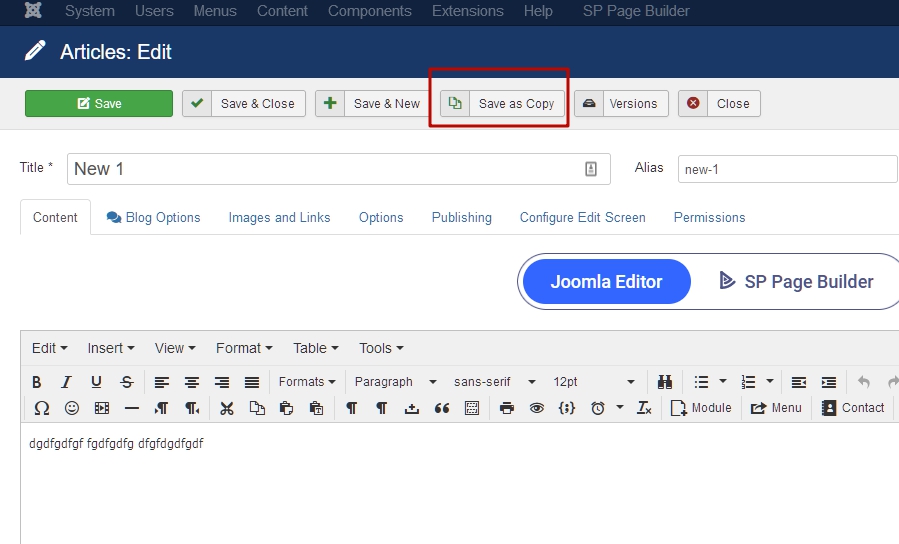
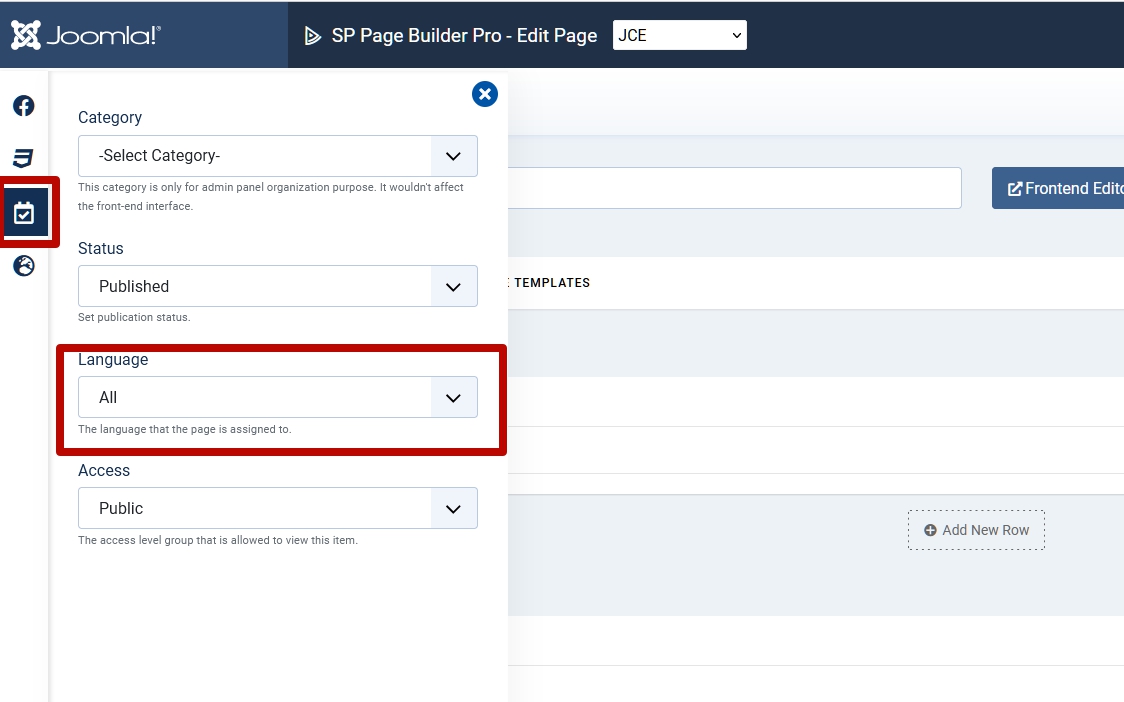
THEN, if I create a page (with SPPB) I need to create an identical one for each language. This is NOT an option I see to "duplicate" page, or even assign a language to it. It is not clear that you can only change the "default" on a duplicated Template Style (who that that was obvious?!?).
It would also help if someone just said/wrote/explained that you do not use "MainMenu". You have to "create another main menu" per language.
But finally, how do you set the default layout for SPPB Pro?
Why does this all have to be sooooo complicated? I know I am stupid but really? I apologise for my frustration. I should be so much further ahead than I am right now.

Pavel
Accepted AnswerThis is NOT an option I see to "duplicate" page, or even assign a language to it.
Hi. You can find it all in backend page editor

Why does this all have to be sooooo complicated?
It's not complicated. Just another logic of processes than in WordPress. You should not look for ways to solve as in WordPress. This distracts you. Try to understand Joomla by itself. Most of your questions above related to the understanding of Joomla basic knowedges, but not to Joomshaper products.
And if you do not know Joomla, I would recommend starting with Joomla 3. There are extensive documentation for this. For Joomla 4, the documentation is very small yet. But having studied Joomla 3, you can easily figure it out in Joomla 4.
easybreather
Accepted AnswerHah yes, thank you Pavel.
So I discovered late last night.
Again, why hide it? It is also not available on Menus or Categories. For multi-language this would be seriously helpful
easybreather
Accepted AnswerAnd as to Wordpress - one reason I am using Joomla is precisely to get out of that mindset. However, there is still the "blog post" concept hidden as a foundation. With SPPB it is more "natural" to think of pages, rather than served-up articles, but still some of the logic is... interesting.
I take the point to "understand Joomla for what it is". You are absolutely right - and I am trying so to do. However, the documentation for Joomla is woeful (not your problem) and still very much J3.x centric. Coming in to Joomla 4 it would seem I am so far behind the logic curve... Working on it :) Thanks again for taking the time to answer.