Addon Form. How Should The Form Work?
S
SALVATORE
Salutations, I have a problem concerning the functioning of the Form. In particular, the form inserted in the page seems correct (photos n.1 and 2). Pressing the send button part of the e-mail msg to both the destination and the sender. The message, however, is the same and the report lacks the data entered by the sender (photo n. 3 - 4 - 5). Why, this mistake? How can I correct it? I await instructions, Thanks. Best regards
23 Answers
Order by
Oldest

Paul Frankowski
Accepted AnswerHi,
Sorry, I don't see any screenshots in your post. Just upload on your website and share links to them.
Anyway, please watch my video tutorial: https://www.youtube.com/watch?v=XQ3ZITh9JCk
Especially focus on "field name" and "Email Body" where you have to put all fields names (!)
S
SALVATORE
Accepted AnswerHello Paul I followed your instructions and here I am sending you the links: Form Tecnici: https://www.engicos.it/index.php?option=com_sppagebuilder&view=page&id=291&Itemid=146 Form Visitatori: https://www.engicos.it/index.php?option=com_sppagebuilder&view=page&id=287&Itemid=143 As you can see the "field name" and "Email body" have been entered. Even the "Search the site" module, although loaded, does not find any results. Here is the link: https://www.engicos.it/index.php?option=com_finder&view=search&q=acustica&Search= In the reserved area you can find the access data to the site. Greetings
Paul Frankowski
Accepted AnswerI checked page "Contatti-modulo-4" and you forgot to add all form fields, common. It was on my 1st video.
I will record you video what should be done.
Paul Frankowski
Accepted AnswerOK, here is video what I done. You have to do similar steps for all forms, I hope you will understand now what should be done next.
S
SALVATORE
Accepted AnswerHello Paul First of all we wish you a Happy New Year 2022. Thank you for the intervention on the form and for the explanatory video. Now it works correctly. Is it possible to find a solution regarding the error you noticed (Class FOF40) in the administration area? Even the "Search the site" module does not work correctly (does not find any results). Here is the link: https://www.engicos.it/index.php?option=com_finder&view=search&q=acustica&Search= Best regards
Paul Frankowski
Accepted AnswerThanks. I am glad that my 2nd video helped more.
As I know it's caused by Akeeba Backup - you have too old PHP version for current version of this extension. You have to switch to PHP 7.3 at least. Or install older version of Akeeba Backup.
S
SALVATORE
Accepted AnswerHello Paul Lawyer (Joomla wizard!) I modified, as per Your video, the form on my site as per link: https://www.engicos.it/index.php?option=com_sppagebuilder&view=page&id=291&Itemid=146. The result (as you can see) is good except for the "Topic Area" and "Profession" fields. In fact, the "selection" data is not shown in the destination e-mail. Can you kindly check? Also, is it possible to change the background in the "select" box? Best regards
Paul Frankowski
Accepted AnswerFixed both.
should be OK now, you added extra space and ")" instead of "}"
must be {{field-name}}
S
SALVATORE
Accepted AnswerHello Paul, I have verified that you have solved the problem on the site caused by Akeeba. I thank you for that. Regarding the form referred to in the kink: https://www.engicos.it/index.php?option=com_sppagebuilder&view=page&id=291&Itemid=146 You fixed the "Profession" field for me which now works while the problem remains for the "Thematic area" field. I tried to make the changes you suggested, but it still doesn't work: the report is not written in the mail. In the reserved area you will find the credentials. Best regards
Paul Frankowski
Accepted AnswerTry now. Yesterday I forgot to check one thing.
BTW
Don't forgot to update joomla, okay?
S
SALVATORE
Accepted AnswerHello Paul As you asked me, I checked the 2 Forms on my site and, thanks to you, they both work. Thank you. However, the "search the site" module does not work. In fact, first it seems to start but after it does not search the site (it finds nothing). lINK:https://www.engicos.it/index.php?q=&option=com_finder&view=search&Itemid=146 Can you tell me why? Best regards.
S
SALVATORE
Accepted AnswerHello Paul Following your suggestion I updated Joomla to version 3.10.5 and I encountered an error regarding the primary key, which you can see at the link:
https://drive.google.com/file/d/1n0mNLlGc5nwqQagVC_-4Hdf6ihxTP6r8/view?usp=sharing
I also tried installing sp pagebuilder pro version 3.8.3, but the result is what you see at the link:
https://drive.google.com/file/d/18zOwMz7tKyuIvn5yDyECVqA85x-i4_b2/view?usp=sharing
Furthermore, as you can see at the link: https://www.engicos.it/
the menu (with all submenus) has disappeared from the TOP position. You can see the original site at the link:
https://drive.google.com/file/d/1LGpTM-FhEhRfdY_B8dqNcw-U7rpo-27a/view?usp=sharing
Because ? Greetings
Paul Frankowski
Accepted AnswerIn Joomla Finder is Smart Search - so first you have to enable "Smart Search Content Plugin " and "Smart Search - SP Page Builder" plugins for this and then reindex whole website in component "Smart Search". Sorry, but I cannot teach you Joomla basics here on the forum. Please read: https://www.joomshaper.com/blog/joomla-search-explained
You can use classic Joomla Search as well (!) less problems for beginners.
Paul Frankowski
Accepted AnswerABout SPPB update, there is general problem with your Joomla core, I cannot install any extension. I tried 3 popular ones, I got only "Duplicate entry '0' for key 'PRIMARY'" -- please check on forum.joomla.org
When you will fix above then I will be able to check template issue.
S
SALVATORE
Accepted AnswerHi Paul, after your report of the problem to the Joomla core of my site, I intervened, solving both that of the "Duplicate entry '0' for the 'PRIMARY' key and others. As you can see at the link: https: // www. engicos.it/ After (January 31, 2022) I reported a problem on the main menu that your Collaborator (Ariba, well-mannered person!) has not found solutions. By transferring images, videos and contents related to the first installation, I have therefore remade a new decoration installation that you can see at the link: https://www.engicos.it/decora/ Currently with SPPB I have problems with the Video Addon that does not load mp4 files with any procedure (not even with the URL option). Do you have a solution to propose to me? Thanks. Best regards. P.S .: In your personal area you will find the login credentials for verification.
Paul Frankowski
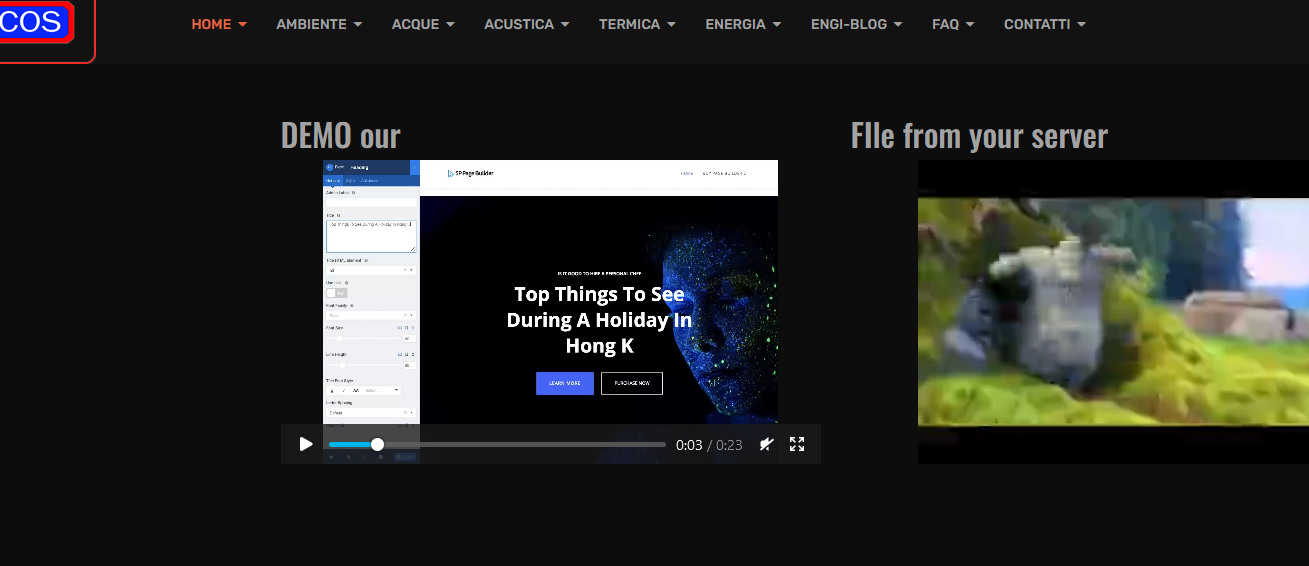
Accepted AnswerVideo mp4 is OK I created a Page with two video addons, check link below , it's from Page named "Video Test"
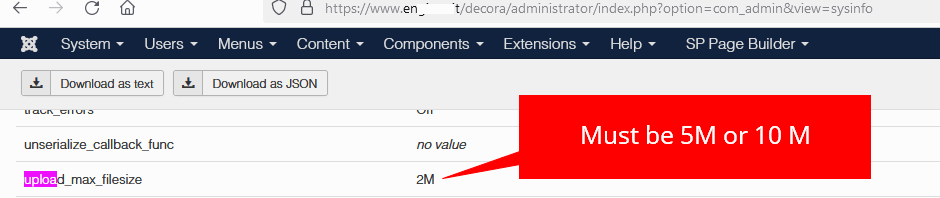
I only added mp4 support in Joomla Media Options.
S
SALVATORE
Accepted AnswerHello thanks for the timely reply. Unfortunately the problem is not solved. When I try to upload the mp4 files (also in the Videos folder where you took the test) she replies: undefined. I also tried with Filezilla but, when I open SPPB, of these mp4, it doesn't find a trace. Yet in the initial installation (despite the many problems) the 3 mp4 videos work, as you can see at linK: https://www.engicos.it/index.php?option=com_sppagebuilder&view=page&id=295 This page entitled “Vide3o 3 ° millennium "takes the files from the folders: 1. "images / 2020/03 / video-slider5 / video_slider5_bg1.jpg"; 2. "media / videos / 2021/08/27 / video_slider5_bg2.mp4"; 3. "media / videos / 2021/08/27 / video_slider5_bg3.mp4" The oddity is that even in the new installation, the first mp4 works. For the other 2, however, problems. See this linK: https://www.engicos.it/decora/administrator/index.php?option=com_sppagebuilder&view=page&layout=edit&id=223 . The page is identical, even the folder, even the first mp4, after, instead… undefined . It's incredible !!!! Best regards
Paul Frankowski
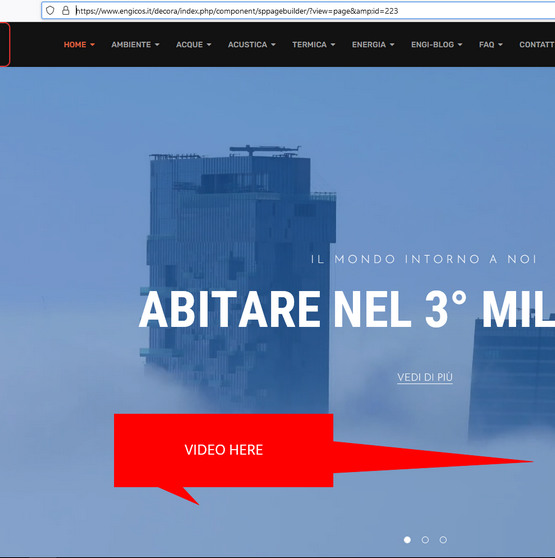
Accepted AnswerThe problem is with the file path, not mp4 file itself. You forgot that you work inside the "decora" folder.
Check again page ID 223 -then you will see video in the background.
S
SALVATORE
Accepted AnswerHello Paul, I don't know if the problem is the path. Of course, the video you uploaded to the video test was created with the same path. Now on the Decora page with ID = 223 I have deleted the links and I see your video. OK! Kindly can you upload me the 3 videos referred to in these linK: https://drive.google.com/file/d/1T3GVuLIk2GvKxX7xuFNDinDbkLhj74vv/view?usp=sharing https://drive.google.com/file/d/16JeWc__TMoohFfbT7jLocNgDNb0eF6PG/view?usp=sharing https://drive.google.com/file/d/16JeWc__TMoohFfbT7jLocNgDNb0eF6PG/view?usp=sharing .in the Videos folder? Best regards