

Missing Menu
A
Arthur
I am not really shure what caused that, because I have been working on the site and done several operations (J4 update, SPB update ec), but my Entire Menu is gone.
I have been working on converting it into multilanguage. Added 4 new Menu's. I also copied the Home Page and translated this page, then assigned different language. Finally I opened existing default Helix Ultimate template and I Saved it under new name so I could have two language versions. Not sure if this is right procedure but it kinda seems logical. Suddenly all my menu disappeared and I tried everythng possible but cannot get it back.
At some point I updated SPB from v3.8.1 to v3.8.3 and it seems that then all the problems started. Obviously v3.8.3 has the same BUG as previous one so entire SPB stopped working. I had ro reinstall v3.8.1 but the Main Menu was already gone. It seems that those updates screw entire site completely. When v3.8.2 was installed the SPB Tab setting was missing the section with License etc so SPB was suddenly seeing SPB Extension as DEMO not allowing me to do anything.
I do not know if (and how) you guys testing new versions but it is already 2-nd time when things went very wrong after update :-(
I also tried to regenerate new Menu modules. The modules are there but they still do not show up. Can you please advise what cold be wrong ?
8 Answers
Order by
Oldest

Pavel
Accepted AnswerHi. SP Page Builder has nothing to do with this. Updates also have nothing to do with this. Helix Ultimate has a bug with multilinguality that is still not fixed (known issue). Therefore, it is not enough just to assign a copy of the template for the language. Additionally, you need to assign this template to the menu items for the appropriate language.

Paul Frankowski
Accepted AnswerHi Arthur,
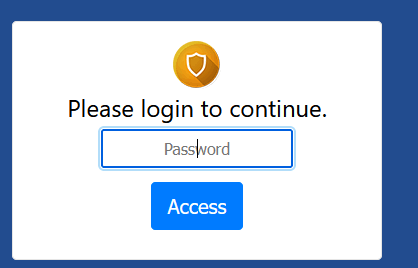
I wanted to help, but You forgot to add password for Rsfirewall layer.
about multilanguage: https://www.joomshaper.com/documentation/helix-framework/helix-ultimate-2/multilingual-site
A
Arthur
Accepted AnswerI take into consideration that also those issues might come up from the fact that J4 is not really ready for any kind of production site. I did some testing and when I switched to CSIOPEIA template the ugly Error 500 page showed up. Obviously this Error was not there when I installed Joomla so something got messed up. It is super frustrating. Shall I switch back to J3 ? If so , how can I know things will work better ?
Even simple things are not explained in the dosc and your documents skip lots ot important information. As an example - how is the template menu generated ? I was under impression it is Joomla standard, where you create a module and place the Module at selected location. I can't imagine how some newbie would get his head around all this. It is really a mess.
Finally I was able to locate the partial culprit. The Menu name got changes in the Template settings. There isstill a problem however.
For simplicity, let me assume I have: template1 and Menu1
I duplicated template1 into template2 and created new menu. Now I have: template1 and Menu1 template2 and Menu2
When I open template2 for editing and select menu2 I still see everything from template1/menu1
I've done multilanguage sites many times and this one is most confusing ever (or perhaps buggy?).
I have already spent way to much time trying to get things done with Helix template and these tools supposed to help me work more efficient. So far it has been a struggle :-(
I temporarily turned Firewall OFF. You can try again...
Paul Frankowski
Accepted AnswerI take into consideration that also those issues might come up from the fact that J4 is not really ready for any kind of production site.
The longer I read threads on the forum, including joomla.forum.org, the more I get the same impression. Rush is not always the best advisor.
Maybe better for you would be keep Joomla 3.10 by now, and wait few months with migration.
A
Arthur
Accepted AnswerI consider this , but there are few super cool features in J4 which I really would want to have. I have also invested some time already into setting up 3 sites under J4 so re-doing it with J3 would be lots of WASTE. Due to those issues (with SPB) my productivity is super low and it is not only the "learning curve" but not enough documentation (or I should say: "not precise") and bugs (either in J4 or SPB). Now,... how much confidence should I have to know there will not be more issues with J3 ?
BTW. Woudl I use same extensions ?
A
Arthur
Accepted AnswerI apologize. We are working on 3 sites at the moment and they are under constant changes. If something is not working I cannot just wait another few days for you guys to login and check. I need to find solution (even if it is temporary) or sometimes go back with versions.
Since those sites are "remodeling from older versions" I will remove extra firewall validation and standard login should work now.