Hello,
I have downloaded Helix Framework, and I would like please to put the Article Title above the article image and not below. I searched every where in joomla option but I didn't find.
Thanks
Hello,
I have downloaded Helix Framework, and I would like please to put the Article Title above the article image and not below. I searched every where in joomla option but I didn't find.
Thanks
Hi,
it's hardcoded inside template article view.
If you have at least basic php/html skills you can override, change order of rows in that file:
plugins\system\helixultimate\overrides\com_content\article\default.php
As alternative method, who knows maybe easier, add & use this custom CSS:
.view-article  .article-details {display: grid;}
.view-article .article-details .article-header {order: 1;}
.view-article .article-details .article-full-image {order: 2;}
.view-article .article-details .article-info {order: 3;}
.article-details .article-ratings-social-share {order: 4;}
then edit file: plugins\system\helixultimate\overrides\com_content\article\default.php
find line:
<div itemprop="articleBody">
and change into
<div itemprop="articleBody" style="order:5;">
Hi. Not need edit php.
Here is solution
/* for articles list */
.article-list .articleBody, .article-list .article-body {
    display: contents;
}
.article-list .article {
    display: flex;
    flex-direction: column;
}
.article-list .article-header {
    order: -1;
    margin-bottom: 20px;
}
/* for single article */
.view-article .article-details {
    display: flex;
    flex-direction: column;
}
.view-article .article-header {
    order: -1;
    margin-bottom: 20px;
}Thx Pavel, I added it inside Helix Ultimate guide in "Customization Tips" section.
Hi Paul. You are wellcome
Hi Pavel,
It is possible via CSS name and description to place in the image (not above, not below but inside the image)?
Thank you for help.
Hi Marek.
Yes it's possible.
Something like this:
.article-list .article {
    display: grid;
    grid-template-columns: 1fr;
}
.article-list .article>a {
    margin: -20px;
    position: relative;
    z-index: -1;
}
.article-list .article>a,
.article-list .article-body {
    grid-row: 1/2;
    grid-column: 1/2;
    color: #fff !important;
}
.article-intro-image {
    margin: 0 !important;
    height: 100%;
}
.article-intro-image img {
    width: 100%;
    height: 100%;
    object-fit: cover;
}
.article-list .article-header a {
    color: #fff !important;
}
.article-list .article>a::before {
    content: '';
    position: absolute;
    top: 0;
    left: 0;
    width: 100%;
    height: 100%;
    background-color: rgba(0, 0, 0, 0.4);
}
Result
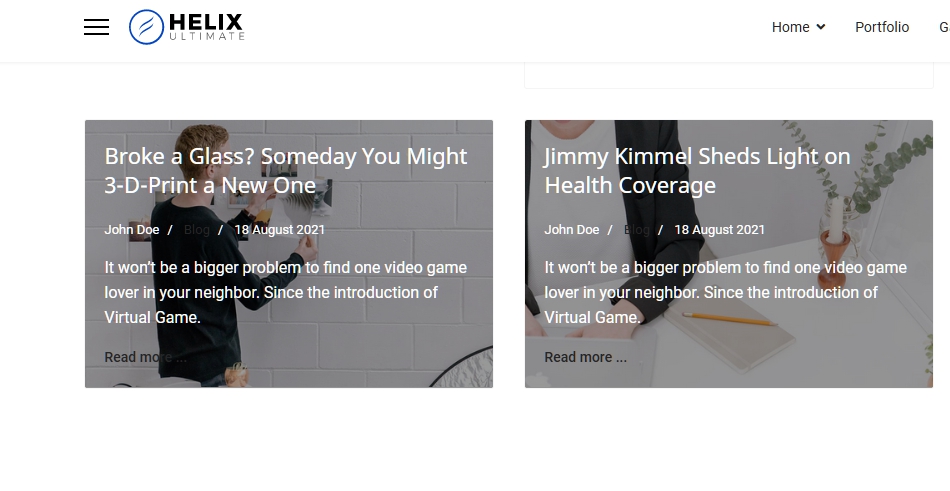
Thank you for quick reaction.
I use Template "Innovate" and the source code contains DIV "Article-Media" and it does the problem. I tried to modify CSS but without success.
Would you be able to check where I am doing a mistake?
Dev webpage is: http://j2022updates.janicko.com/index.php/blog
.article{
    display: grid;
    grid-template-columns: 1fr;
}
.article .article-media{
    display: grid;
    grid-template-columns: 1fr;
}
.article .article-media>a {
    margin: -20px;
    position: relative;
    z-index: -1;
}
.article .article-media>a,
.article .article-body {
    grid-row: 1/2;
    grid-column: 1/2;
    color: #fff !important;
}
.article-intro-image {
    margin: 0 !important;
    height: 100%;
}
.article-intro-image img {
    width: 100%;
    height: 100%;
    object-fit: cover;
}
.article .article-header a {
    color: #fff !important;
}
.article .article-media>a::before {
    content: '';
    position: absolute;
    top: 0;
    left: 0;
    width: 100%;
    height: 100%;
    background-color: rgba(0, 0, 0, 0.4);
}Hi Marek. Delete this
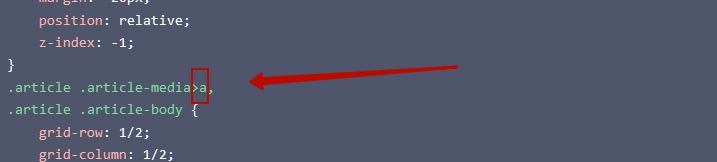
Thank you very much. It helped me very much. Link to "A" I didn't seem.
I don't want to abuse your willingness, but I struggle with "Leading Article" for two days.
I want to achieve the same effect but to be stretched to a 100% full screen.
And I would like to ask or Bootstrap enabling through CSS to discard the order of details about the article. I would like to achieve the date of the category and then the title of the article.
Hi.
...to be stretched to a 100% full screen.
I'm afraid it is not possible if you want to use sidebar (right / left positions).
I would like to achieve the date of the category and then the title of the article.
.article-list .article-body {
    display: flex;
    flex-direction: column;
}
.article-list .article-info {
    order: -1;
}Hi Pavel,
Thank you for your reply. You are right that it can't be like I wrote it before. I am thinking about a different solution. It would be possible to rewrite the "article component" and change the location of the "Leading Article" and article image + name (After the article is opened) of the "Component" to Layout "Page Title"?
Hi Marek. All this is possible with CSS. But I'm afraid it will require you deeper skills. It's more serious work than a few lines of code. It is not possible to explain to you and give examples using the forum
@Marek just hire @Pavel if you need advanced help.
Indeed forum is not for customization help.
Pavel:it isn't possible to send private messages, and Paul allowed me to write you an offer based on his message.
If possible and you should be interested, I want to hire you to customize the website. Please contact me via [email protected]
Paul: thank you for contacting Pavel.
Hi Marek. Sorry... if you know about that catastrophe that the president of my country was created (I am from Russia), I can not work and receive any payments outside the border of Russia due to sanctions.
Freedom and peace to Ukraine!!! Stop the War!... I'm shocked and I cry over these words. I have a lot of friends in Ukraine. My ancestors from Ukraine
@Pavel
If your membership ends soon, let me know, I will ask boss to give you extra months for free, you helped us a lot last years. You deserved it.
About payment gates, I cannot help.
But Maybe @Marek can buy you "something" online, as a barter instead of $$$ transfer for the job.
Besides in Poland the actual value of the ruble is very very low ~0,x.
Hi Pavel:
I didn't know you from Russia. It's a disaster. Again, 1 person from the whole world badly slept and started war. History is repeated again. We only have to punish responsible people. The poisonous our weapon is that we must turn the back to the man who caused it. I am from the Slovak Republic If you trust me I have no problem, pay your account later when it will be after the war. Or I could pay through Paypal.
It is super that your director (:)) does not block the internet and you have the opportunity to see what causes.
If it's Risk, I'll wait for the end of the war. Please write me Whether you are offering such services
Paul: Thank you for help.
It's a great idea.
Hi Marek. I send you email.
Hi Paul. Thank you for your offer. My subscription will end in autumn. I really hope that by this time something will change.
Whatever inconvenience I am experiencing, it is not comparable to what people in Ukraine are experiencing. Provide free access to Ukrainian users.
I have a VPN. I hope this will help me stay in touch
Hi Pavel! Greetings from Ukraine! Thank you for your warm words for Ukraine!
Can you help me with question?
In Helix3 blog we have leading article image and I can't find where I can hide leading article image.
We have no respond from Pavel for last few weeks, I hope he is OK, and not in Siberia camp.
@Roman please make a screenshot and share link to it to explain more OR share site URL where you have it - probably custom CSS is needed.
Hello Paul.
I hope Pavel have a some problems with VPN or relocate to new area outside of putin's rat hole.
This is our site:
https://echoofwar.com/
click here 
and I need to hide this 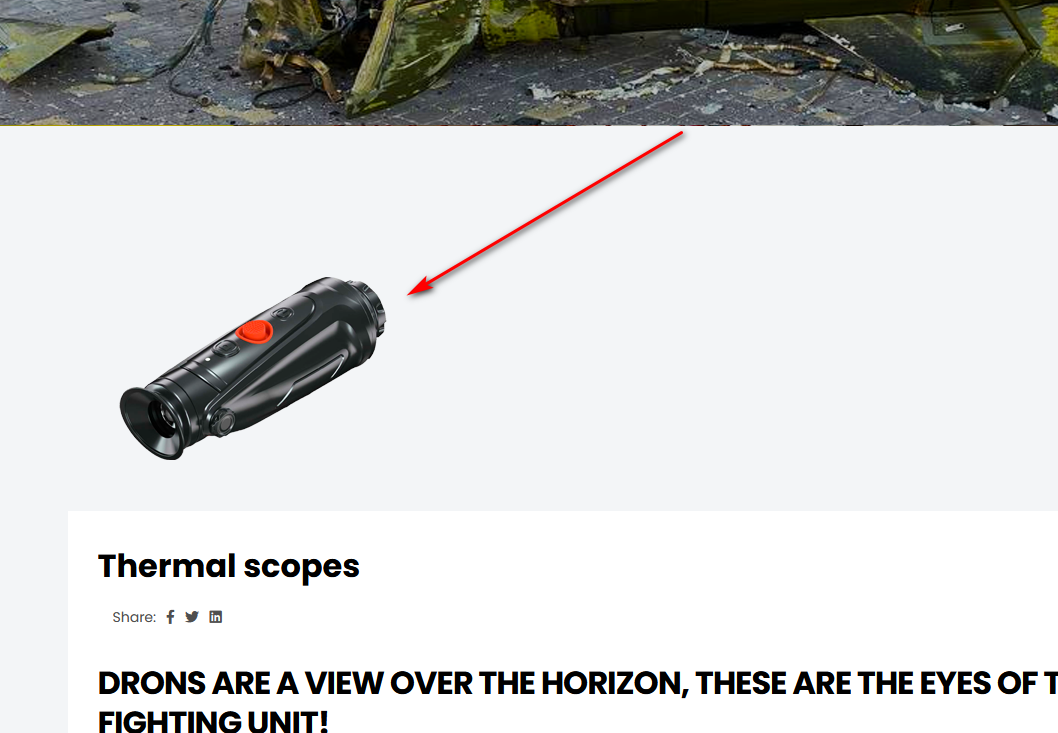
Hi guys. Thanks for the worry. I'm ok. But now I don’t have so much free time to go here more often. Life has become more complicated.
@roman I think you need to look into the Page Title tab in Category Blog menu item settings.
If you want an unique main image for each article by preserving the current appearance, you should add articles to the menu items and edit this in each menu item separately (into the Page Title tab).
Or OFF Page Title in Category Blog menu item and use standart Joomla article settings
@Romain - you have very good photo of destroyed tank on your site, I read that the collected damaged vehicles (also tanks) as an exhibition is to be presented soon, also here in Poland ;)
@Pavel - do you still have access to any global payment? Any "hole" in system.
Hello. Today is difficult day because my city under attack from 6 AM. But anyway we don't scare and trying to live our life despite the war.
Pavel, I need to hide leading article image in Helix 3 blog options. Or using custom CSS but I don't know how)
Paul, main idea of our site not only exibit pictures of destroyed tanks and other vehicles and sell part of this vehicles and collect money for buying some stuff for our defenders. We have possibilities for it.
UPD: I solve my problem after readind this post https://www.joomshaper.com/forum/question/8483
Hi @Roman. I am glad to know that you solved the problem. Any words apologies for my country will be insufficient and stupid ... I believe in the victory of Ukraine and wish it with all my heart.
@Pavel - do you still have access to any global payment? Any "hole" in system.
Hi Paul. Unfortunately, I have no access to global payments. But I think about how to solve the problem.
@Pavel thank you!
@Paul you can use USDT for payment to Pavel (just my 2¢)
Hi. I'm using the Nestfund template. My 2-column category blog page shows articles starting with the image, the intro text, the Read more link, and then the article title at the bottom. The CSS on this page was able to reorder the article page layout; not the category blog page).
Would you be able to suggest some CSS that orders the following for the category page?:
article header,
article intro image,
article introtext, and read more.
Thanks in advance.