

Formbuilder - Email - Checkbox

marvays
Hello. I am preparing a template email for my form. I have a box with several wanted boxes. How do I stop the form from being e-mail <br /> if the box is not selected?
<p><strong>Typ požadavku: </strong>
<br />{{domovni-telefony}}
<br />{{domovni-videotelefony}}
<br />{{zvonky}}
<br />{{samozamykaci-zamky}}
<br />{{zabezpeceni-vstupnich-dveri}}
<br />{{pristupove-ctecky-cipu}}
<br />{{elektromagneticke-uzamceni-dveri}}
</p>
email: https://prnt.sc/26qiiqj
6 Answers
Order by
Oldest

Paul Frankowski
Accepted AnswerHi M,
Maybe just do not use < br > - your question is typical HTML question. Use different html tag.
Maybe just put all tags in one line and divide using "," "|" etc.
marvays
Accepted Answeryes, I know. I want to solve it. I need every checkbox on a new line, just like on the web :)
Paul Frankowski
Accepted AnswerMaybe just the initial assumptions on your form are incorrect.
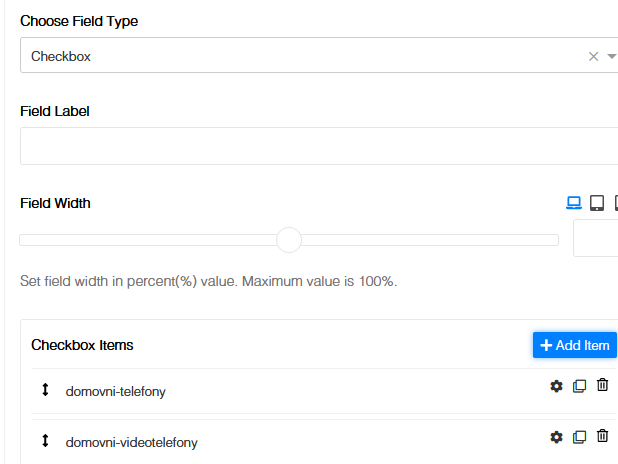
Instead of using checkbox for each option - use checkbox with 7 answers inside.
marvays
Accepted Answeri have :) https://prnt.sc/26qkii6
Paul Frankowski
Accepted Answerso in that case, as I said before use something else, but not < br >