How can I update my joomla
Awaiting an answer
General
Cannot update my joomla
11 replies
teopapa Asked this
I click to extensions but there is no manage option
only modules, plugins, templates languages.

Ariba Staff
Hello
Thank you for your query.
From the Administration panel, go to Components > Joomla updates > Options. Set the update channel to Joomla Next.
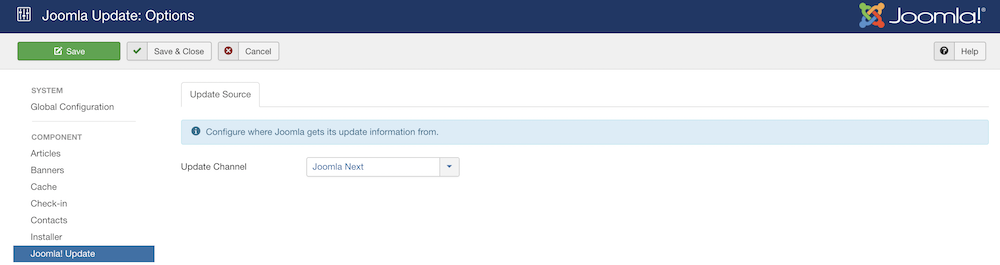
You can check out our blog link below:
https://www.joomshaper.com/blog/how-to-update-your-site-to-joomla-4
This will help you.
teopapa Asked this
Hello Ariba, can you do that for me ?
Ariba Staff
Can you provide your administrative access? Use the hidden mode to share the log in credentials.
teopapa Asked this
4 years ago
· edited
hello
teopapa Asked this
Hello !
teopapa Asked this
Hello Ariba
teopapa Asked this
Hello Ariba !
Ariba Staff
Yes, thank you for sharing.
teopapa Asked this
Hello !
Ariba Staff
4 years ago
· edited
Hi
Please take a full site backup with Akeeba Backup before updating Joomla.
You can follow the steps here:
https://www.joomshaper.com/blog/backup-and-restore-your-joomla-site-with-akeeba-backup
And, regarding the Joomla update - I am not being able to do with the user access you have provided.
You can follow this detailed documentation for Joomla update:
https://docs.joomla.org/Joomla_3.x_to_4.x_Step_by_Step_Migration
Kindly follow the steps & it will help you, we do not provide support with basic and core Joomla related issues, as per our Support policy:
Log in to reply.