

SP Page Builder Installed Article Editing is Not Longer Workiing
R
Rita
Hi,
with SP Page Builder installed I am no longer able to edit Content Articles - even with basic Joomal3 editor.
On opening my already existing article I get a selector image JOOMLA EDITOR or SP PAGE BUILDER
with Joomla Editor selected as default and
the article content shows in Code version.
how can I get this content into Wysiwyg ? in order to edit as usual?
[Toggler Editor] is not staring.
I do not want to regenerate each article into a Feature Box - these articles are already set within the site menu.
I am using lt_stable template.
kind regards Rita
7 Answers
Order by
Oldest

Ofi Khan
Accepted AnswerHello Rita
Apology for the inconvenience. Please share a screencast of your issue to understand it better. Take the screencast, upload to any driv and share link here to check.
Best regards

Paul Frankowski
Accepted AnswerHi Rita,
- please share link to screenshot or video with a bug view.
- Share access to Joomla Admin area , we can also check if it's our issue or NOT.
But I remember you added similar topic few days back. So please make sure that you set TinyMCE or JCE Editor as default.
BTW
If you want to use HTML mode sometimes both of those editors in toolbar has a option to switch to HTML view.
R
Rita
Accepted AnswerHello Paul, sorry for coming back only now. following are the credials to the test site I am practicing on
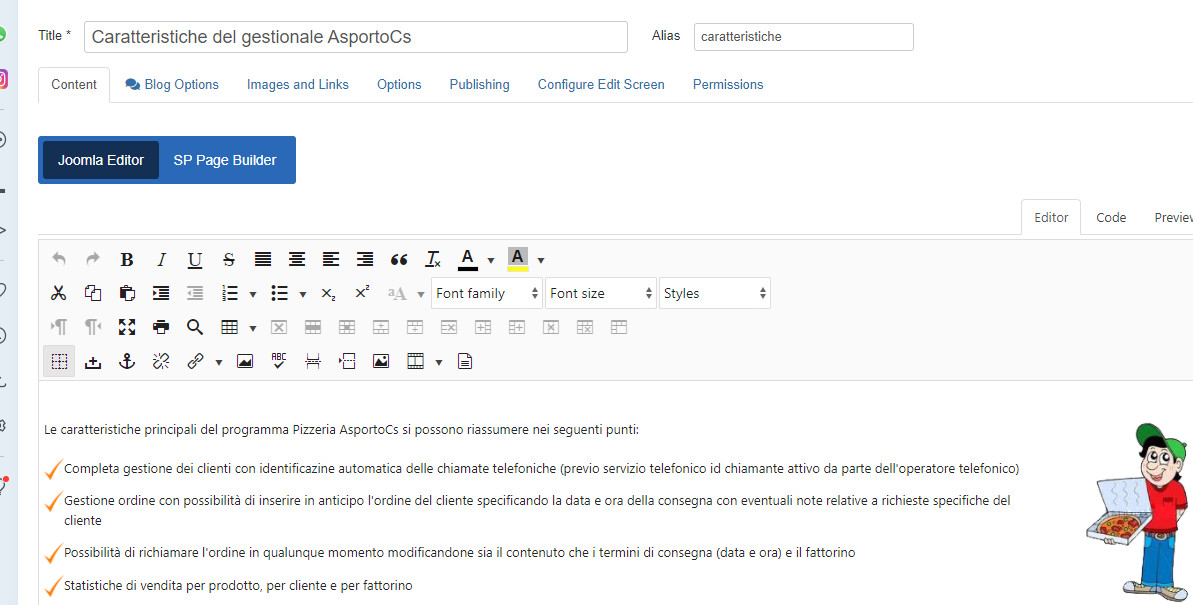
see for example Content > Articles > Caratteristiche del gestionale AsportoCs whatever Editor I choose I only get html view
many thanks in advance Rita
Paul Frankowski
Accepted AnswerRita, why you had: SPPB Pro - v3.0.2 and JCE Pro 2.8.x - both old version installed?
You should have a new one !!! Common, we have 2022, not 2020.
Paul Frankowski
Accepted AnswerI updated both SP Page Builder Pro and JCE editor and now is 100% OK. If you are webmaster of this website you have to care about updates as well, not only update content.
R
Rita
Accepted AnswerHi Paul, so this did not work because of my Page Builder version? thanks for the update. I purchased SP Page Builder some time ago but never used it at all and I was about to abandon it completely. Thanks also for JCE update - but again the editing did not work with TinyMCE either.
Anyhow, many thanks. kind regards Rita