

Firefox Layout Problem
M
Max
Hello!
After last update I encountered a problem in Firefox 101.0.1 (64-bit) for Mac OS X. I cleared the browser cache and Joomla cache. The problem is with the price list, please, have a look: https://ibb.co/0sSbT8q https://ibb.co/vvW49FJ
The webpages: https://joomla3.weblider.ru/2x-sales/, https://joomla3.weblider.ru/context/
In Chrome Browser everything is ok. Please, check and fix the problem.
Thank you in advance.
Website
https://joomla3.weblider.ru
6 Answers
Order by
Oldest
M
Max
Accepted AnswerThere is no other extentions on the website, except Joomla 3's default ones and SP page builder and Helix Ultimate.

Paul Frankowski
Accepted AnswerHi Max,
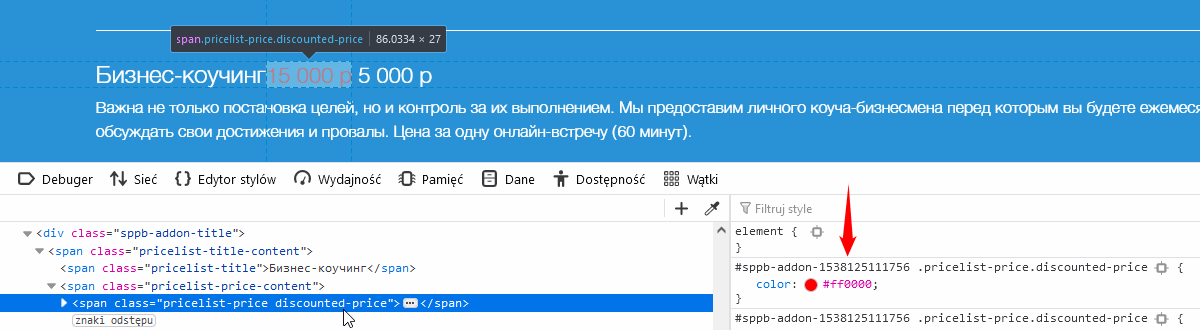
red color is from settings, it's not hard-coded. Check that addon options, check all tabs also in Custom CSS section in that addon, this color must be somewhere otherwise you would have red in all addons, right.

Mehtaz Afsana Borsha
Accepted Answer
M
Max
Accepted AnswerThank you for your help. Red color is ok. This is not the problem. I set it myself in the SP Pagebuilder. It should be so. It is the price before discount. But it should be striked out and smaller font size. Please, have a look here how it should look:
it is the same as the Digital Agency template (see the prices section). The price should be aligned write by default.
M
Max
Accepted AnswerReinstallation of the page builder fixed the issue. Thank you for your help!!! Sorry for disturbing you. I should have thought about it myself.