

Menu Bakground

Alex Walker
How do I change the menu background colour to Blue and the menu font to white? https://www.christianretreats.live
4 Answers
Order by
Oldest

Paul Frankowski
Accepted AnswerABout font size of menu items, I see that you set 20px already.
Yes, it may be too big value if you want to keep all menu items, try 16px. It's a simple math, how many people can sit inside 5 person car? What if they are slim (short words) or fat/fluffy (longer phrases)?
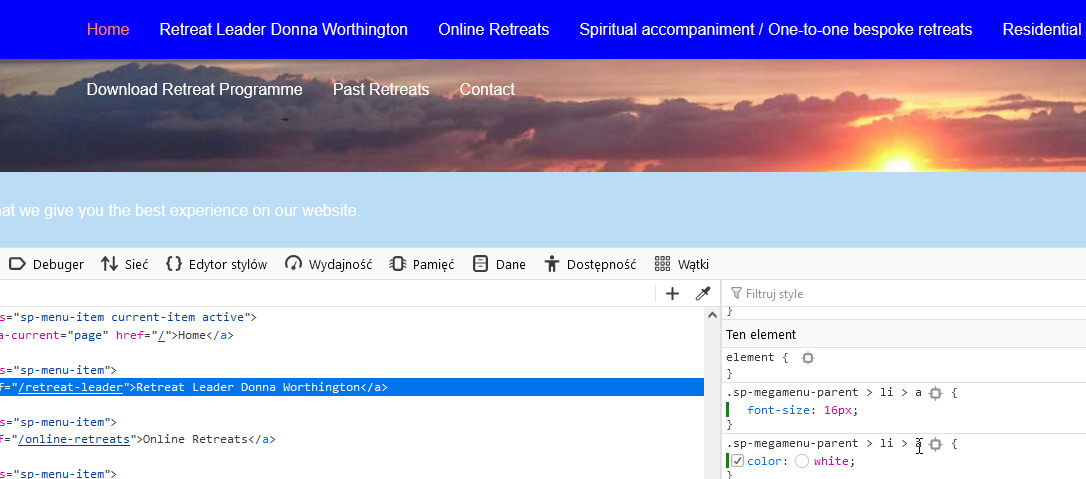
compare to

Paul Frankowski
Accepted AnswerHi Alex,
Custom CSS
#sp-header {background: blue;}

.sp-megamenu-parent > li > a {color: #eee;}

.sp-megamenu-parent > li:hover > a
.sp-megamenu-parent > li.active > a,
.sp-megamenu-parent > li.active:hover > a {color: #FC8360;}
But you have too long words in menu, make them shorter to keep them all in one row.
Alex Walker
Accepted AnswerPaul Thank you for your help. I have tried to get my client to use shorter menu items but she is insistent they are longer!!! Ale