
Hello
Ive issue with mega menu. I create sub menu in joomla main menu, then i activate mega menu with two rows in with appear the sub menu items but it display only a white line under the parent Menu.
thank u for helping.
Solved
SP Page Builder
Mega menu
Asked by Serigne Fallou
3 months ago
Last activity 2 months ago
Accepted answer
Marked as the solution
Paul Frankowski Senior Staff
@Serigne, In your template Mednic you have to use Custom CSS, becuase template.css force small width :/
#sp-header .sp-megamenu-parent .sp-menu-item.sp-has-child .sp-dropdown-main {
  width: 800px !important;}
Use it in Template Options > Custom Code > Custom CSS
Serigne Fallou Asked this
that's allright it seems to work thank u very much. you'e the best one\
8 more replies
Paul Frankowski Senior Staff
HI Sergne,
Please install upcoming update: https://limewire.com/d/HZ5Eb#GgaTkKvimS
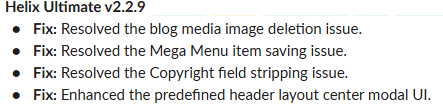
delete current submenu gird (layout), and recreate, and it should work.
Serigne Fallou Asked this
Thank u im trying
Serigne Fallou Asked this
3 months ago
· edited
I ve installed the update tryed any thing. now the menu show but not in normal mode maybe there some fix i mihgt have done or a css concern think u to give a look on it i sent the link in hiden mode
Screenshot: https://www.icloud.com/iclouddrive/08egTN4uiRkgFiCoP1wn2t48g#Screenshot_2026-07-12_110355
Miguel
Hello,
I am experiencing the same issue with the Mega Menu in Helix Ultimate 2.2.8.
When I configure the Mega Menu and save it, the menu items are displayed correctly. However, after closing the Mega Menu editor and opening it again, all selected menu items disappear. On the frontend, the Mega Menu is generated with empty menu items.
Could you please provide the update or patch that fixes this issue? I cannot find it in the download section.
Thank you in advance for your help.!
Paul Frankowski Senior Staff
Please use today Helix Ultimate update 2.2.9
Serigne Fallou Asked this
Thank for yor answer. ive installed the update but the it doesent show normaly.
here is a screenshot: https://limewire.com/d/ea6vl#o6ndGy5OR4
Miguel
Thanks, I've installed it and the menu now appears, but the CSS configuration I had before doesn't.
Serigne Fallou Asked this
It doesent sohow yet normaly with me too
Paul Frankowski Senior Staff
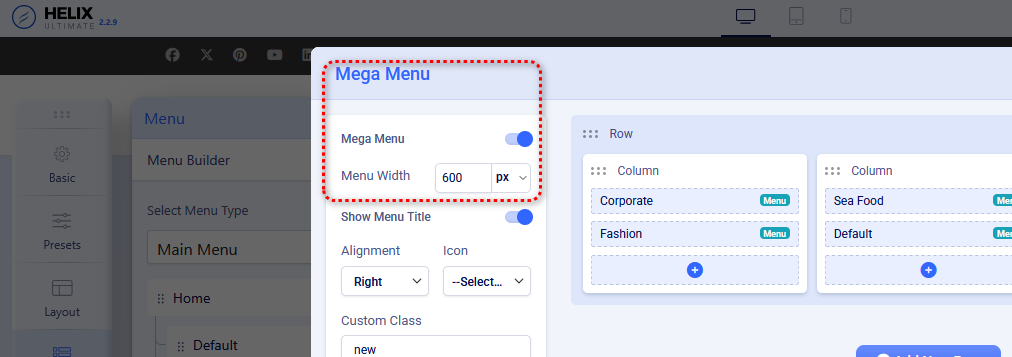
Have you changed the width of submenu (MegaMenu) from settings, it's looks too narrow now.
Please use different value.
Example from my demo site
Serigne Fallou Asked this
yes a cham=nged it but wider: 1170
Log in to reply.