2 Answers
Order by
Oldest

Paul Frankowski
Accepted AnswerHi Timo,
- First make sure that logo image it's not smaller than 300px (width) and not wider than 600px - longer doesn't make sense anyway.
- By default header column has two columns 2,10 (Bootstrap) : 2 for logo and 10 for menu.
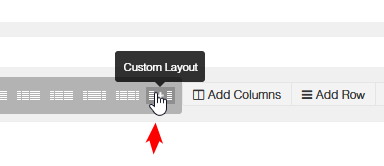
If you want to make logo wider/bigger, you have to change header grid from 2,10 to 3,9 or 4,8.
In Templates - Floox Default - "Layout" tab > Header row > Add columns > Save settings

- Make sure that you are doing changes in Template styles that is your default for all your pages.