Blank Page After Update To Sppage Builder 4
FF
Fba Fbd
after installing sppage builder 4 pro i just got a blank page for each menu point from admin panel -> create new page (blank), settings (blank), get startted (blank page)...
3 Answers
Order by
Oldest

Paul Frankowski
Accepted AnswerHi,
One of those may fix Editor White page problem:
-
Disable JS compression in Template Options > Advanced - Download SPPB 4.0.1 again (yes! this same filename) and reinstall.
try step 1 and 2 ... and then re-check. So far helped many users. More details in Tip #3. >> https://www.joomshaper.com/documentation/sp-page-builder/sp-page-builder-4/troubleshooting
I hope you talk about test website not production one. A Friday is not good day for components upgrade, especially when we talk about fresh versions 4.0.0, 4.0.1... I hope you understand why. Or you have a lots of patience.

lwebgr
Accepted AnswerHello,
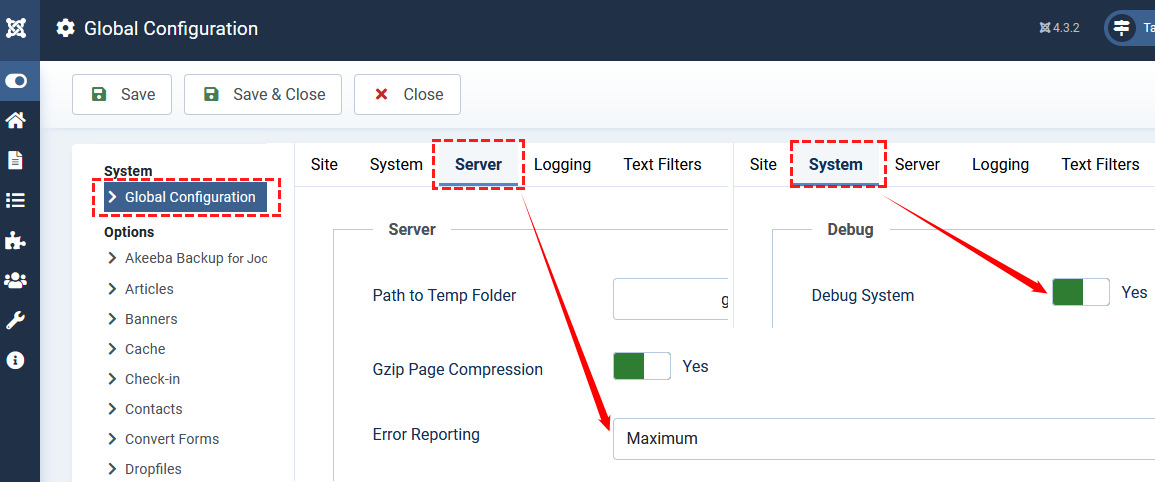
we have the same problem with the white pages. We disabled the JS compression and reinstall the SPPB 4.0.11 with no luck! The Joomla version is 4.3.2.
Any ideas?
Thank you, Irini