

SPPB Animations Not Working
ML
Mike Lawson
Hello, I am trying to enable animations for certain add ons in SPPB, but they are not working when I load the page. I have checked to make sure the Animate CSS is NOT disabled in options. I am using SPPB 3.8.8 in Joomla 3. I have tried it on more than one page and I get nothing working.
The url is https://tcarrassociates.com/
19 Answers
Order by
Oldest

Pavel
Accepted AnswerHi
Do you think what I did should suffice? (do you see any outlying issues)
Hard to say. Watch the behavior
I was using my old CSS files after updating Helix, which also included the old bootstrap file (V4)
Tip: Never edit template's core files. Create custom.css file and write your code there

Ariba
Accepted AnswerHello
Thank you for your query. Could you please share your admin access? Use the hidden mode to share the log in credentials.
ML
Mike Lawson
Accepted AnswerHello? Is this ticket still being addressed?
If so, Im noticing that the lightbox funcion in the Image addon isnt working either...some sort of JS conflict?
Ariba
Accepted AnswerHello Mike
Thank you for your patience. Regarding the new Lightbox function issue, could you kindly make a new post? We will check it there and for the animations issue, we are looking into it. Thank you for your cooperation.
Ariba
Accepted AnswerHello Mike
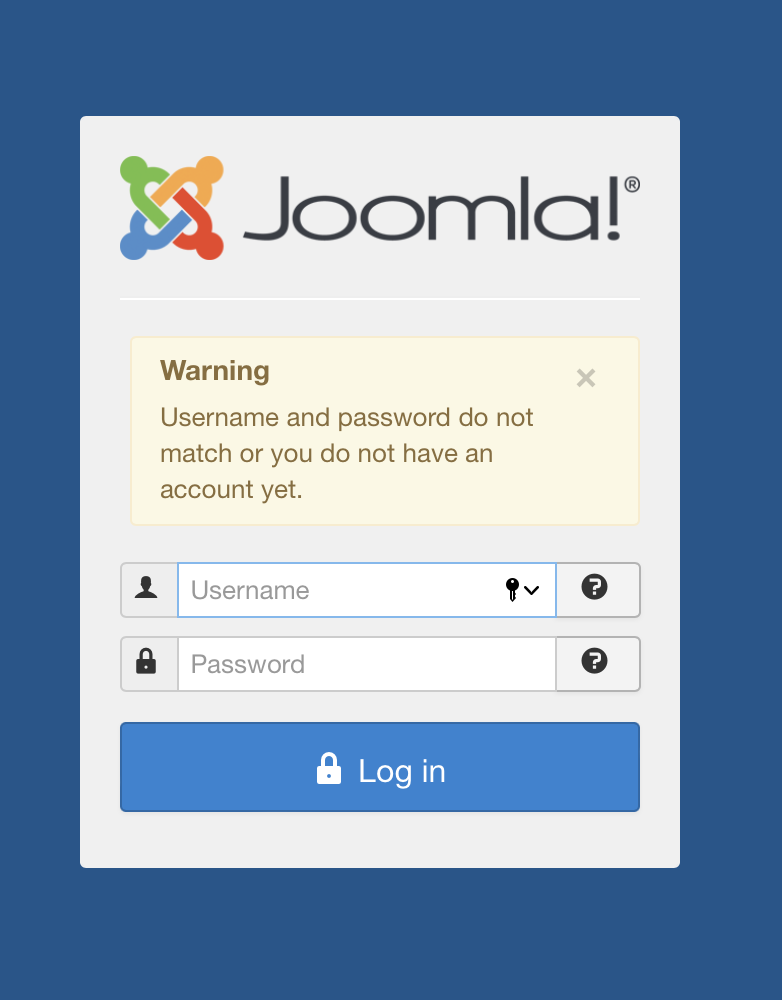
Could you please check the provided username and password again? I am unable to log in.
Ariba
Accepted AnswerSorry Mike, I still cannot log in. I am getting the same message - "Username & password do not match or you do not have an account yet"
I used the username and password that you have provided earlier.
ML
Mike Lawson
Accepted AnswerGrrr...ok that's weird. I just reset the password..try the same credentials now. Thanks
Pavel
Accepted AnswerHi.
It seems to be a conflict with an outdated bootstrap jquery tooltip. Update Helix Ultimate (as far as I see you use old Helix Ultimate 1.x.x). Do not forget to make a backup before that.
ML
Mike Lawson
Accepted AnswerPavel, thanks for the help. Unfortunately, every time I update my Helix version it completely hijacks my settings, and most notably, makes my offcanvas menu disappear. I have scoured your forums on this topic and tried everything (Template menu settings, clearing cache, etc etc etc) and nothing works. I have commented on the topics and never got any legit help on the matter. Is it possible you can help me?
Pavel
Accepted AnswerTry turn OFF Complite SCSS to CSS before update (Advanced tab). After update turn OFF menu module which is in offcanvas position. It is no longer needed. Select one of offcanvas menu templates in template settings.
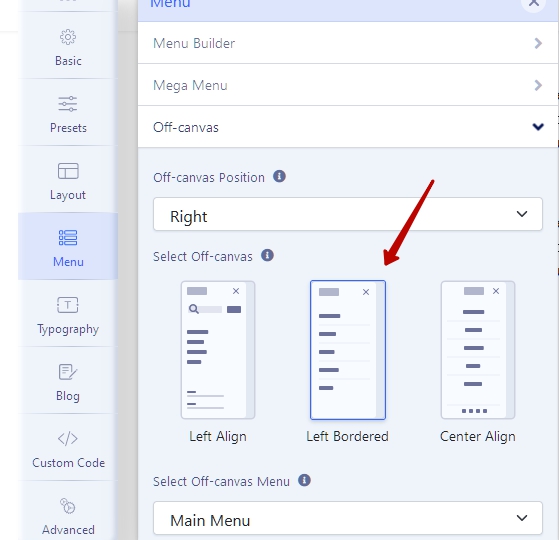
Save, сlean Joomla and browser cache.
Perhaps some additional small settings or CSS editing will be required. But nothing critical.
ML
Mike Lawson
Accepted AnswerPavel, before I do all that, I just wanted to point out Im currently using Helix 2.x (not 1.x as you mentioned). Do you still recommend the update?
Pavel
Accepted AnswerIm currently using Helix 2.x (not 1.x as you mentioned)
Judging by some visual signs and Bootstrap 4, you use Helix Ultimate 1.x.x
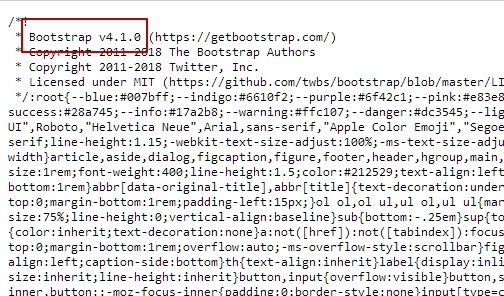
Helix Ultimate 2.x.x has Bootstrap 5 on board.
Are we tallking about https://tcarrassociates.com/ ?
I am not an employee of support and cannot see hidden content.
ML
Mike Lawson
Accepted AnswerYes that is the correct website.
Alright so here we go.
I made updates in the CSS settings I wanted to preserve, so I was using my old CSS files after updating Helix, which also included the old bootstrap file (V4)...so that was what you were seeing on your end. So what I did was simply replace the bootstrap.min.css file in the template/css/ folder to the latest V5 (and not update Helix), and now the animations are working.
So basically, using the old template.css file after the update was causing the issue for some reason.
Do you think what I did should suffice? (do you see any outlying issues)
ML
Mike Lawson
Accepted AnswerOk, I guess I had to learn the hard way...glad we could find a solution. Thanks for your attention on this.