

Recipient Email Missing

Cristina
hi everyone currently im working on the contact form, so far it was going well yet now i struggle with two things.
- The message padding starts right behind the message word itself and i dont see where i can edit it
- once i try to send the email it keeps saying: recipient email missing the test email throught the configuration went well and i got it in so idk what im doing wrong
here the link so you guys can see it
Anyone ideas how to solve it ?
Thanks in advance
16 Answers
Order by
Oldest

Ariba
Accepted AnswerHello
Thank you for your query.
- Regarding this issue, just to check, can you please follow this documentation and make sure that you have set all the necessary fields. You can check out this blog too.
https://www.joomshaper.com/documentation/sp-page-builder/sp-page-builder-3/addons#contact-form
https://www.joomshaper.com/blog/how-to-create-ajax-contact-form-in-joomla
Also, please make sure to fill up the From Email option with your web configured email.
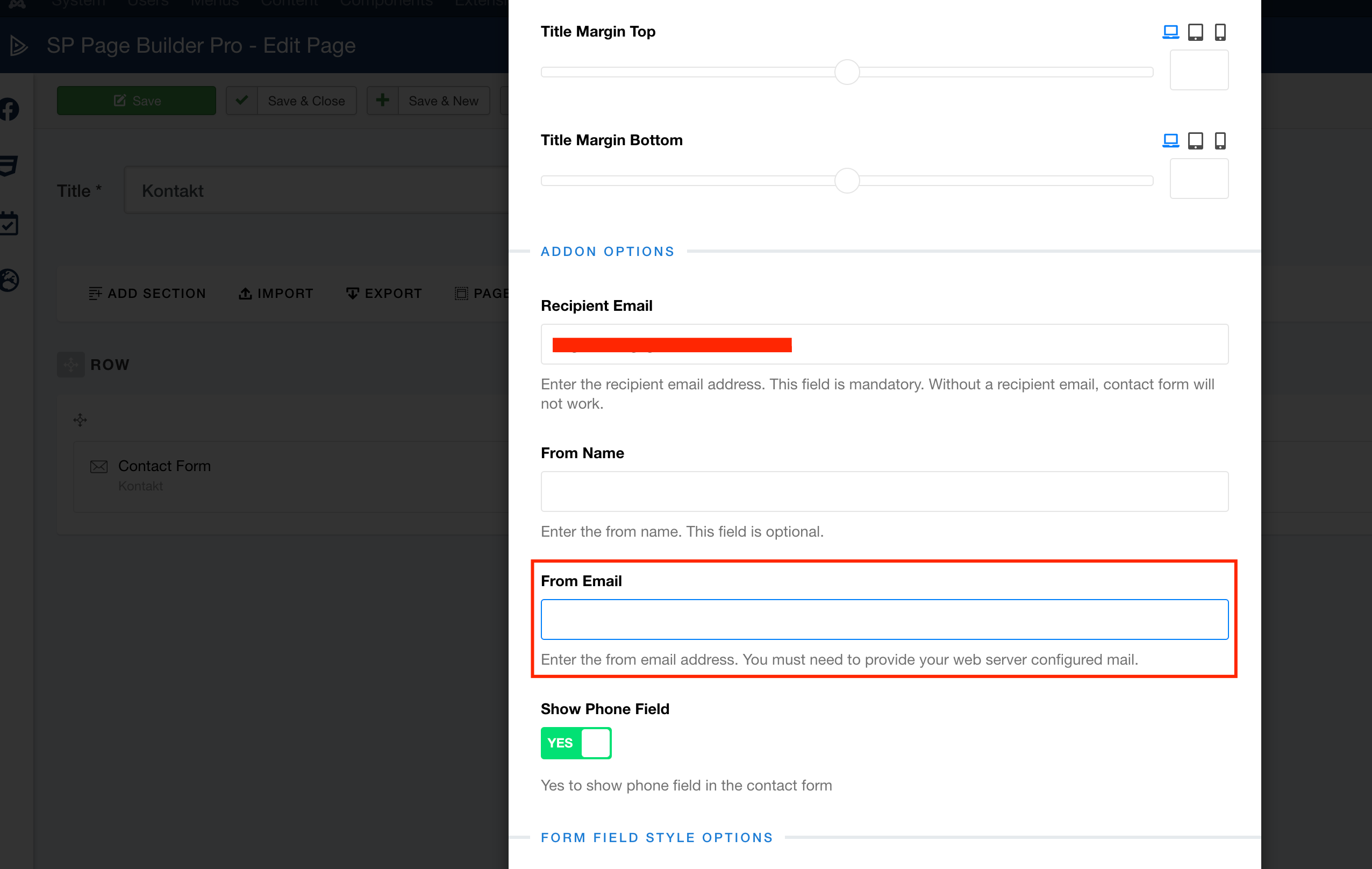
Cristina
Accepted AnswerHi Ariba, i havent got it working at all and as far as i can see is all properly done. Please help :(
Ariba
Accepted AnswerPlease share your admin access. Use the hidden box to share the log in credentials.
Cristina
Accepted Answerhi there, it woudl be great if i got help i have been waiting now long enough and i cant afford for my future clients to not be able to contact us throught the website
thanks in advance
Ariba
Accepted AnswerHello Cristina :)
Appreciate your patience very much. I have shared the issue with my Team, and will get back to you as soon as possible. Thank you for your cooperation.
Cristina
Accepted Answerhi Ariba, this is taking way too long and now in the meantime you guys find a solution i want to edit the conact page but i cant bc it says i dont have permition bc you guys are logged in.
im startting to get very frustated in all honesty

Ofi Khan
Accepted AnswerHello Cristina
Apology for the inconvenience. Please share your administrator access here to check the issue. Use the Hidden Content box to share the credentials. Make sure that you have a full site backup with you before sharing.
Best regards
Cristina
Accepted AnswerHi @Ofi i changed back the credentials to admin so i could edit the contact page and made the contact form invisible to the online website so it wouldnt look as unprofessional as it did. the login is the same as above, you can check again and see what the issue is, yet from what i see im not the only one that doesnt get the contact form working. it wont send any email whatsoever.
tia Cristina
Cristina
Accepted Answerhi im sorry to say this but i feel im not getting any help whatsoever it has been two weeks and nothing has happened yet
Cristina
Accepted Answer@Ofi the login is the same as above with admin credentials, the issue is that the contact form doesnt work at all it does nothing and right now i have it deactivated bc my clients try to use it but it doesnt work at all.
Ofi Khan
Accepted AnswerApology for the inconvenience. Your issue is fixed now. Please check your site.
L
LATRIBUDESPETITS
Accepted AnswerHi, I have the same issue as Cristina. Can you let me know how you fixed it ? Thanks a lot