Solved Templates

Helix Ultimate, how to make the menu to disappear earlier?

Asked by Thomas Kitschke 4 years ago Last activity 4 years ago

Hello,

could you please take a look to this site: https://www.bhp-weisshaar.de/

It's the Helix Ultimate 2.0.11.

If I change the windows size, the menu starts to spring down. Ist there a way to change the size, that it disappears earlier?

I tried: https://archive.joomshaper.com/forums/change-width-when-offcanvas-toggler-appears
But nothing changed

I also tried:
@media (min-width: 1250px){
.d-lg-block {
display: block!important;
}}

The Inspector says:
@media (min-width: 1250px)
.d-lg-block {
display: block!important;
}
(if I change it in the ispector, it works, how I wish, but not on the site)

I use a override.css

I hope you can help me.

Best Thomas

Accepted answer

Marked as the solution
Paul Frankowski Senior Staff

And correct value here

@media (max-width: 1140px) {
.sp-megamenu-wrapper.d-flex 
{display: none !important;}

inside my previus code.

CLEAR CHROME CACHE DEEPLY.

10 more replies

Paul Frankowski Senior Staff
4 years ago · edited

Hi Thomas,

You used wrong CSS, that's why it didn't work.
Let me prepare you more elegant solution in next few minutes. Some I of that I will take from our Helix documenation and some I will write.

DELETE YOUR CODE PLEASE!

Paul Frankowski Senior Staff
body.ltr .sp-megamenu-parent > li.sp-has-child > a::after, 
body.ltr .sp-megamenu-parent > li.sp-has-child > span::after 
{margin-left: 3px;}

@media (max-width: 1250px) {
.sp-megamenu-parent > li > a, 
.sp-megamenu-parent > li > span {padding: 0 10px;}
}

@media (max-width: 1050px) {
.sp-megamenu-wrapper.d-flex 
{display: none !important;}
}

Instead of your CSS code, please try mine.

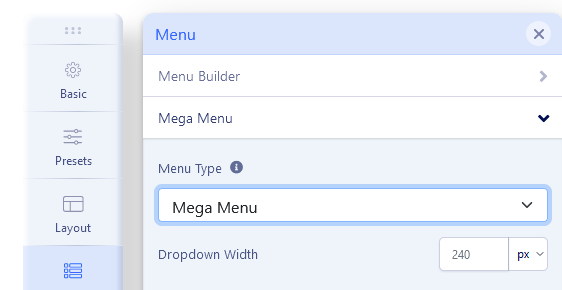
And in Template Options > Navigation/Menu > MegaMenu - set to display only MegaMenu, you will safe some space in desktop view for MainMenu.

Thomas Kitschke Asked this

Hello,

Thank you very much, I have inserted the code. But unfortunately without success. Nothing has changed.

I have also inserted the code directly into the template options for testing. Unfortunately, that didn't work either.

Where am I making the mistake?

Paul Frankowski Senior Staff

Is working perfectly, as I wanted.

Maybe I will record you video?

Thomas Kitschke Asked this

I would like to keep the offcanvas menu visible. But that is not the problem either. Please use the chrome browser and change the window size, here the problem still exists. At about 1200 the menu runs down, is still visible in the slider.

Thomas Kitschke Asked this

I just tried Firefox, same Problem, please see the screenshots.

Thomas Kitschke Asked this

The Inspector still shows:
@media (min-width: 992px)
.d-lg-block {
display: block !important;
}

At: class="sp-megamenu-parent menu-animation-pulse d-none d-lg-block"

If I change it, it works fine.

Paul Frankowski Senior Staff

So maybe using CSS hide [=] icon on resolution smaller than 1220 but wider than 1025px.
More space for menu row and items.

Thomas Kitschke Asked this
body.ltr .sp-megamenu-parent > li.sp-has-child > a::after, 
body.ltr .sp-megamenu-parent > li.sp-has-child > span::after 
{margin-left: 3px;}

@media (max-width: 1220px) {
.sp-megamenu-parent > li > a, 
.sp-megamenu-parent > li > span {padding: 0 10px;}
}

@media (max-width: 1220px) {
.sp-megamenu-wrapper.d-flex 
  {display: none !important;}
}

GREAT, thank you, this code works!

Log in to reply.