Hello,
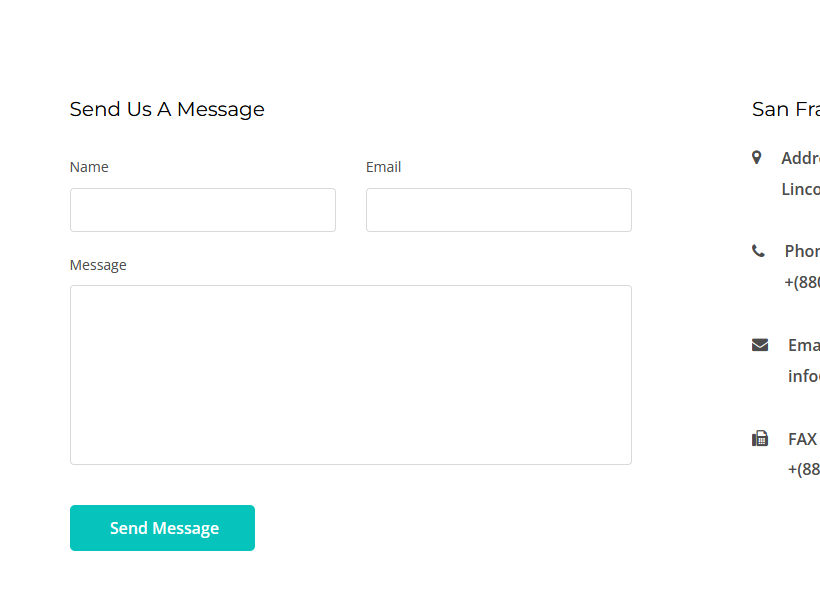
In Yoga template when i enable the form field, it's not showing in the front end.
Solved
SP Page Builder
phone field
Accepted answer
Marked as the solution
Paul Frankowski Senior Staff
4 years ago
· edited
Thanks,
- You renamed folder instead of delete it! WHY? oh....
- you forgot to update SP Page Builder Pro as well.
that's why it didn't work.
9 more replies
Paul Frankowski Senior Staff
Hi Linda,
but I see it at the bottom, just disable gallery from Contact page, is not needed there!
linda Asked this
Apologies, i meant the PHONE field is not showing in the form.
Paul Frankowski Senior Staff
Oh... I think I know how to fix it in 90sec.
Paul Frankowski Senior Staff
I cannot login to do myself .....
"Warning! Username and password do not match or you do not have an account yet."
but you can do it as well.
Please DELETE (!) "ajax_contact" folder from:
templates\shaper_yoga\sppagebuilder\addons\ajax_contact
use FTP tool or File Manager.
linda Asked this
unfortunately, when deleted the page and whole website gave HTTP ERROR 500
Paul Frankowski Senior Staff
when deleted the page
??? page, you should delete only one folder with one file inside.
You done something wrong, please share working access to admin area!
linda Asked this
I've double checked, and shared login again.
I've deleted only one folder as you stated templates\shaper_yoga\sppagebuilder\addons\ajax_contact
Paul Frankowski Senior Staff
Fixed!
linda Asked this
Awesome! Thank you Paul. appreciate your help.
Log in to reply.