
The Addon Image Content gives me the following error.
I wrote text in the content.
As soon as I set an H2 heading in the SP Pagebuilder editor (I deleted JCE Editor and did not select an editor in the Joomla configuration), it creates an empty H1, a filled H2 heading and then an empty H2, H3, H4, H5 and H6 headings.
(Even if I set an H2 in the code of the editor from the SP page builder, exactly the same thing happens)
Staff replied
SP Page Builder
Error in addon image content
Asked by Harry
3 years ago
Last activity 3 years ago
32 replies

Paul Frankowski Senior Staff
Hi Harry,
- You forgot to mention in which SPPB Pro version?
- Is that addon overriden inside your template, if yes, delete that override.
- Can you create a empty Page and put there only that addon and share link to it
In the meantime, I will play on my private site, and demo one.
Harry Asked this
https://www.brautsalon-julianna.de/h1
SP Pagebuilder PRO Version 4.0.6
Einstellung Wert
PHP erstellt für Linux ms10446 3.10.0-1160.62.1.el7.x86_64 #1 SMP Tue Apr 5 16:57:59 UTC 2022 x86_64
Datenbanktyp mysql
Datenbankversion 5.7.40-log
Datenbankzeichensatz utf8mb4_unicode_ci
Datenbankverbindungszeichensatz utf8mb4_general_ci
Datenbankverbindungsverschlüsselung Keine
Datenbankserver unterstützt Verbindungsverschlüsselung Ja
PHP-Version 8.1.10
Webserver Apache
PHP-Interface für den Webserver fpm-fcgi
Joomla-Version Joomla! 4.2.5 Stable [ Uaminifu ] 8-November-2022 15:00 GMT
Browsererkennung Mozilla/5.0 (Windows NT 10.0; Win64; x64) AppleWebKit/537.36 (KHTML, like Gecko) Chrome/107.0.0.0 Safari/537.36
Paul Frankowski Senior Staff
3 years ago
· edited
Extra question, have you checked (using JCE Pro) source code used inside Content field??
Do you have any empty <h2>, <h3> there???
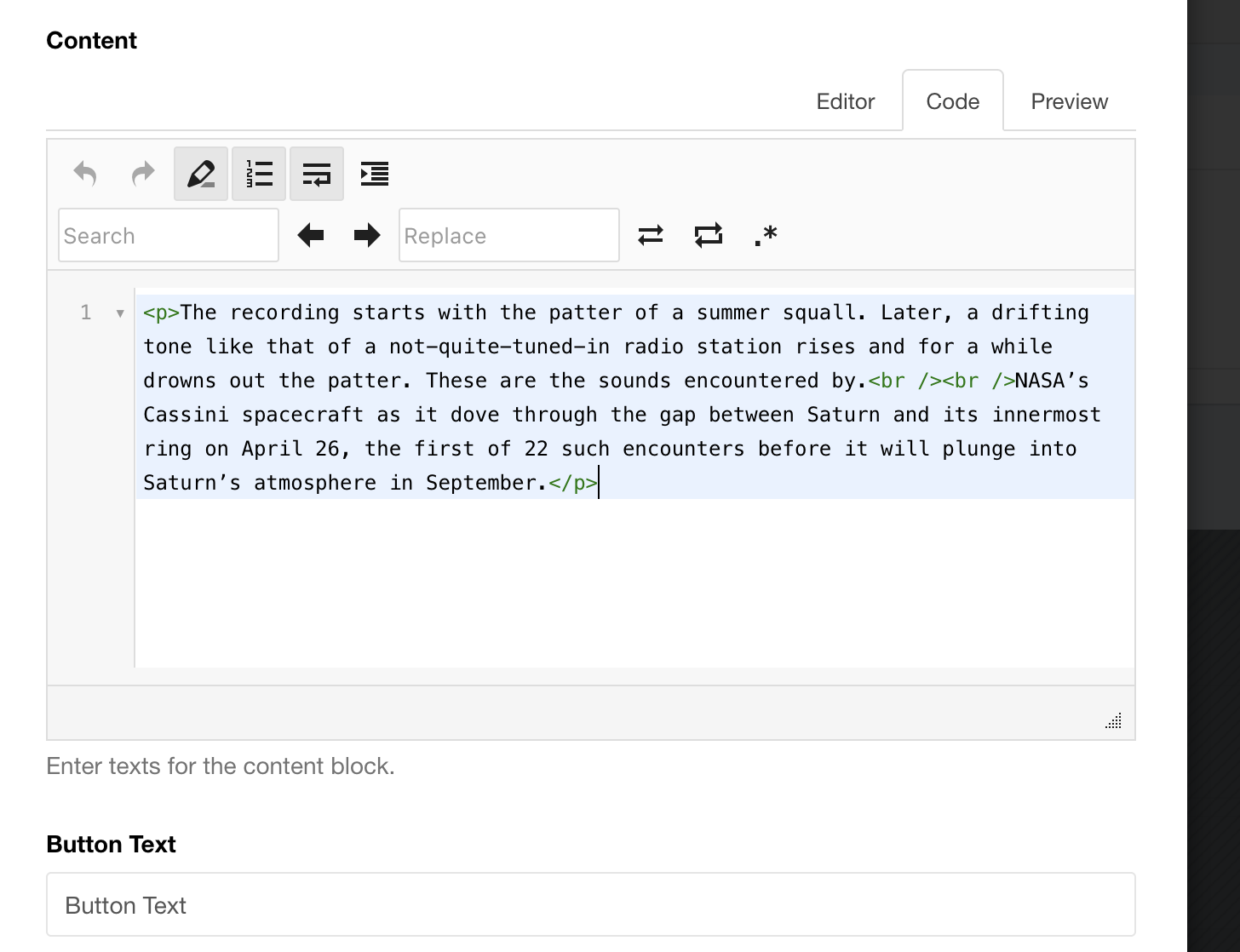
If you have any, you have to delete them.
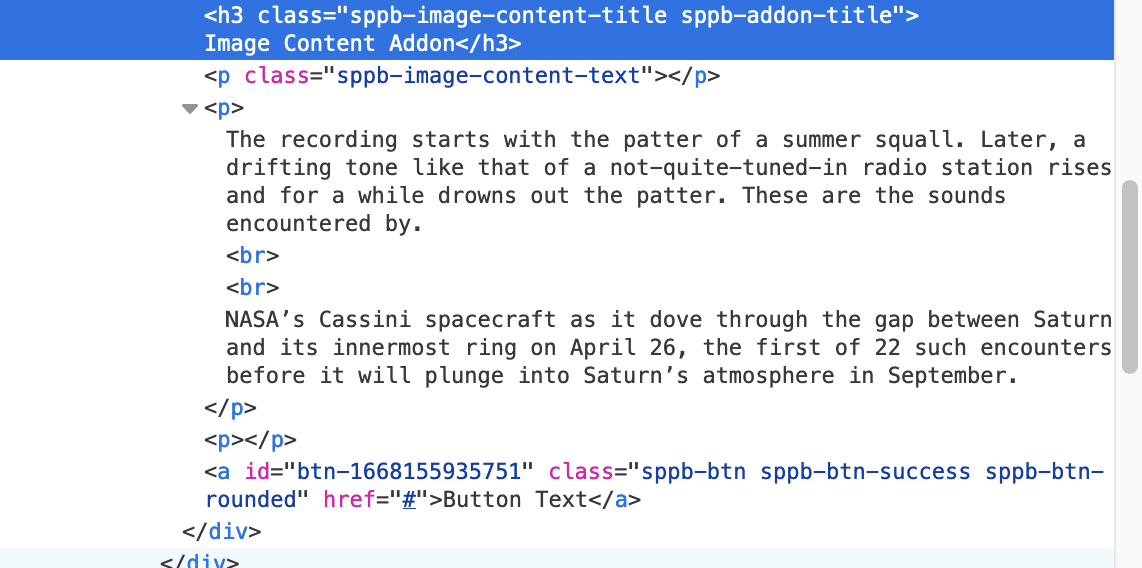
On my site, I tested in SPPB Pro 3.8.9 and I had only those Headers that I used, no empty ones.
Harry Asked this
As already described, I deleted the JCE Editor.
I only used an H2. The error then appears as described. Otherwise not.
look here
https://www.brautsalon-julianna.de/h1
Paul Frankowski Senior Staff
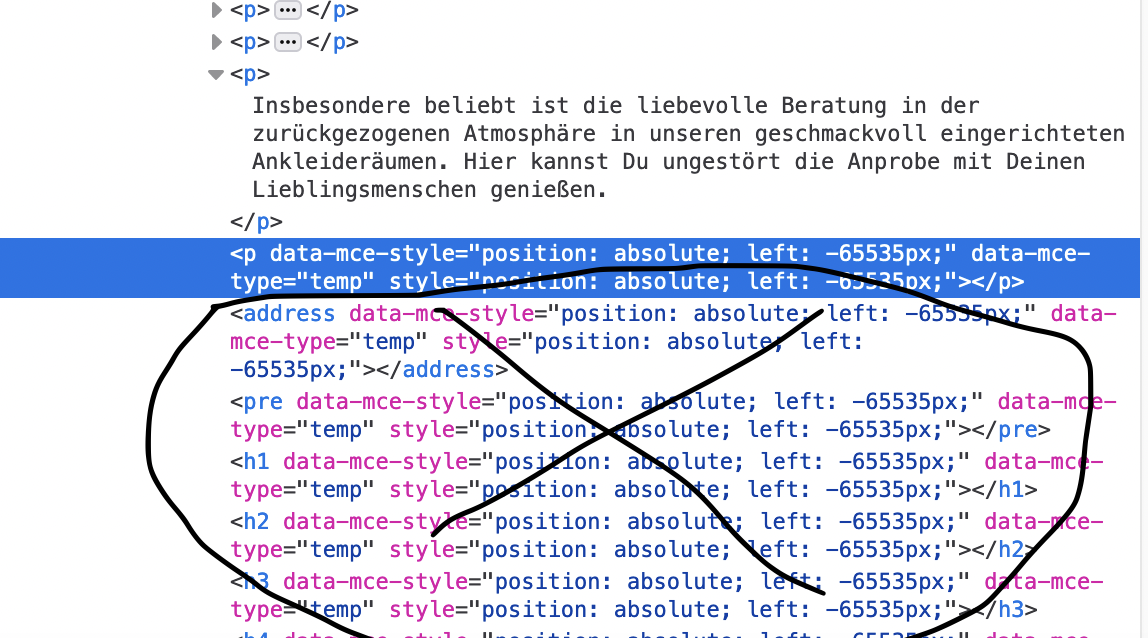
Indeed, inside you have tons of trash code.
Switch to SourceCode in TinyMCE or JCE Pro editor and manually clean/delete that trash code
Harry Asked this
it is not visible in the editor, otherwise I would have done it long ago. This is a bug of this addon.
We need a solution.
Paul Frankowski Senior Staff
Full template name?
Is that addon overriden inside that template, check.
Harry Asked this
shaper_helixultimate - Standard :)
Paul Frankowski Senior Staff
3 years ago
· edited
Ok, I will ask our developer, but it will be fixed in next update, but I will ask for temporary code as well.
By now you can use Image Layout addon instead of - that have similar view
Harry Asked this
Ok I'm waiting for the answer. Thank you for your effort so far.
Paul Frankowski Senior Staff
Can you export that page (.json), zip and upload link to it.
becuase we cannot reproduce that issue.
Harry Asked this
Thank you for the idea.
here is the link :)
https://www.webmonteur.de/shaper_helixultimate_settings_11-11-2022.zip
Paul Frankowski Senior Staff
3 years ago
· edited
not template settings, that page from SPPB.
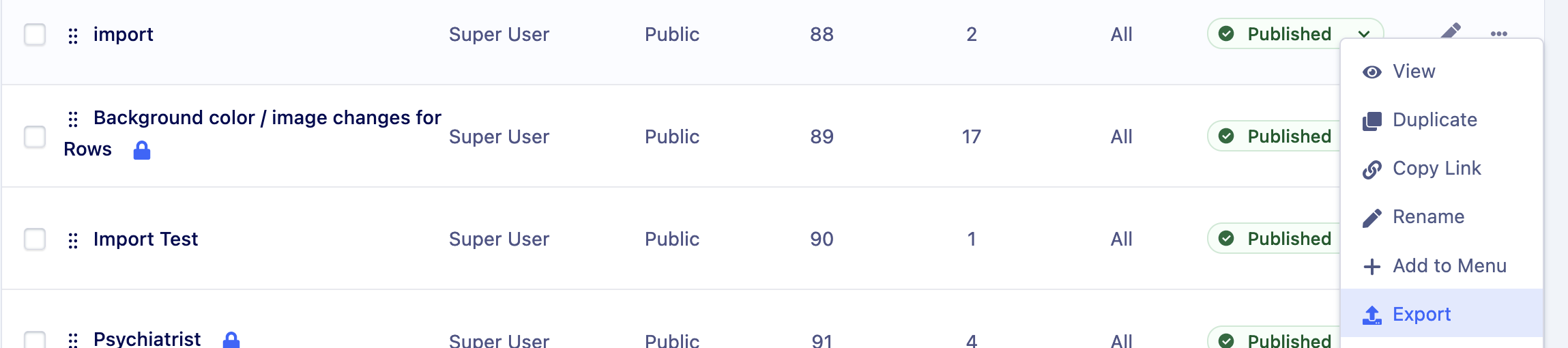
Thanks, click Export here.
Harry Asked this
Where can I create a json backup in the page builder?
Harry Asked this
sorry but i only speak german and always have to translate everything with google translator.
Paul Frankowski Senior Staff
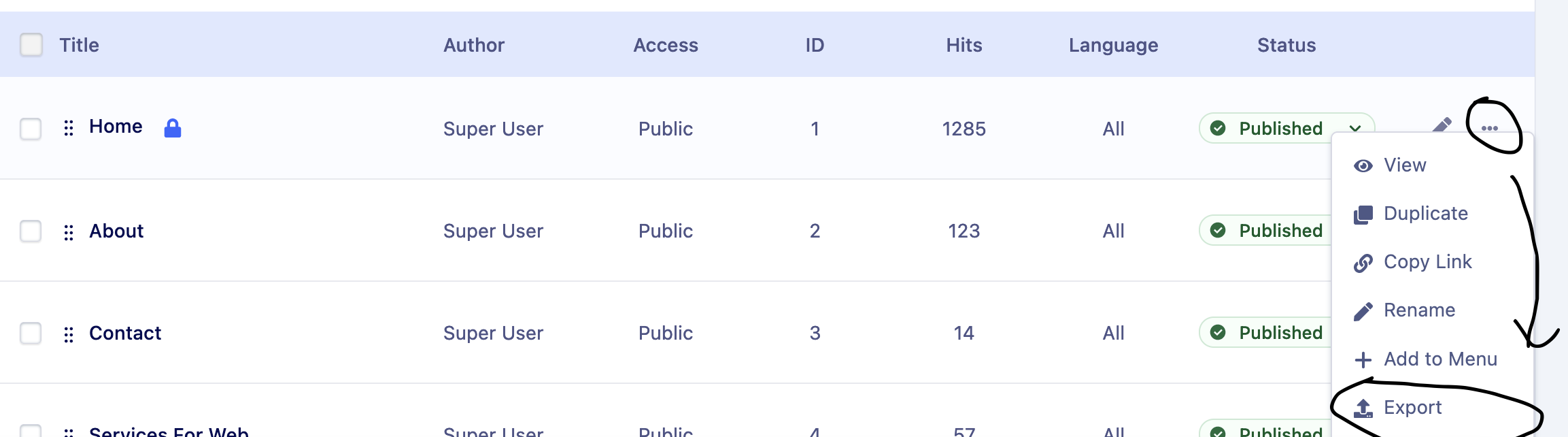
Look at me screenshot again, on list of pages at the end click icon [...] >> Export
.
Harry Asked this
https://www.webmonteur.de/template48367.zip
Thanks for your help


Pavel
Indeed, inside you have tons of trash code.
Hi Paul. Judging by the code, I assume that this is another manifestation of the problem of which I reported https://www.joomshaper.com/forum/question/16120.
And I suppose that this can only be cleaned through the database.
Harry Asked this
once again:
I don't use a JCE editor
It's not because of this either
The error comes from somewhere else.
I would also be happy to give you admin access.
Harry Asked this
I have completely deleted this JCE Editor PRO to be able to find an error.
I then created a test page with the error described above.
As soon as I define an H2 (whether in the editor or in the code), these empty headings appear in the code.
Paul Frankowski Senior Staff
Thanks for the file, I sent to our developer. Now we both have to wait.
Harry Asked this
that's OK. It's almost the weekend :)
yeah......
Pavel
once again: I don't use a JCE editor
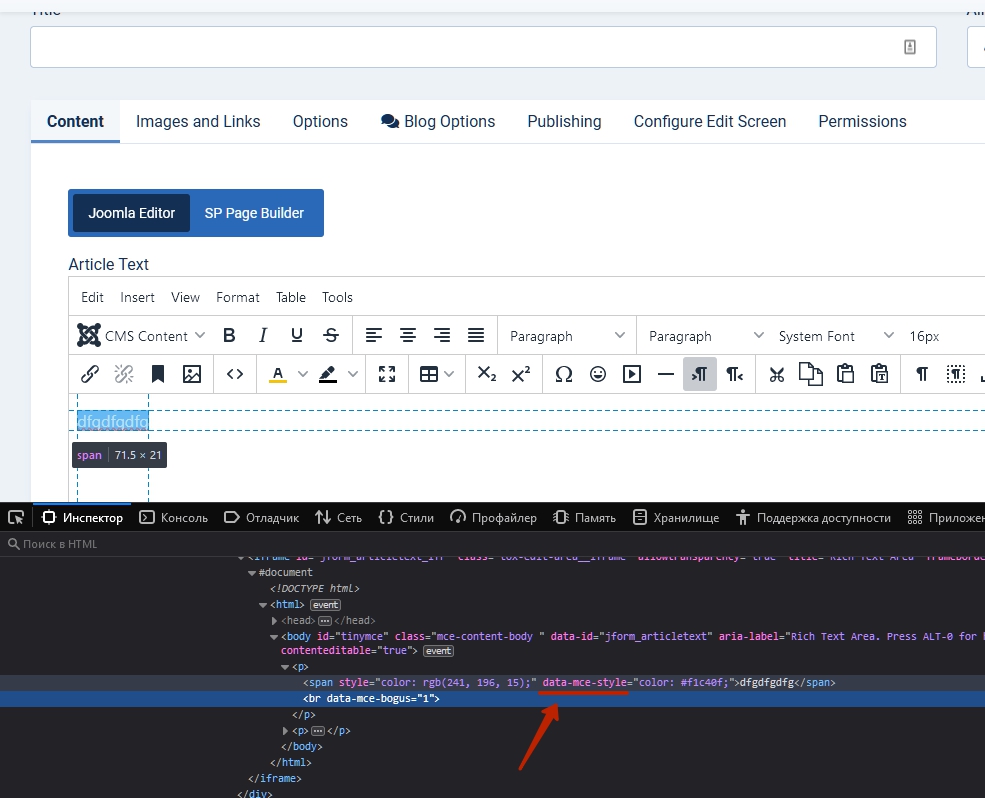
I have not fully expressed myself clearly. A similar problem but with TynyMCE. data-mce-style -this is attribute from the admin part of TynyMCE
Harry Asked this
Didn't set a Tiny either. I have set the configuration of Joomla4 to no editor.
But SP Pagebuilder gives me an editor and I have to assume that's from SP Pagebuilder.
By the way, you have a virus in the link in the JoomShaper mail.
http://dl3.joxi.net/drive/2022/11/11/0008/0401/545169/69/81683922c2.jpg
from the picture.
Virus found while loading web content.
Address: http://dl3.joxi.net/favicon.ico
Status: Access is denied.
Paul Frankowski Senior Staff
3 years ago
· edited
virus in ico file?? weird, but you can delete that file, and replace with a new generated one.
Harry, I have "task" for you.
I guess you have TinyMCE now, not JCE, can you add a new Image Content addon (not clone) and add this same text as you had in orginal one. But double check its HTML code, add image and recheck.
yes, I think it may be releated with issue that @Pavel mention in a different topic.
BTW
QUESTION!
Did You use JCE Core or Pro ? and what version ? This is important info for us.
Harry Asked this
Ich denke, ich hatte den Tiny noch im Cache gehabt. Jetzt ohne Tiny und ohne JCE funktioniert es richtig.
Dann sollte unbedingt überall der Hinweis, dass SP Pagebuilder mit keinem anderen Editor funktioniert und Fehler erstellt.
Tut mir leid für SP Pagebuilder und ich hoffe, der Fehler ist schnell mit einer neuen Updateversion behoben.
Ich wünsche Ihnen ein schönes Wochenende :)
Harry Asked this
I think I still had the Tiny in the cache. Now without Tiny and without JCE it works correctly.
Then it should be noted everywhere that SP Pagebuilder does not work with any other editor and creates errors.
Sorry for SP Pagebuilder and I hope the bug will be fixed soon with a new update version.
I wish you a nice weekend :)
Harry Asked this
virus in ico file?? weird, but you can delete that file.
I can only say what my virus scanner said and I've been using the paid version and GDATA for years.
Paul Frankowski Senior Staff
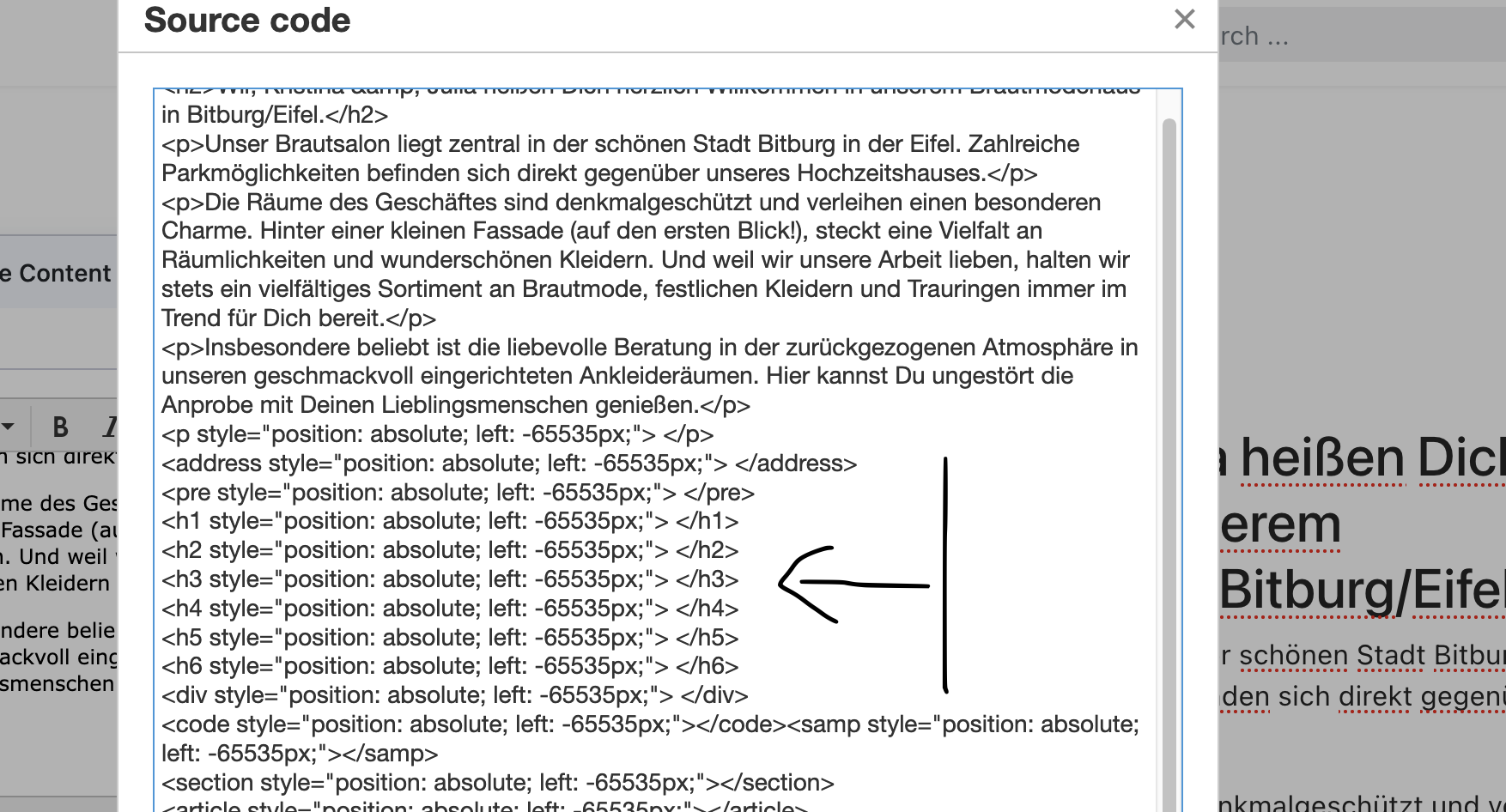
@Harry, I made important discovery. If you switch editor to TinyMCE and edit that "orginal" addon again, but you click Source code you should see Trash code, and you can delete it.
Yes, Somehow JCE hide that code even in HTML mode.
Harry Asked this
I will continue to work with it next week and post something here if necessary.
But we have now found the error and it remains for me to repair the whole site. But thanks to SP Pagebuilder it's easy.
Thank you for your trouble and I have to go to my next appointment now.
THANKS
Harry Asked this
So, everything is fine again. Deleted all codes that didn't belong there and optimized the site.
So probably the JCE Edtitor PRO played a trick on me. But you don't have to have this either, everything is possible with SP-Pagebuilder.
A big thank you to everyone who helped me with my site brautsalon-julianna.de.
MANY THANKS
and greeting
Harry :)
Paul Frankowski Senior Staff
You're welcome.
Our developer is trying to find out why it happends.
Log in to reply.