Hi,
Since updating to PHP 8.1, I am seeing this message below each article: "Modify date is not enabled in Article Configuration"
https://science.stmaur.ac.jp/
How can I prevent its display?
thanks
Hi,
Since updating to PHP 8.1, I am seeing this message below each article: "Modify date is not enabled in Article Configuration"
https://science.stmaur.ac.jp/
How can I prevent its display?
thanks
Hi,
This should help // これは役に立つはずです
Thnaks Paul, but I don't actually want to display the modified date. Is there a way to leave it undisplayed, but nto show this error message? Thanks
Yes, I know, that's why (point 2) where you can disable it
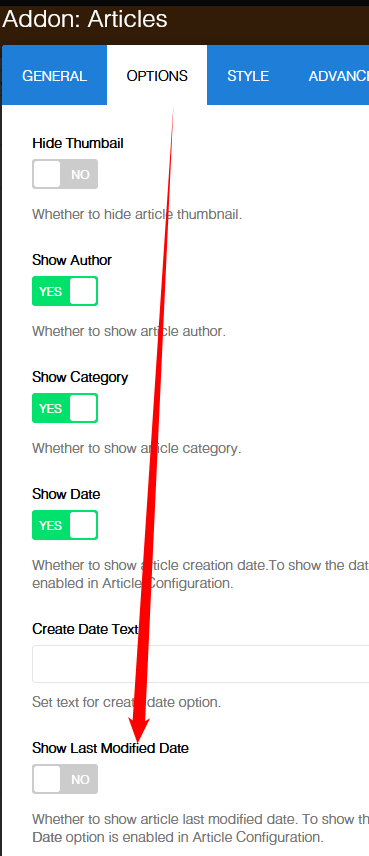
Sorry I misunderstood your first message. I did what you sugegsted and it worked, thank you.
