Addon Error - Forum | JoomShaper
Staff replied SP Page Builder

Addon Error

Asked by johnny 3 years ago Last activity 3 years ago

I am using SP Page Builder Pro 3.8.9

I have added the 'Droptables Table' addon into my page, however when I save the page I can't see the table. When I edit the SPPB page I can see the following message where the table should be.

Addon files have been removed or don’t exist in the current template or your site.

I am using the default Helix Ultimate template and Joomla 4.2.8

My site is localhost.

Can someone advise?

43 replies

Paul Frankowski Senior Staff
3 years ago · edited

Hi Johnny,

But we don't have addon 'Droptables Table' (!) please contact with addon developer.

Probably you have it from extra plugin with addons package or ???

As I know Droptables Table is extension from joomunited(.com) developer.


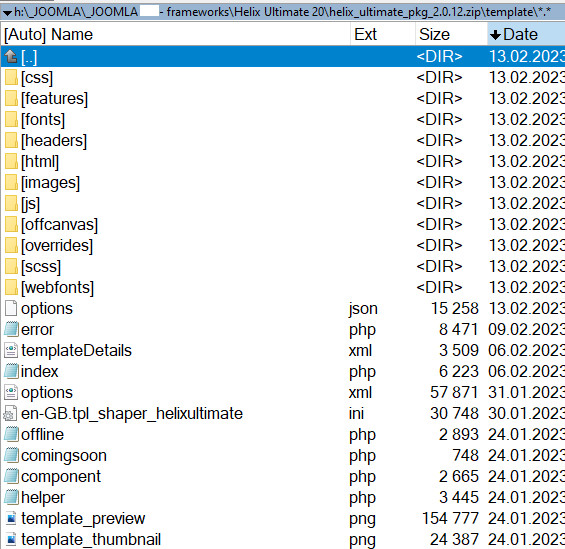
Because in raw Helix Ultimate template none of addons was overridden. Evidence:

info_482_2023.jpg

johnny Asked this

Thanks Paul.

I have contacted the developer for more information.

The strange thing is, I have the same Droptables extension installed on another site and it is working fine. Although the other site is not using the Helix template. I'm not sure if this makes any difference?

Paul Frankowski Senior Staff
3 years ago · edited

It's question to addon developer. I don't have it so I cannot check/confirm anymore.

Remember that used SPPB version also has matters. Maybe on 2nd website you still have SPPB 3.8.x (!) and addon was developed only for that.

johnny Asked this

The developer is currently investigating the issue. On my second site I am using the same version of SPPB, but I am using a different template. However, I have tried the drop tables addon with the default Cassiopa template and it also doesn;t work.

I will update here when I find an answer!

johnny Asked this

The developer has responded, see below. I have also included my site details.

After investigating the issue, it appears that SP Page Builder can only load one addon at a time, either Dropfiles or Droptables. To resolve this, you can temporarily disable the "Dropfiles - SP Page Builder" plugin on your website and then try editing the page again with the Droptables addon. It should work smoothly.

Paul Frankowski Senior Staff
3 years ago · edited

Thanks for respond from developer, I guess you have to listen his advice.

If you need two on pne page - maybe use of them inside Custom Module or as dedicated module published below component area.

I don't have other ideas...

Paul Frankowski Senior Staff

BTW

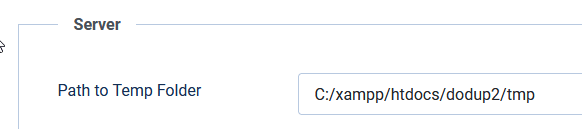
offtopic, Are 100% sure that is correct on that site? If yes, OK. I just asked.

info_588_2023.png

johnny Asked this

The developer added:

It seems that the root cause of this problem lies in the code of SP Page Builder. Would you mind contacting the developer of SP Page Builder to address this issue?

Paul Frankowski Senior Staff

But we don't have those plugins.

and my private membership ended 6 months ago.

johnny Asked this

if i can provide the plugins would that help?

Log in to reply.