Google Fonts not working in SP Page Builder 5 RC2 - Forum | JoomShaper
Solved SP Page Builder

Google Fonts not working in SP Page Builder 5 RC2

Asked by Peter KORTGE 3 years ago Last activity 3 years ago

Hi:

Google fonts was not working in SP Page Builder 5 RC1 and is still not working in SP Page Builder 5 RC2 ??

Also, when I input the Google Font API into the Helix template [Update Font List] -> [Google Font API] the API code doesn't then show up in SP Page Builder -> [Settings] -> [Advanced] and I've got to enter it again ?

Accepted answer

Marked as the solution
Toufiq Senior Staff

Please check now. Thanks

3 more replies

Toufiq Senior Staff

Hi there,

I appreciate you reaching out. I sincerely apologize for this oversight. I have checked both area google fonts and it works fine.

-Thanks

Peter KORTGE Asked this

Hi Toufiq:

Thanks … I can now see Google Fonts showing under "Font Book".

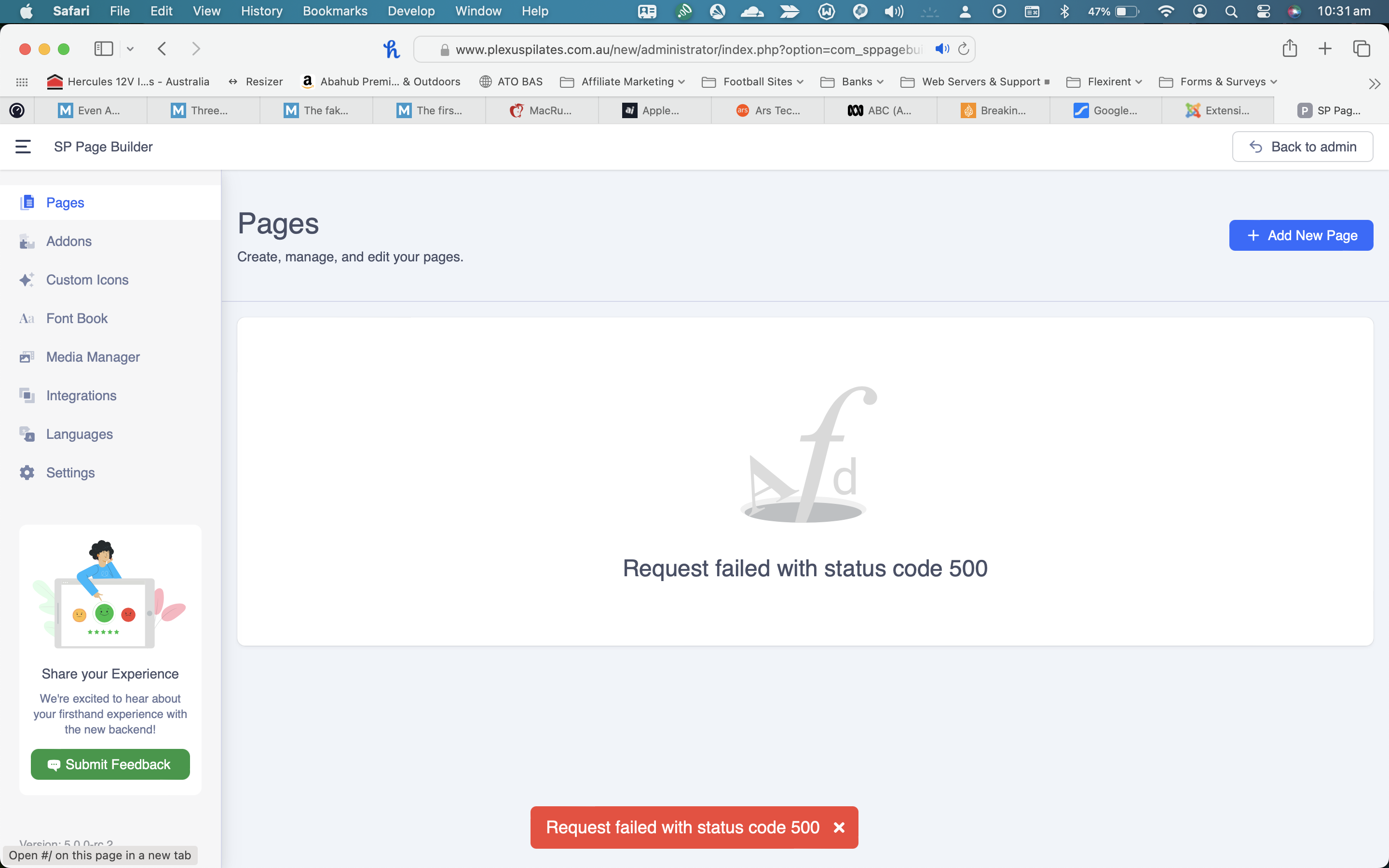
However, no SP Page Builder pages now show under pages - just a screen with an error message "Request failed with status code 500".

See screenshot attached.

http://plexuspilates.com.au/SP-Page-Builder-Pro-500-Error-Message.png

PS: It would be nice if this Forum could be upodated so that images could be uploaded directly without having to upload an image to my server. and then link to the image :-)

Toufiq Senior Staff
3 years ago · edited

We are working for the fix. Stay with us. Thanks

doug raught

It's been three months, is there a fix? I have this problem as well.

Toufiq Senior Staff

Yes, Please check the latest version. Thanks

doug raught

Thanks! It works now.

Toufiq Senior Staff

You are most welcome & Thanks

Log in to reply.