how do i stop the frontend editor in sp pagebuilder 5.08?
Now if someone opens the website then you will get the login screen and that is not the intention!
Staff replied
SP Page Builder
I can close the frontend editor
5 replies

Paul Frankowski Senior Staff
Hoi Paul,
If you have Offline mode enabled, you have to login to see website content, it also means that you see all Edit buttons.
You can disable front-end editor from SPPB 5.0 settings, but it's for all users, also Super User.
paul Asked this
How can i do that?
Paul Frankowski Senior Staff
Using magic or settings - decide for yourself
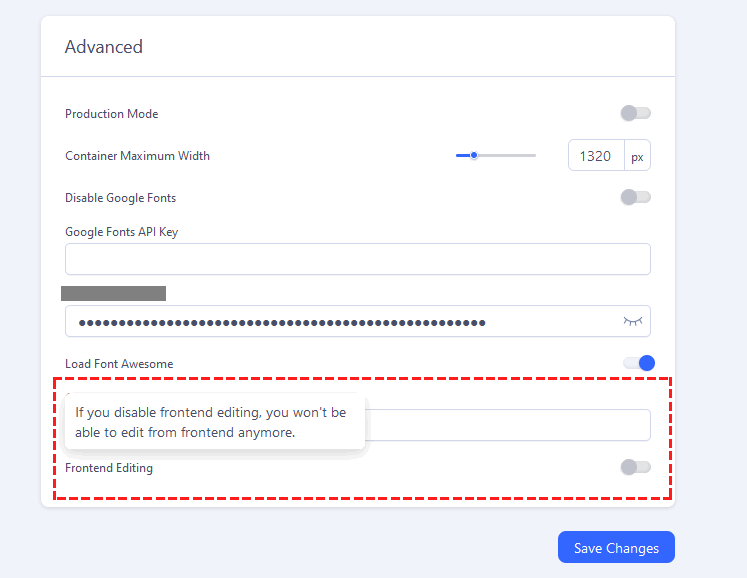
paul Asked this
I tried that, but it's not the solution.
The website keeps asking to log in instead of showing the website
https://haicobouma.nl/nieuw
Paul Frankowski Senior Staff
Disable- Offline mode or Coming Soon and recheck again.
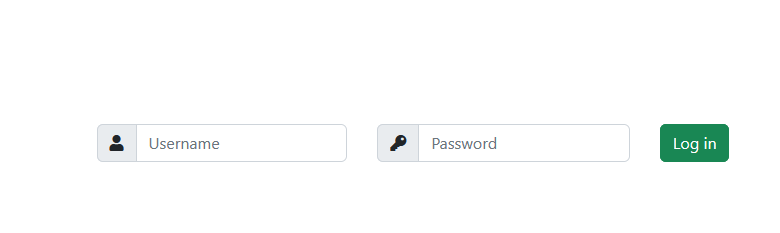
All I see is LOGIN screen, common.
paul Asked this
He Paul,
my question is: why do I see the login screen, while the domain is a website and not a login screen and how can I disable this in SPB?
Paul Frankowski Senior Staff
If you have Offline mode - in Joomla there is Login screen, natural behavior.
Log in to reply.